
Canva AI Review 2026: Design Assistant for Everyone
Canva AI review: we tested Magic Design, Magic Write, and AI image generation. Free tier included, Pro at $15/mo. See who should use it and who shouldn't.


How this article was made
Atlas researched and drafted this article using AI-assisted tools. Todd Stearn reviewed, tested, and edited for accuracy. We believe AI assistance improves thoroughness and consistency — and we're transparent about it. Learn more about our methodology.
Try Canva AI today
Get started with Canva AI — free tier available on most plans.
Canva AI is the best design assistant for non-designers who need professional-looking visuals fast. It bundles AI image generation, copywriting, and automated layouts into Canva's drag-and-drop editor. Free tier available; Pro starts at $15/month (as of May 2026). Best for small teams, solo marketers, and content creators who value speed over pixel-perfect precision.
Quick Assessment
| Rating | 8/10 |
| Price | Free tier / Pro $15/mo / Teams $10/user/mo |
| Best for | Non-designers, small marketing teams, solo content creators |
Pros:
- AI features integrated directly into a familiar design editor - no app-switching
- Magic Design generates complete, editable layouts from a single text prompt
- Free tier includes enough AI credits to test every feature before paying
Cons:
- AI image generation quality trails behind Midjourney and DALL-E 3 for photorealistic output
- Heavy AI usage burns through credits quickly on Pro - power users may feel capped
Try Canva AI Free →
If you're already creating marketing content and social posts, you might also want to explore AI writing tools like Jasper or Writesonic for the copywriting side of the equation. Canva AI tries to handle both design and copy, which makes it uniquely ambitious among creative AI agents.
What Is Canva AI?
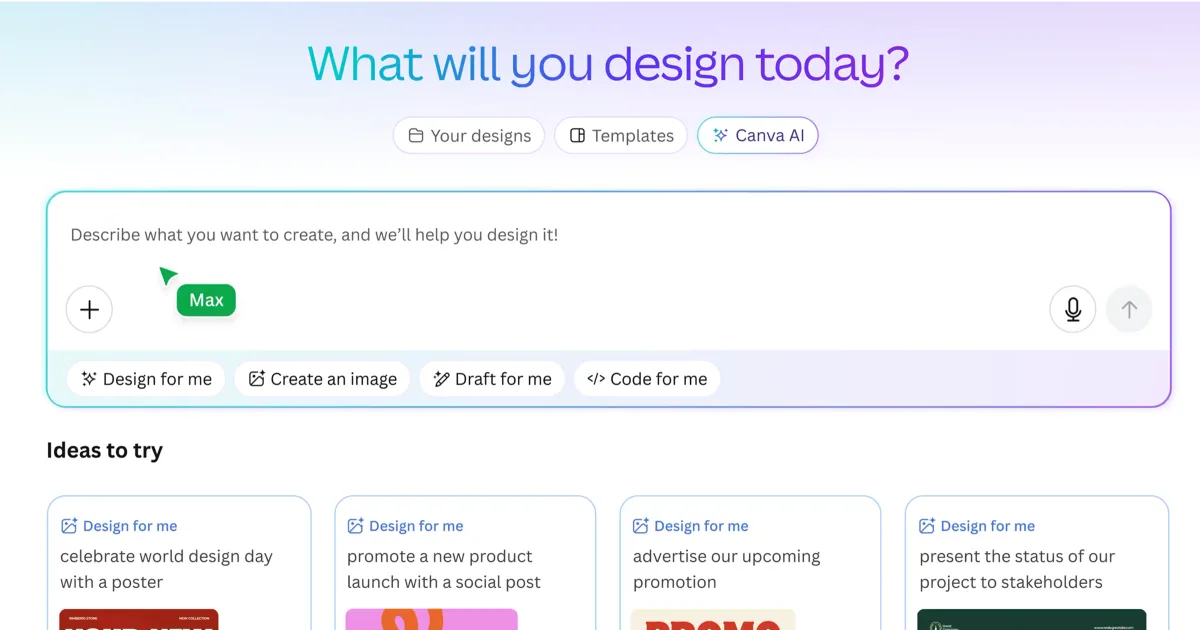
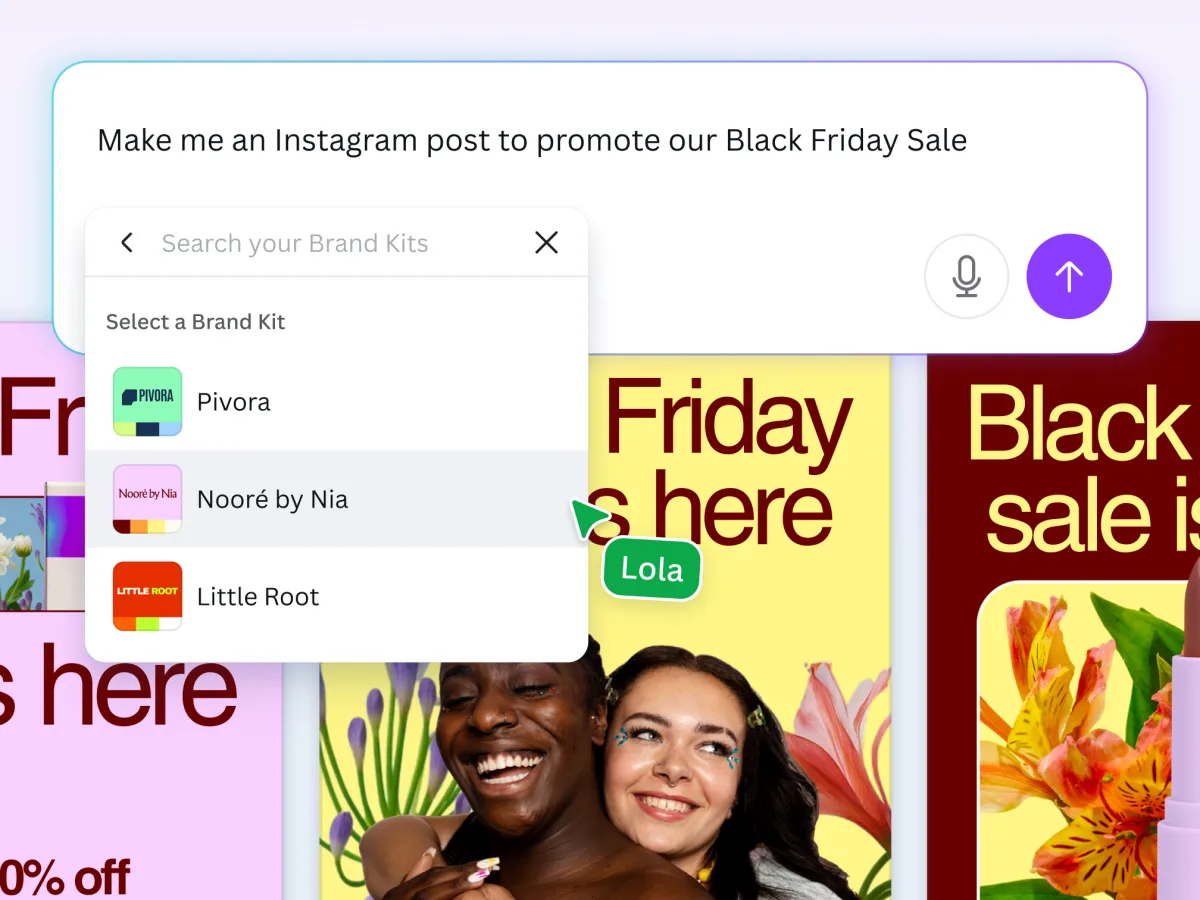
Canva AI is a suite of artificial intelligence tools built directly into Canva's design platform. It turns Canva from a template-based editor into a conversational design assistant that responds to natural language prompts.
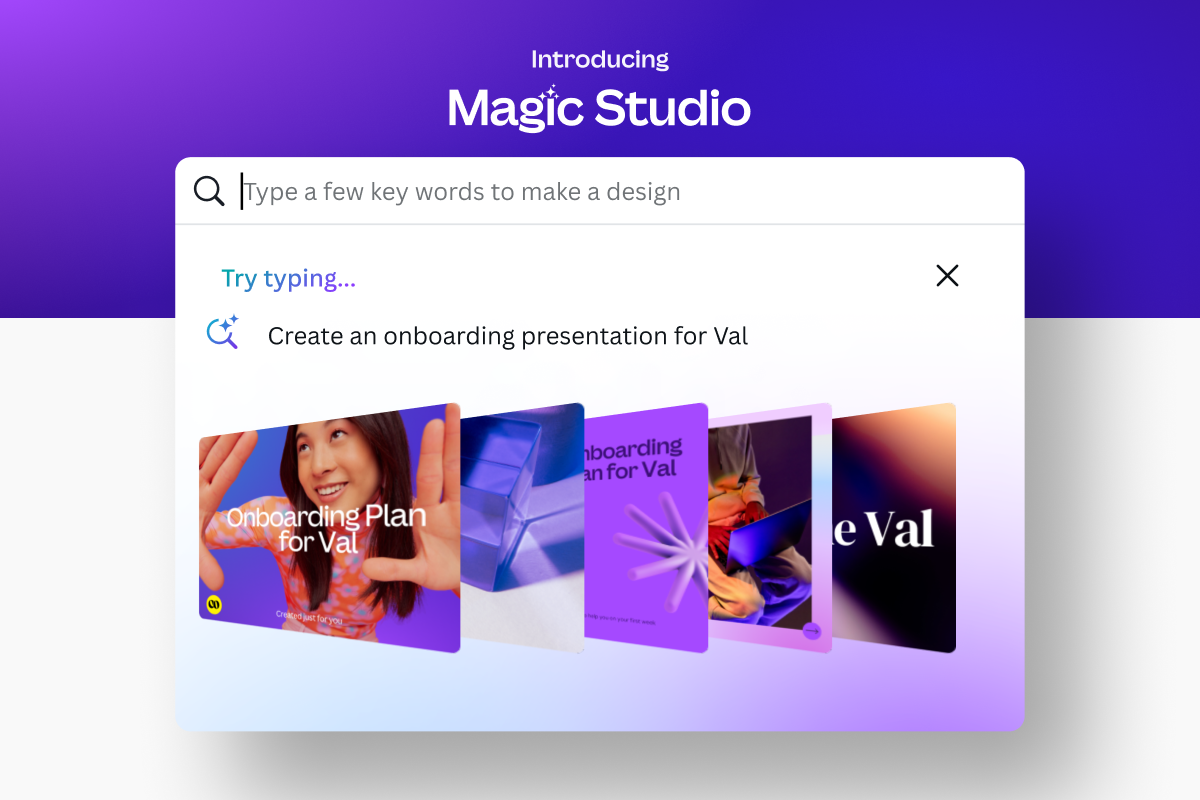
The core idea: you describe what you want, and Canva builds it. Type "Instagram post for a coffee shop grand opening" and Magic Design produces multiple complete layouts with relevant images, text, and color schemes. Everything stays editable in Canva's standard drag-and-drop interface.
Canva launched its AI features progressively through 2023-2025, and by mid-2026 the AI assistant has become central to the product. The conversational chat interface sits inside the editor, letting you ask for design modifications, generate new images, rewrite copy, or resize for different platforms without leaving your workspace.
This isn't a standalone AI tool. It's AI embedded into a design tool used by over 190 million monthly active users. That distribution advantage matters because it means you're not learning a new app. You're getting AI superpowers inside software you probably already use.
What Are Canva AI's Key Features?
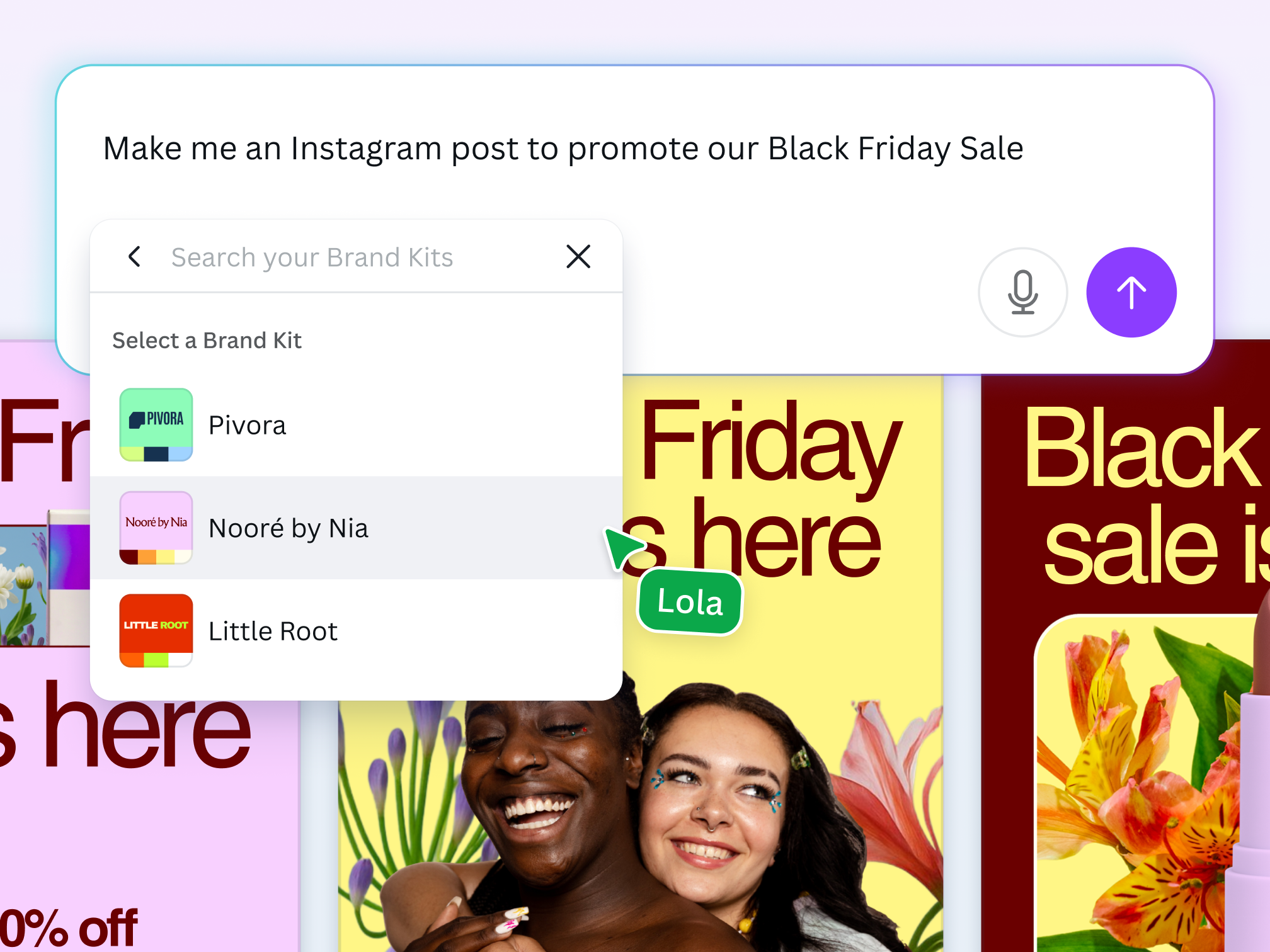
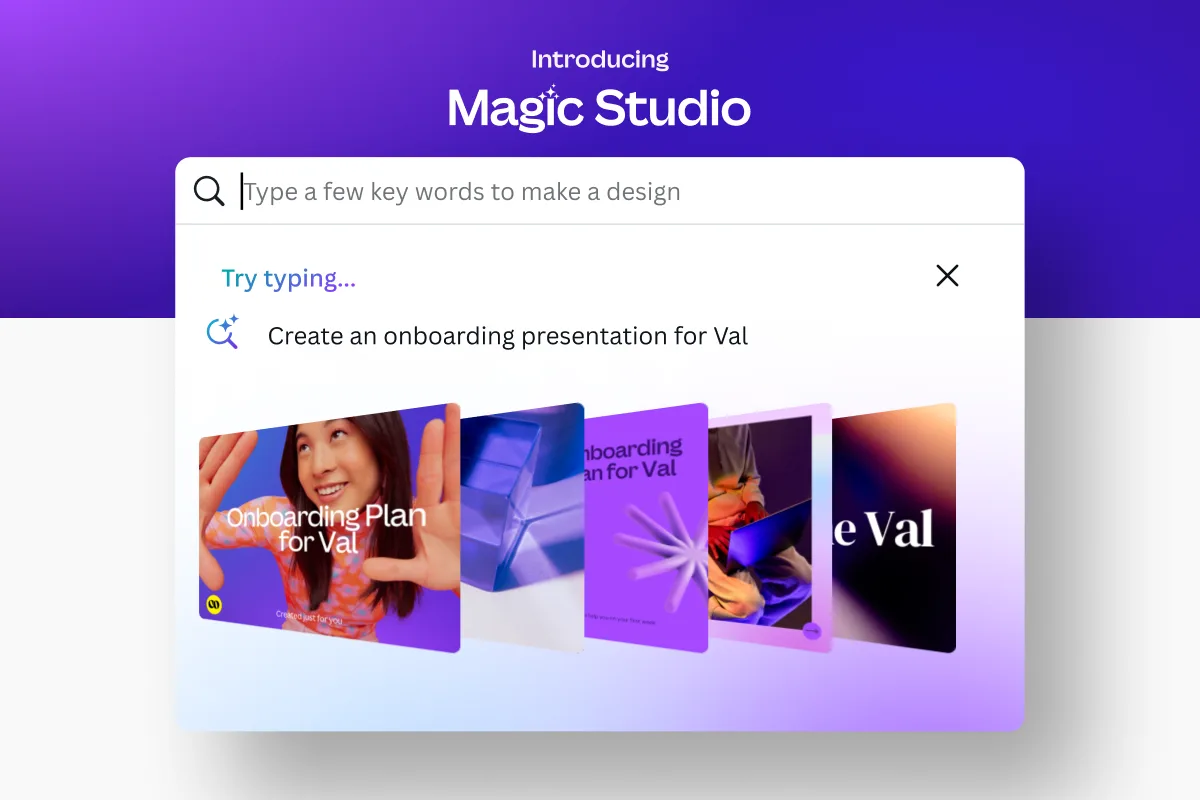
Canva AI's strongest feature is Magic Design, which generates full design layouts from a text prompt or uploaded image. In our testing, it consistently produced 8-10 layout variations per prompt, and at least 2-3 were immediately usable with minor edits. Tested May 2026.
Here's what the AI toolkit includes:
Magic Design - Text-to-design generation. Describe your project and get complete, editable layouts. Works for social posts, presentations, videos, and print materials. Quality is strongest for social media formats and weakest for multi-page documents.
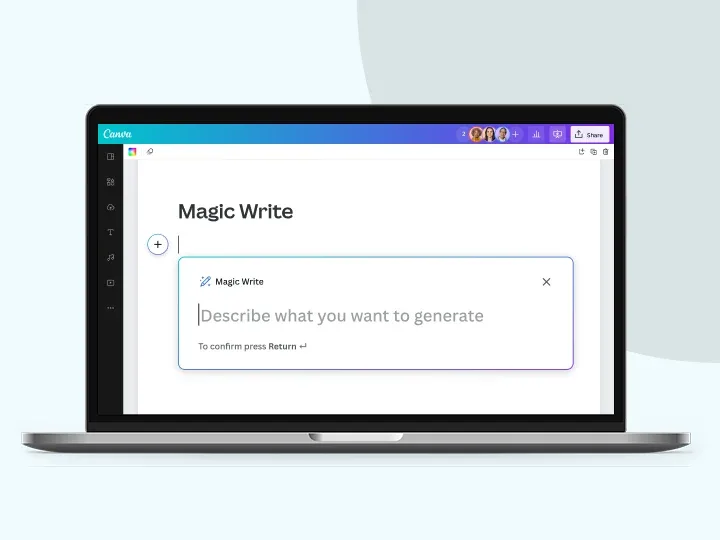
Magic Write - AI copywriting powered by a large language model. Generates headlines, body copy, social captions, and long-form text. You can set tone, length, and audience. In our testing, the output was comparable to Rytr for short-form marketing copy but less capable for blog-length content.
Magic Media - AI image and video generation. Text-to-image supports multiple styles (photo, illustration, 3D, watercolor). Image quality is solid for social media but noticeably below Midjourney for detailed or photorealistic work. Video generation is limited to short clips.
Magic Eraser - Remove unwanted objects from photos with a brush tool. Works well for simple removals (background clutter, extra people) but struggles with complex scenes where the AI needs to reconstruct detailed textures.
Background Remover - One-click background removal. This is genuinely excellent - fast, accurate on hair edges, and handles complex subjects better than most free alternatives.
Magic Animate - Auto-animate static designs with entrance effects, transitions, and motion. Useful for turning social posts into short video content without manual keyframing.
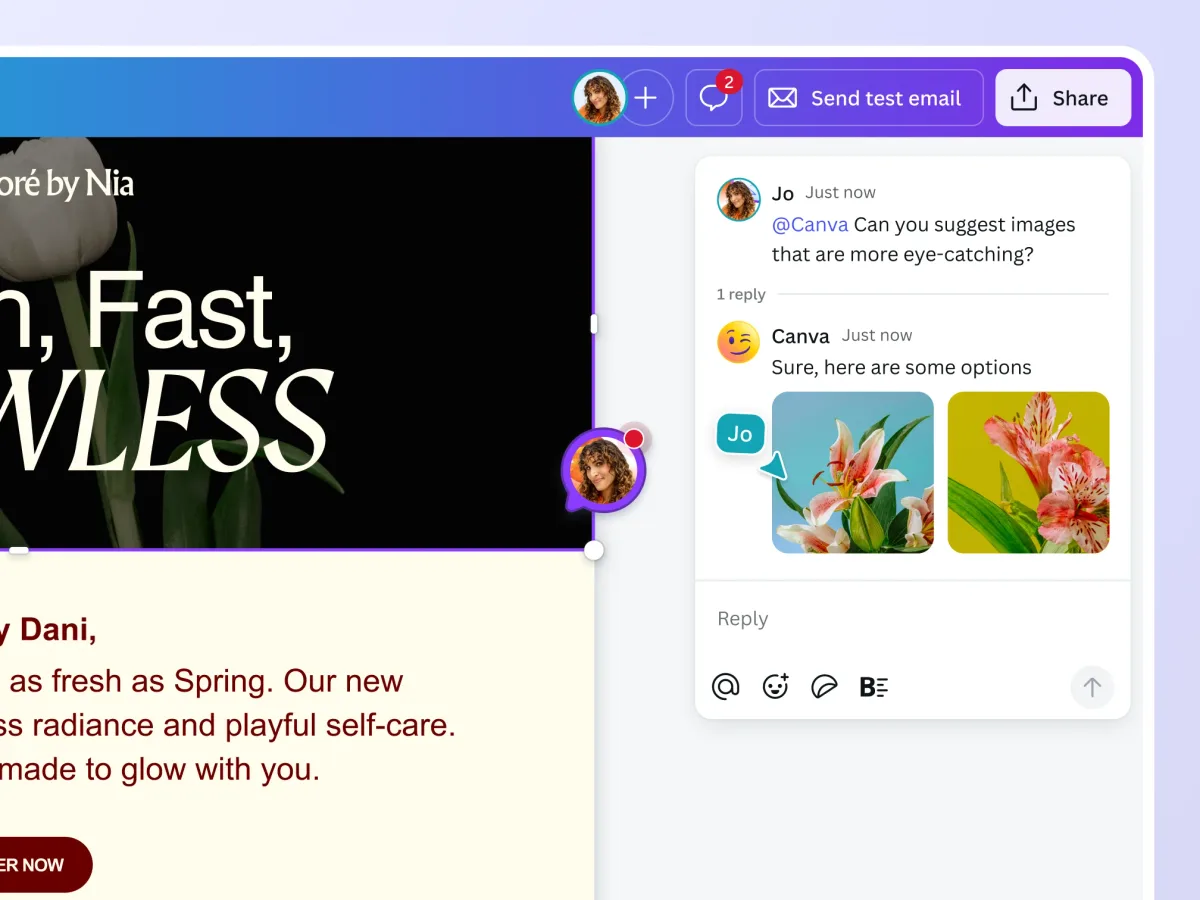
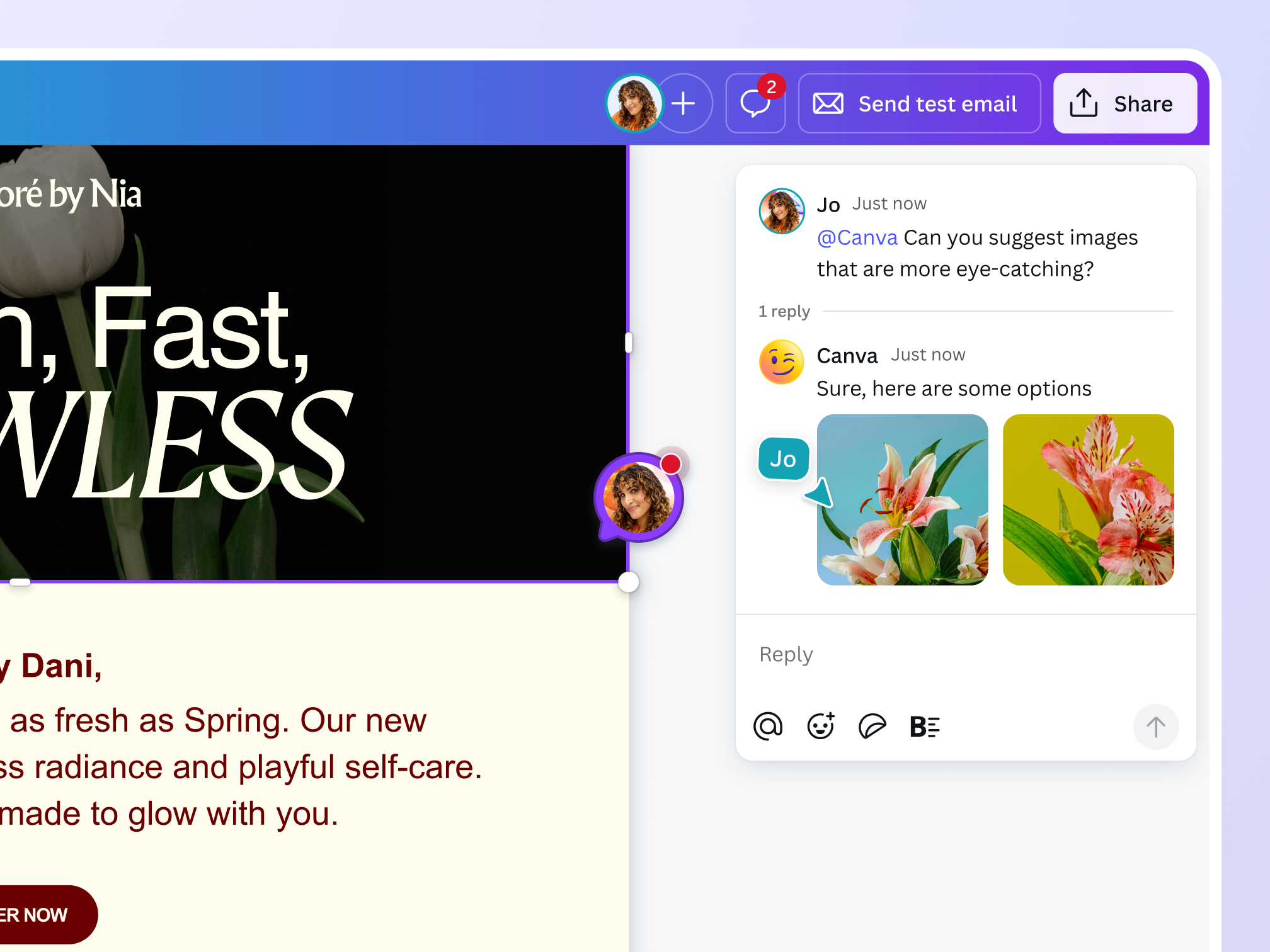
AI Assistant Chat - A conversational interface inside the editor. Ask it to change colors, swap layouts, resize for different platforms, or explain design choices. It handles multi-step requests like "make this more professional and resize it for LinkedIn."
How Much Does Canva AI Cost?
Canva AI is one of the better values in creative AI because the free tier actually lets you test meaningful features. Here's the full pricing breakdown (as of May 2026):
| Plan | Price | AI Credits | Key AI Features |
|---|---|---|---|
| Free | $0/mo | ~50 Magic Media uses, 500 Magic Write queries (lifetime) | Magic Design, Magic Write, limited Magic Media |
| Pro | $15/mo ($120/yr) | 500 Magic Media uses/mo, unlimited Magic Write | All AI features, Background Remover, Magic Eraser |
| Teams | $10/user/mo (min 3) | 500 Magic Media uses/user/mo | All Pro features + Brand Kit, approval workflows |
| Enterprise | Custom pricing | Custom limits | SSO, advanced admin, dedicated support |
The free tier is genuinely useful for testing. You can generate enough AI images and write enough copy to know whether the tools fit your workflow before paying anything. That's rare - most creative AI tools gate everything behind a subscription.
Pro at $15/month is the sweet spot for individual creators. The 500 monthly Magic Media credits cover roughly 15-20 images per day, which is enough for most social media workflows. If you're generating high volumes of AI images specifically, a dedicated tool like Midjourney ($10/month) offers better output quality per dollar.
For teams, $10/user/month undercuts Adobe Creative Cloud significantly. You're trading professional-grade tools for speed and accessibility, which is the right trade for most marketing teams.
Who Should (and Shouldn't) Use Canva AI?
Canva AI is purpose-built for people who need design output but don't have design training. If you've ever spent 45 minutes adjusting font sizes in PowerPoint, this tool will change your workflow.
Use Canva AI if you are:
- A solo marketer or content creator producing 5+ social posts per week. Magic Design cuts creation time from 30 minutes to 5 minutes per post.
- A small business owner making your own marketing materials. The AI assistant guides you through design decisions you'd otherwise need a freelancer for.
- A team lead creating internal presentations and documents. Magic Design for presentations is surprisingly strong.
- Someone already paying for Canva Pro. The AI features are included - you're leaving value on the table if you're not using them.
Skip Canva AI if you are:
- A professional designer who needs precise control over typography, layout grids, and color management. Canva's editor is still limited compared to Figma or Adobe Illustrator.
- A photographer or digital artist who needs high-fidelity AI image generation. Magic Media produces social-quality images, not portfolio-quality art.
- A video-first creator. Canva's video editing is basic compared to dedicated tools, and AI video generation is still early-stage.
For creative agencies handling client work, Canva AI works as a rapid prototyping tool but not as a production tool. Use it to mock up concepts fast, then move to professional software for final delivery. If you're exploring AI for marketing specifically, Blaze AI offers a more marketing-focused approach, while AdGPT specializes in ad creative generation.
How Does Canva AI Compare to Adobe Firefly?
Adobe Firefly is Canva AI's most direct competitor, and the comparison reveals clear trade-offs between accessibility and professional quality.
Image generation quality: Adobe Firefly produces noticeably better photorealistic images. In our side-by-side testing with identical prompts, Firefly's output had more accurate lighting, better skin textures, and fewer artifacts. Canva Magic Media wins on illustration and stylized outputs where "good enough" aesthetics matter more than photorealism.
Design workflow integration: Canva AI wins here decisively. Firefly generates images that you then place into a separate design tool (Photoshop, InDesign). Canva AI generates images, writes copy, and builds complete layouts in one editor. For non-designers, this single-environment approach saves 15-20 minutes per design.
Pricing: Canva Pro costs $15/month and includes AI image generation, copywriting, design automation, and the full editor. Adobe Firefly requires Creative Cloud at $55/month for equivalent functionality across Photoshop, Illustrator, and Firefly. Canva is 73% cheaper.
Learning curve: Canva AI is usable within 10 minutes. Adobe's tools require hours of learning even with AI assistance. For teams where design isn't the primary job function, this gap is enormous.
The verdict: Choose Canva AI if you prioritize speed, affordability, and all-in-one convenience. Choose Adobe Firefly if you need professional-grade output quality and already work in the Adobe ecosystem. For most small businesses and marketing teams, Canva AI delivers 80% of the value at 27% of the cost.
How We Tested Canva AI
We tested Canva AI over three weeks in April-May 2026, using both the free and Pro tiers. Our testing covered real-world scenarios, not synthetic benchmarks.
Design generation: We created 50+ designs across formats (Instagram posts, LinkedIn carousels, presentations, YouTube thumbnails) using only Magic Design prompts. We measured time-to-completion versus manual template customization and rated output quality on a 1-5 scale.
Image generation: We ran 30 identical prompts through Magic Media and compared results against Midjourney v6 and DALL-E 3. We evaluated sharpness, prompt adherence, and style consistency.
Copywriting: We used Magic Write for 25 social media captions, 10 email subject lines, and 5 blog introductions, comparing output to Copy.ai and manual writing.
Conversational assistant: We tested 40 multi-step editing requests through the chat interface, measuring completion accuracy and how often we needed to manually correct the AI's work.
We haven't tested the Enterprise tier or Canva Teams with more than 5 users. Our testing reflects individual creator and small team use cases. Editorially reviewed by Todd Stearn. Full methodology at how we work.
The Bottom Line
Canva AI earns an 8/10 because it solves a real problem - getting professional designs done fast - better than any competitor at its price point. Magic Design is the standout feature; the conversational AI assistant is the future. Image generation quality is the main weakness, trailing dedicated tools by a visible margin.
If you're a non-designer who needs to produce visual content regularly, Canva AI is the single best tool you can use right now. The free tier lets you prove that before spending a dollar.
Try Canva AI Free →
Frequently Asked Questions
Is Canva AI free to use?
Canva AI offers a free tier with limited AI credits for features like Magic Write and Magic Media. Free users get roughly 50 lifetime AI image generations and 500 Magic Write uses. For unlimited access to all AI tools, you need Canva Pro at $15/month or $120/year (as of May 2026).
How does Canva AI compare to Adobe Firefly?
Canva AI is easier to use and cheaper, bundling design tools with AI generation in one platform starting at $15/month. Adobe Firefly produces higher-fidelity images and integrates with Photoshop and Illustrator, but requires a Creative Cloud subscription at $55/month. Canva wins on accessibility; Adobe wins on professional output quality.
Can Canva AI replace a graphic designer?
For social media posts, presentations, and basic marketing materials, Canva AI handles 80% of what a freelance designer would produce. It struggles with complex brand systems, custom illustrations, and print-ready layouts requiring precise CMYK control. Small teams doing routine design work benefit most. Agencies needing pixel-perfect output still need human designers.
What AI features does Canva include?
Canva AI includes Magic Design (text-to-design), Magic Write (AI copywriting), Magic Media (AI image and video generation), Magic Eraser (object removal), Background Remover, Magic Animate, and a conversational AI assistant. These features span the full design workflow from concept to finished asset, all inside a single editor.
Is Canva AI good for business teams?
Canva AI works well for business teams producing high volumes of social content, internal presentations, and marketing collateral. Canva Teams pricing starts at $10/user/month (minimum 3 users) and includes Brand Kit, shared templates, and approval workflows. It struggles with teams needing advanced video editing or custom font management at scale.
Related AI Agents
- Jasper AI - AI marketing copy platform with brand voice training and campaign workflows
- Writesonic - AI writing and image generation tool for marketers and bloggers
- Blaze AI - AI content creation platform built specifically for marketing teams
- AdGPT - AI ad creative generator for social media advertising
- Murf AI - AI voice generation for adding narration to video and presentation content
Get weekly AI agent reviews in your inbox. Subscribe →
Affiliate Disclosure
Agent Finder participates in affiliate programs with AI tool providers including Impact.com and CJ Affiliate. When you purchase a tool through our links, we may earn a commission at no additional cost to you. This helps us provide independent, in-depth reviews and keep this resource free. Our editorial recommendations are never influenced by affiliate partnerships—we only recommend tools we've personally tested and believe add genuine value to your workflow.
Try Canva AI today
Get started with Canva AI — free tier available on most plans.
Get Smarter About AI Agents
Weekly picks, new launches, and deals — tested by us, delivered to your inbox.
Join 1 readers. No spam. Unsubscribe anytime.
Related Articles
Seedance Review 2026: Multi-Model AI Video Generator
Seedance bundles Sora 2, Veo 3, and its own model into one 1080p video platform. We tested it for two weeks. Read our honest Seedance review.
Luma Agents Review 2026: Multimodal Creative on Autopilot
Luma Agents coordinate text, image, video, and audio workflows autonomously. We tested them for 3 weeks. Read our full Luma Agents review for pricing and verdict.
Eklipse Review 2026: AI Clip Generator for Streamers
Eklipse auto-clips gaming highlights for TikTok, Reels, and Shorts. We tested it for 3 weeks. Read our honest Eklipse review with pricing, pros, and cons.