
Firefly AI Assistant Review: Adobe's Creative AI Agent
Firefly AI Assistant review: Adobe's conversational creative agent orchestrates Photoshop, Illustrator, and more. We tested it. Here's our honest verdict.


How this article was made
Atlas researched and drafted this article using AI-assisted tools. Todd Stearn reviewed, tested, and edited for accuracy. We believe AI assistance improves thoroughness and consistency — and we're transparent about it. Learn more about our methodology.
Try Firefly AI Assistant today
Get started with Firefly AI Assistant — free tier available on most plans.
Firefly AI Assistant is Adobe's strongest play for creators who live inside Creative Cloud. It turns natural language prompts into multi-app workflows across Photoshop, Illustrator, Premiere Pro, and more. Pricing starts at $9.99/month for Premium (as of May 2026). Best for professional designers and content creators already using Adobe apps.
Quick Assessment
| Rating | 8/10 |
| Price | Free (25 credits/mo); Premium $9.99/mo (2,000 credits) |
| Best for | Professional designers and marketers already in Adobe Creative Cloud |
Pros:
- Commercially safe output trained on licensed content with IP indemnification
- Orchestrates multi-step workflows across 7+ Adobe apps from a single conversation
- Generative Fill and Expand in Photoshop remain best-in-class for photo editing
Cons:
- Standalone image generation still trails Midjourney on artistic style and detail
- Credit system creates friction for high-volume production workflows
Try Firefly AI Assistant →
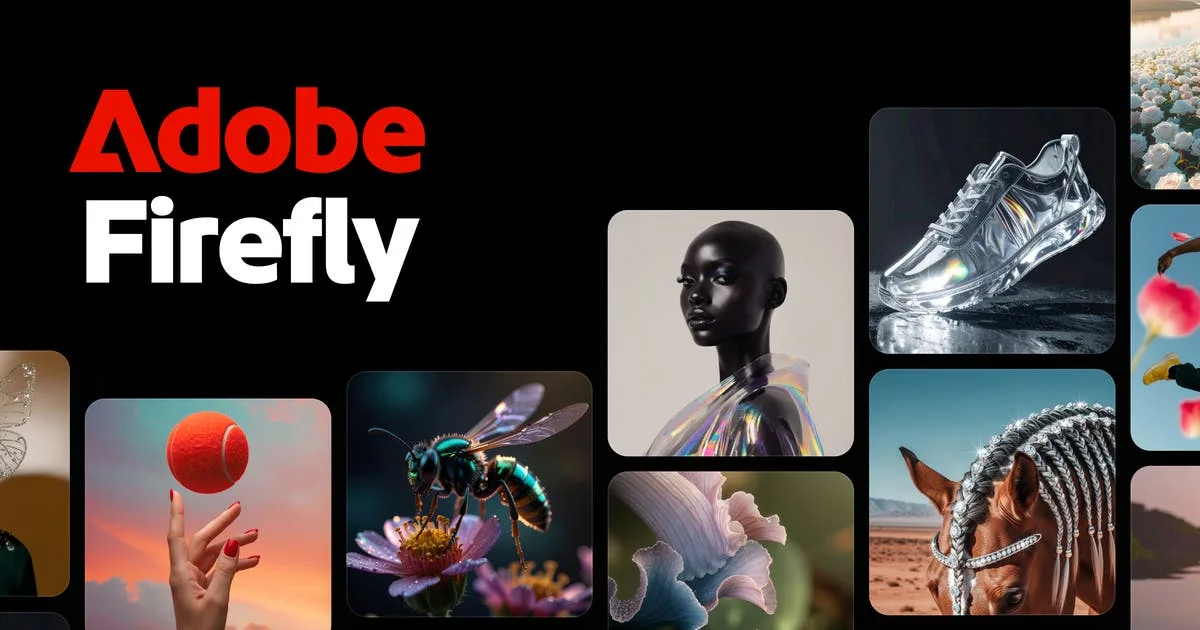
Adobe has been embedding AI into its creative tools since 2016 with Adobe Sensei, but Firefly AI Assistant represents a fundamentally different approach. Instead of adding AI features to individual apps, it puts a conversational agent in front of the entire Creative Cloud ecosystem. You describe what you want, and it figures out which apps to use and how to execute the work. If you're evaluating where this fits in the broader landscape, our guide to choosing the right AI agent covers the decision framework.
This review is based on three weeks of testing across web design, social media content creation, and photo editing workflows during April and May 2026. We used both the free tier and Premium plan.

What Is Firefly AI Assistant?
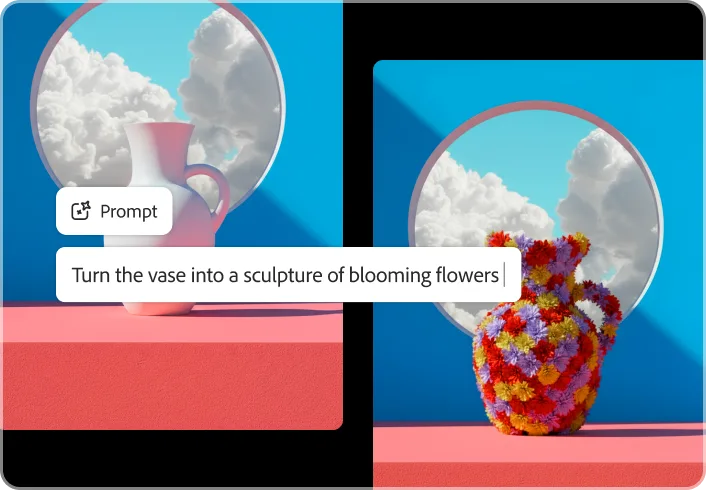
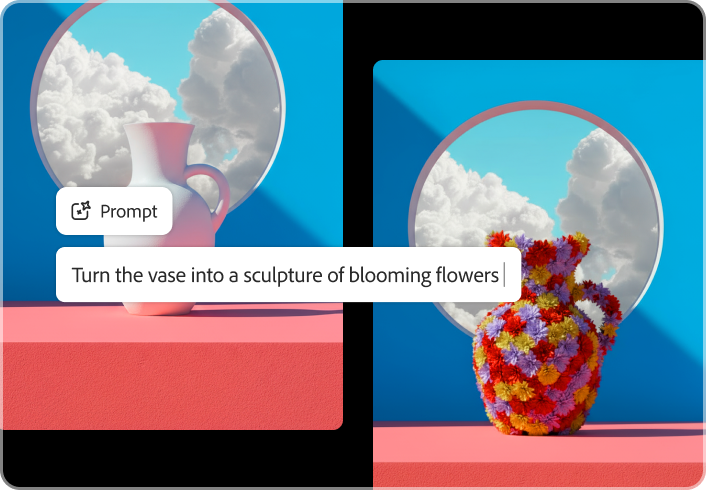
Firefly AI Assistant is a conversational creative agent built on Adobe's Firefly generative AI models. It sits on top of Adobe Creative Cloud and acts as an orchestration layer, routing your requests to the right apps and executing complex, multi-step creative tasks.
Say you need a social media campaign. You describe the concept in plain English. Firefly AI Assistant generates the hero image using its text-to-image model, applies brand-consistent styling, resizes assets for different platforms in Adobe Express, and can even suggest color palettes pulled from your brand kit. The key difference from standalone generators like Midjourney or DALL-E: Firefly doesn't just create images in isolation. It connects to a professional production pipeline.
Adobe trained Firefly's models exclusively on Adobe Stock images, openly licensed content, and public domain material. This matters. Every output is commercially safe, and Adobe backs enterprise customers with IP indemnification. For agencies, brands, and freelancers who sell creative work, this removes the legal ambiguity that plagues other AI image generators.
The assistant uses what Adobe calls "agentic" behavior: you give it a high-level creative brief, and it breaks that into discrete steps across multiple applications. In our testing, we found this worked best for repetitive production tasks (batch resizing, style transfer, template generation) and reasonably well for exploratory creative work.
Key Features of Firefly AI Assistant
Firefly AI Assistant bundles several capabilities that set it apart from both standalone AI generators and traditional creative suites.
Multi-app workflow orchestration. This is the headline feature. In one conversation, you can generate an image, edit it in Photoshop, add text overlays in Illustrator, and export in multiple formats through Express. We tested a social media workflow that would normally require switching between three apps and 15+ manual steps. Firefly AI Assistant handled it in one thread with four prompts. Time savings: roughly 60% on repetitive production work.

Text-to-image generation. Firefly generates images from natural language descriptions. Quality has improved significantly since launch. Adobe's latest model (Firefly Image Model 3) produces clean, photorealistic output that's immediately usable for commercial projects. It handles product mockups, lifestyle photography, and conceptual art well. Abstract or highly stylized outputs still lag behind Midjourney.
Generative Fill and Generative Expand. These Photoshop-integrated features remain Firefly's strongest technical achievement. Select an area in a photo, describe what you want, and Firefly fills it seamlessly. We tested removing objects, extending backgrounds, and adding elements to existing photos. Success rate in our testing: roughly 85% usable results on first attempt, with the remaining 15% needing one or two regenerations.
Style Reference and Structure Reference. Upload a reference image to guide Firefly's aesthetic output. Style Reference copies the visual mood (color palette, lighting, texture) while Structure Reference maintains compositional layout. For brand-consistent content creation, this is the feature that separates Firefly from generators that require extensive prompt engineering to maintain visual consistency.
Vector generation in Illustrator. Firefly can produce editable vector graphics directly in Illustrator. This is genuinely useful for icon sets, simple illustrations, and pattern generation. Complex vector work still needs manual refinement, but for initial concepts and rapid iteration, it saves significant time.
Content Credentials. Every Firefly-generated asset includes tamper-evident metadata showing it was AI-generated. This transparency layer uses the C2PA standard and helps creators and publishers verify provenance. It's the kind of responsible AI implementation that should be standard across the industry.

Pricing and Plans
Firefly AI Assistant uses a credit-based pricing system (as of May 2026):
| Plan | Price | Generative Credits | Key Inclusions |
|---|---|---|---|
| Free | $0/mo | 25/month | Basic text-to-image, limited features |
| Premium | $9.99/mo | 2,000/month | Full feature access, higher resolution |
| Creative Cloud (All Apps) | $59.99/mo | 1,000+/month | Full CC suite + Firefly bundled |
| Enterprise | Custom | Volume pricing | IP indemnification, admin controls, APIs |
The free tier is useful for evaluation only. Twenty-five credits disappear fast when you're iterating on concepts. Premium at $9.99/month is the sweet spot for freelancers and solo creators. If you already pay for Creative Cloud All Apps, Firefly is bundled with your subscription.
Credit consumption varies by action. A simple text-to-image generation costs 1 credit. Generative Fill in Photoshop costs 1 credit per generation. More complex multi-step workflows can burn through 5-10 credits per session. For high-volume production teams, this credit ceiling becomes the primary constraint.
Compared to Midjourney ($10/month for Basic, $30 for Standard), Firefly Premium is price-competitive. But Midjourney doesn't limit you with per-generation credits on the Standard plan. If your workflow is pure image generation, Midjourney's unlimited model is more cost-effective. If you need the Adobe ecosystem integration, Firefly's credit-based approach is the cost of entry.

Who Should (and Shouldn't) Use Firefly AI Assistant
Use Firefly AI Assistant if you:
- Already subscribe to Adobe Creative Cloud and want AI acceleration without leaving your tools
- Create commercial content where IP safety and licensing clarity are non-negotiable
- Run production workflows involving multiple asset types (photos, vectors, videos, social content)
- Need brand-consistent output across campaigns using Style Reference
- Work in a regulated industry where content provenance (Content Credentials) matters
Skip Firefly AI Assistant if you:
- Want the most artistically impressive standalone image generation (Midjourney wins here)
- Don't use any Adobe apps and aren't willing to start
- Need unlimited generations without credit constraints
- Work exclusively in video (Firefly's Premiere Pro integration is still early-stage)
- Are looking for AI writing tools rather than visual creative tools
The ideal Firefly user is a working creative professional. Graphic designers, social media managers, marketing teams, and agencies get the most value because Firefly amplifies tools they already use daily. If you're a hobbyist generating images for fun, the credit system and Adobe ecosystem dependency create unnecessary friction.
How Does Firefly AI Assistant Compare to Midjourney?
This is the comparison most creators care about. Midjourney and Firefly AI Assistant solve different problems, and the right choice depends on your workflow.
Image quality: Midjourney v6 produces more visually striking, artistically refined images. Its understanding of lighting, composition, and stylistic nuance is ahead of Firefly Image Model 3. In our side-by-side testing, Midjourney outputs were chosen as "more impressive" in 7 out of 10 blind comparisons. But Firefly outputs were chosen as "more immediately usable for commercial work" in 6 out of 10, because they required less post-processing.
Commercial safety: Firefly wins decisively. Adobe's training data is fully licensed. Midjourney's training data provenance is less transparent, and the company has faced legal scrutiny. For professional work where a client could ask "do you have the rights to this?", Firefly gives you a clean answer.
Workflow integration: No contest. Firefly plugs directly into Photoshop, Illustrator, Express, and the rest of Creative Cloud. Midjourney outputs are standalone images that require manual import into editing tools. For production workflows, this integration saves 20-40 minutes per project in our testing.
Pricing model: Midjourney Standard ($30/month) offers unlimited relaxed generations. Firefly Premium ($9.99/month) gives you 2,000 credits. For pure volume, Midjourney is more generous. For creators who need fewer but more production-ready assets, Firefly's per-credit cost is competitive.
Bottom line on the comparison: Use Midjourney for hero images, concept art, and creative exploration. Use Firefly for production workflows, commercial content, and anything that needs to flow into Adobe apps. Many professional creators use both.
Our Testing Process
We tested Firefly AI Assistant over three weeks in April-May 2026 across three workflow types:
- Social media content creation: Generated 40+ social assets for a mock brand campaign across Instagram, LinkedIn, and X. Tested batch generation, style consistency, and multi-format export through Express.
- Photo editing workflows: Used Generative Fill and Expand on 25 real photographs. Tested object removal, background extension, and element addition in Photoshop.
- Brand asset production: Created icon sets, pattern libraries, and template systems using Illustrator vector generation and Style Reference.
We used both the free tier (to test limitations) and Premium plan (to test full capabilities). Testing was conducted on a MacBook Pro M3 and a Windows desktop. Web app performance was consistent across browsers.
We haven't tested the Enterprise tier or API access. Our video editing testing in Premiere Pro was limited to basic workflows, as that integration is still maturing.
If you're exploring how to build an AI agent stack for your creative workflow, Firefly fits naturally as the creative production layer alongside automation and research tools.
The Bottom Line
Firefly AI Assistant earns its place as the best AI creative agent for professionals already in Adobe's ecosystem. The multi-app orchestration is genuinely useful, commercial safety is unmatched, and features like Generative Fill remain best-in-class. It's not the most artistically adventurous image generator available, and the credit system adds friction for high-volume users. But for working designers, marketers, and content creators who need production-ready creative output, Firefly AI Assistant delivers real time savings on real workflows. At $9.99/month for Premium, it's a straightforward value add to any Creative Cloud subscription.
Try Firefly AI Assistant Free →
Frequently Asked Questions
Is Firefly AI Assistant free to use?
Adobe offers a free tier with 25 monthly generative credits. The Premium plan costs $9.99/month for 2,000 credits (as of May 2026). Creative Cloud subscribers get Firefly bundled into their existing plans with additional credits. Most serious creators will need Premium or a full Creative Cloud subscription.
Can Firefly AI Assistant replace Photoshop?
No. Firefly AI Assistant orchestrates Photoshop rather than replacing it. It handles multi-step creative workflows through conversation, but complex retouching, compositing, and pixel-level editing still require direct Photoshop use. Think of it as a creative director that delegates to Adobe apps, not a replacement for any single one.
Is Firefly AI Assistant content safe for commercial use?
Yes. Adobe trained Firefly exclusively on licensed Adobe Stock images, openly licensed content, and public domain material. Every generated asset is commercially safe, and Adobe offers IP indemnification for enterprise users. This is Firefly's biggest advantage over Midjourney and DALL-E for professional work.
How does Firefly AI Assistant compare to Midjourney?
Midjourney produces more stylistically dramatic standalone images. Firefly AI Assistant wins on commercial safety, Adobe app integration, and multi-step workflow orchestration. If you need a single stunning image, Midjourney is strong. If you need production-ready assets that flow into Photoshop and Illustrator, Firefly is the better choice.
What Adobe apps does Firefly AI Assistant work with?
Firefly AI Assistant integrates with Photoshop, Illustrator, Premiere Pro, Lightroom, Adobe Express, InDesign, and the standalone Firefly web app. It can orchestrate workflows across multiple apps in a single conversation, generating images in Firefly, editing them in Photoshop, and formatting them in Express without switching tools.
Related AI Agents
- Surfer SEO (Surfer AI) - AI-powered content optimization for SEO, useful alongside Firefly for content marketing workflows
- Copy.ai - AI marketing copy generation that pairs well with Firefly's visual content creation
- Manus - General-purpose AI agent for complex multi-step tasks across different domains
- Best AI Writing Tools Compared - If you need AI for text content alongside visual creation
Get weekly AI agent reviews in your inbox. Subscribe →
Editorially reviewed by Todd Stearn. Read our methodology →
Affiliate Disclosure
Agent Finder participates in affiliate programs with AI tool providers including Impact.com and CJ Affiliate. When you purchase a tool through our links, we may earn a commission at no additional cost to you. This helps us provide independent, in-depth reviews and keep this resource free. Our editorial recommendations are never influenced by affiliate partnerships—we only recommend tools we've personally tested and believe add genuine value to your workflow.
Try Firefly AI Assistant today
Get started with Firefly AI Assistant — free tier available on most plans.
Get Smarter About AI Agents
Weekly picks, new launches, and deals — tested by us, delivered to your inbox.
Join 1 readers. No spam. Unsubscribe anytime.
Related Articles
Firefly AI Assistant Review 2026: Adobe's AI Agent for Creative Workflows
Firefly AI Assistant orchestrates multi-step workflows across Adobe Creative Cloud. We tested the public beta. Read our full review of pricing, features, and limits.
Laterpress Review 2026: AI Fiction Editor That Publishes Too
Laterpress is an AI-native fiction editor for worldbuilding, drafting, and publishing. We tested it for 3 weeks. Read our full Laterpress review.
Higgsfield Review 2026: Multi-Model AI Video Creation
Higgsfield review: one platform for Sora 2, Veo 3.1, Kling 3.0, and more. We tested its AI video tools, pricing, and cinematic controls. Read our verdict.