
Luzia Review: AI Assistant That Lives in WhatsApp
Luzia is a free AI assistant inside WhatsApp and Telegram. We tested it for daily tasks, translation, and image generation. Read our full Luzia review.


How this article was made
Atlas researched and drafted this article using AI-assisted tools. Todd Stearn reviewed, tested, and edited for accuracy. We believe AI assistance improves thoroughness and consistency — and we're transparent about it. Learn more about our methodology.
Try Luzia today
Get started with Luzia — free tier available on most plans.
Luzia is a solid free AI assistant that meets you where you already are - WhatsApp and Telegram. It handles translations, voice note transcriptions, image generation, and quick Q&A without forcing you to download another app or create an account. Best for casual users in Spanish and Portuguese-speaking markets who want AI help without friction.

Verdict
| Rating | 7/10 |
| Price | Free tier available; Premium from ~$6/month (as of May 2026) |
| Best for | Casual users who want AI inside WhatsApp or Telegram without setup |
Pros:
- Zero-friction setup: works inside WhatsApp and Telegram with no registration
- Strong Spanish and Portuguese language support and localization
- Free tier covers basic daily tasks including voice transcription and translation
Cons:
- Free tier daily limits feel restrictive for power users
- English-language responses lag behind dedicated assistants like ChatGPT, Claude, or Gemini
What Is Luzia?
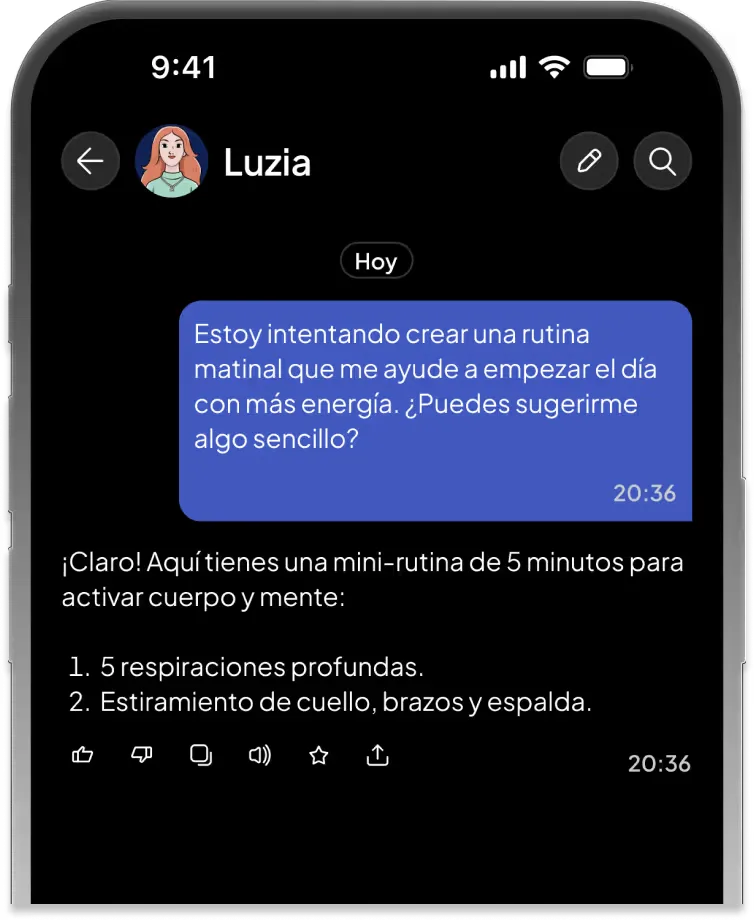
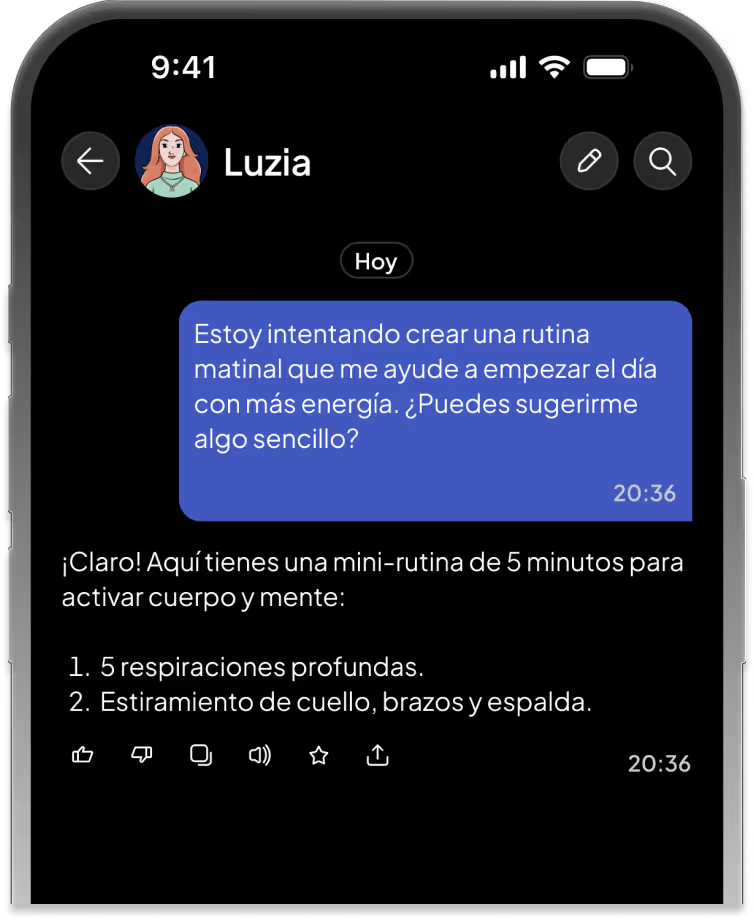
Luzia is an AI-powered personal assistant that works primarily inside messaging apps. You chat with it in WhatsApp or Telegram the same way you'd text a friend. No app download, no account creation, no onboarding flow. Just send a message and get an AI response.
The company launched in 2023 targeting Latin America and Spain, which explains its strongest advantage: deep Spanish and Portuguese language support. While most AI assistants treat these languages as secondary, Luzia was built for them. It also supports English, French, German, and Italian, but its personality and natural language feel shine brightest in Spanish and Portuguese.
Luzia handles a broad range of daily tasks. You can send a voice note and get a written transcription back. Ask it to translate a phrase. Request an AI-generated image. Get help drafting an email. Ask trivia questions. It even attempts companionship-style conversation for users who want someone to talk to.
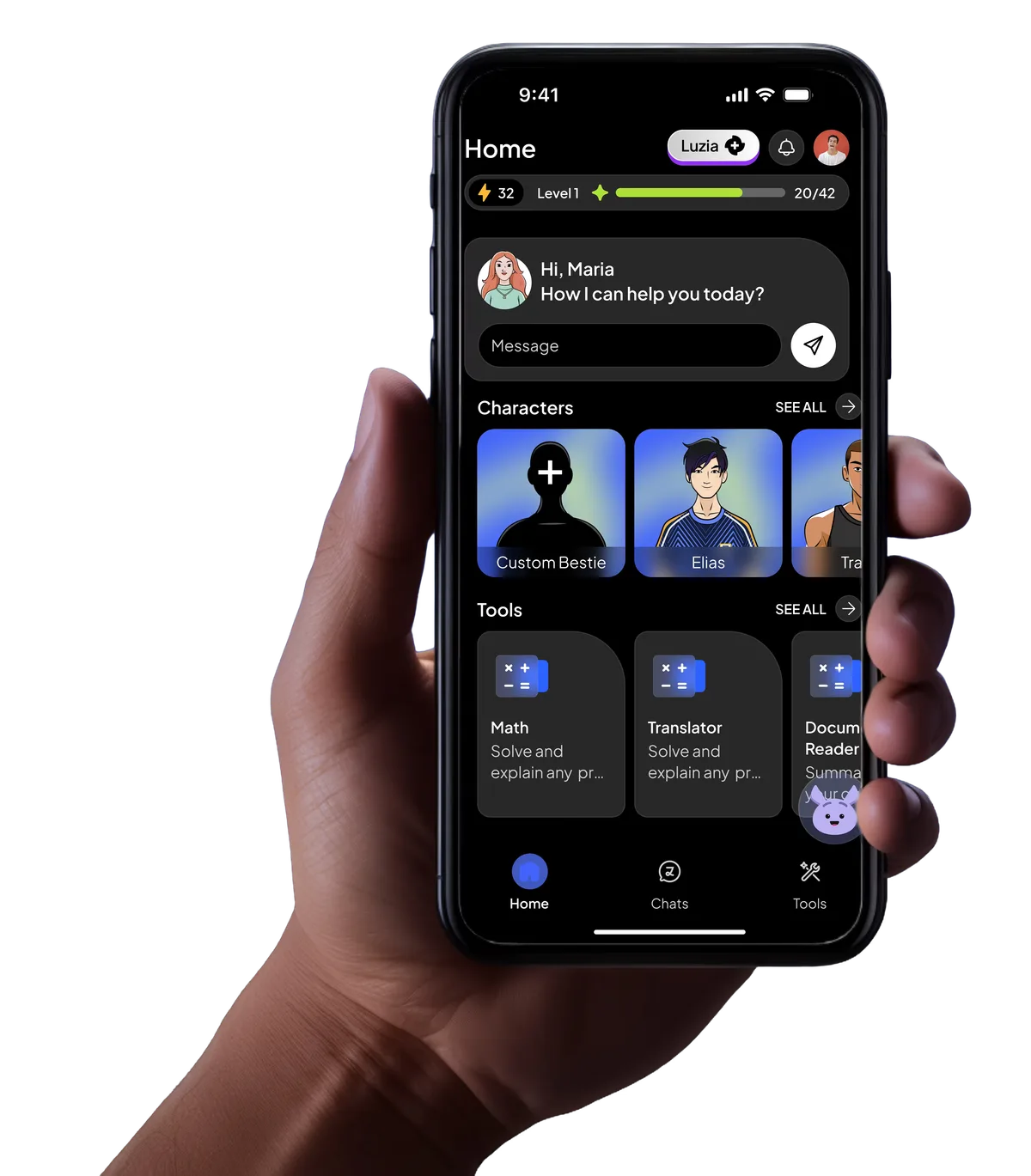
The mobile app and web interface exist as alternatives, but the core experience is messaging-native. If you're choosing an AI productivity tool and you spend most of your phone time in WhatsApp, Luzia removes the biggest barrier to AI adoption: switching apps.
What Are Luzia's Key Features?
Luzia packs more features than you'd expect from a messaging-based assistant. Here's what actually works well based on our testing:
Voice Note Transcription. Send Luzia a voice message in WhatsApp and it returns a text transcription within seconds. Accuracy was strong for Spanish and Portuguese, decent for English. This alone justifies adding Luzia if you receive lots of voice notes you'd rather read.
Real-Time Translation. Ask Luzia to translate between any of its supported languages. It handles conversational phrases, travel vocabulary, and informal text well. We tested Spanish-to-English and Portuguese-to-English translations across 20 phrases and found accuracy comparable to Google Translate for everyday language. Technical or specialized vocabulary was less reliable.
Image Generation. Describe what you want and Luzia generates an image inside the chat. Quality is acceptable for social media posts or quick creative brainstorming. It won't match dedicated AI creative tools, but for a free feature inside WhatsApp, it's genuinely useful.
Q&A and Research. Ask Luzia a question and it draws from its language model to provide answers. Responses are generally accurate for common knowledge, recipes, how-to questions, and recommendations. It struggles with recent events and niche technical queries, which is expected for an assistant running on a smaller model.
Email and Text Drafting. Tell Luzia to write an email, social media caption, or message, and it delivers passable first drafts. The output needs editing for professional contexts, but it saves time on routine writing tasks.
Conversational Companionship. Luzia is designed to be approachable and friendly. It remembers context within a conversation and can hold casual chat. This isn't a throwaway feature - for users in markets where AI adoption is newer, a friendly conversational partner builds trust and encourages repeat use.

How Much Does Luzia Cost?
Luzia uses a freemium model with a clear split between casual and heavy users.
| Plan | Price | What You Get |
|---|---|---|
| Free | $0 | Daily message limits, basic image generation, voice transcription, translation |
| Premium | ~$6/month (as of May 2026) | Unlimited messages, priority responses, expanded image generation, longer conversations |
The free tier is generous enough for 5-10 interactions per day. If you're using Luzia for a quick translation here or a voice transcription there, you may never need to pay. Once you start relying on it for image generation or extended research conversations, the daily caps become frustrating fast.
Premium pricing varies slightly by market. In Latin American countries, Luzia offers localized pricing that's lower than the US equivalent. The ~$6/month figure reflects pricing for US and European users.
Compared to ChatGPT Plus at $20/month or Claude Pro at $20/month, Luzia Premium is significantly cheaper. But you're getting a lighter-weight assistant. This isn't a fair comparison of raw capability - it's a comparison of value for different use cases. If you want a WhatsApp-native AI that handles daily tasks, Luzia's pricing makes sense. If you need deep reasoning, code generation, or document analysis, you need a more powerful tool.

Who Should (and Shouldn't) Use Luzia?
Luzia is perfect for you if:
- You live in WhatsApp or Telegram and want AI without switching apps
- You speak Spanish or Portuguese and want an assistant that feels native in your language
- You need a free, low-friction tool for translations, voice transcriptions, and quick answers
- You're new to AI assistants and want something approachable, not intimidating
- You work in a market where WhatsApp is the primary communication tool
Luzia is not for you if:
- You need advanced reasoning, coding help, or document analysis - Claude Code or similar tools are better
- You work primarily in English and want the most capable general-purpose assistant
- You need enterprise features, API access, or team collaboration
- You generate lots of images and need professional-quality output - try Firefly instead
- You want deep integration with your productivity stack (calendars, project management, CRM)
The honest take: Luzia isn't trying to compete with ChatGPT or Claude on raw intelligence. It's competing on accessibility. For millions of users who spend their digital lives inside WhatsApp, Luzia removes every barrier between them and useful AI. That's a different kind of value, and it's real.

How Does Luzia Compare to ChatGPT?
This is the comparison most people want, so let's be direct.
| Feature | Luzia | ChatGPT (Free) |
|---|---|---|
| Setup friction | Zero - works in WhatsApp | Requires app download or web visit |
| Spanish/Portuguese quality | Excellent, native feel | Good but secondary |
| Reasoning depth | Basic to moderate | Strong |
| Image generation | Included free (limited) | DALL-E (limited free) |
| Voice transcription | Built-in via voice notes | Available via app |
| Price (paid tier) | ~$6/month | $20/month |
| Code generation | No | Yes |
| File/document analysis | No | Yes |
ChatGPT wins on capability. Luzia wins on accessibility and price. If you already use ChatGPT daily for work, Luzia adds nothing. If you've never used an AI assistant because the idea of downloading another app felt like too much, Luzia is the on-ramp you need.
The gap matters most for complex tasks. Ask both to plan a week of meals and Luzia delivers a solid list. Ask both to analyze a business strategy and ChatGPT delivers meaningfully better output. For the 80% of daily tasks that are simple, Luzia holds its own.
For a deeper breakdown of standalone AI assistants, check our comparison of ChatGPT vs Claude vs Gemini.
Our Testing Process
We tested Luzia over 10 days in May 2026 across WhatsApp (iOS), Telegram (Android), and the Luzia mobile app. Our testing covered:
- 40+ voice note transcriptions in Spanish, Portuguese, and English
- 20 translation requests across all supported language pairs
- 15 image generation prompts ranging from simple objects to complex scenes
- Daily conversational Q&A covering recipes, travel recommendations, trivia, and writing help
- Stress-testing free tier limits to map daily caps
We compared responses side-by-side with ChatGPT Free and Google Gemini for the same prompts. Transcription accuracy was measured against manual transcription of the same voice notes. Translation quality was spot-checked by native speakers.
We haven't tested the enterprise or business-facing features Luzia has started piloting in select markets. This review covers the consumer product only. Editorially reviewed by Todd Stearn. Full methodology at how we work.

The Bottom Line
Luzia earns a 7/10 because it does something genuinely different: it brings AI to messaging apps with zero friction. The voice transcription and translation features alone make it worth adding to WhatsApp. The free tier is usable for casual needs, and Premium at ~$6/month is cheap enough to justify if you lean on it daily.
It's not the smartest AI assistant available. It's the most accessible one for hundreds of millions of WhatsApp-first users. That distinction matters. If you want raw power, look elsewhere. If you want AI that fits into how you already communicate, try Luzia.
Frequently Asked Questions
Is Luzia free to use?
Luzia offers a free tier with daily usage limits on WhatsApp, Telegram, and its mobile app. A Luzia Premium plan removes limits and adds priority response times, image generation credits, and longer conversations. Free users get enough for casual daily tasks but hit caps quickly with heavy use.
How do you add Luzia to WhatsApp?
Visit luzia.com and tap the WhatsApp button, or save Luzia's number and send a message. No account creation or app download required. Luzia responds in your existing WhatsApp chat like any contact. Setup takes under 30 seconds and works on any phone that runs WhatsApp.
What languages does Luzia support?
Luzia supports Spanish, Portuguese, English, French, German, and Italian. It launched targeting Spanish and Portuguese-speaking markets and remains strongest in those languages. Translation between supported languages is fast and accurate for everyday phrases, though technical or legal translation still needs a human.
Can Luzia generate images?
Yes, Luzia generates images directly inside WhatsApp and Telegram chats. Send a text description and it returns an AI-generated image within seconds. Free users get a limited number of daily image generations. Premium subscribers get higher limits and faster processing for image requests.
Is Luzia safe and private?
Luzia processes messages on its own servers, not on your device. It states it does not store conversation history permanently and does not share data with third parties for advertising. However, messages pass through WhatsApp or Telegram infrastructure first, so standard messaging platform privacy policies also apply.
Related AI Agents
Looking for alternatives or complementary tools? Here are related picks from our reviews:
- Best AI Productivity Tools - see how Luzia stacks up against 11 other productivity agents
- NotebookLM - Google's AI research assistant for deeper document analysis
- Best AI Agents - our ranked list of the top 15 AI tools across all categories
- How to Choose the Right AI Agent - a guide to picking the right tool for your needs
- How to Automate Your Workflow with AI Agents - take your AI assistant usage to the next level
Get weekly AI agent reviews in your inbox. Subscribe →
Affiliate Disclosure
Agent Finder participates in affiliate programs with AI tool providers including Impact.com and CJ Affiliate. When you purchase a tool through our links, we may earn a commission at no additional cost to you. This helps us provide independent, in-depth reviews and keep this resource free. Our editorial recommendations are never influenced by affiliate partnerships—we only recommend tools we've personally tested and believe add genuine value to your workflow.
Try Luzia today
Get started with Luzia — free tier available on most plans.
Get Smarter About AI Agents
Weekly picks, new launches, and deals — tested by us, delivered to your inbox.
Join 1 readers. No spam. Unsubscribe anytime.
Related Articles
Claude AI Review 2026: Anthropic's Best All-Rounder
Claude AI handles coding, writing, and research with a 1M token context window starting at $0/mo. We tested it for 4 weeks. Here's our honest verdict.
Google Gemini for Workspace Review 2026: AI Built Into Your Workflow
Google Gemini for Workspace review: AI drafting, meeting summaries, and spreadsheet automation from $14/mo. We tested it for 4 weeks across Gmail, Docs, Sheets, and Meet.
Monica AI Review 2026: One Extension, Every AI Model
Monica AI review: access GPT-5, Claude 4.5, and Gemini 3 Pro in one browser extension for $9.90/mo. We tested it for 3 weeks. Here's our honest verdict.