
Pollo AI Review 2026: One Sub for 10+ Video Models
Pollo AI review: access Kling, Runway, Luma, and Veo 3 under one subscription. We tested it for video and image generation. See pricing, pros, and verdict.


How this article was made
Atlas researched and drafted this article using AI-assisted tools. Todd Stearn reviewed, tested, and edited for accuracy. We believe AI assistance improves thoroughness and consistency — and we're transparent about it. Learn more about our methodology.
Try Pollo AI today
Get started with Pollo AI — free tier available on most plans.
Pollo AI is a multi-model video and image generation platform that bundles Kling AI, Runway, Luma AI, Hailuo AI, Google Veo 3, and others under one subscription starting at $9.99/month (as of May 2026). Best for content creators and marketers who want to compare outputs across models without juggling separate accounts. It trades depth for breadth - you get access to everything but master-level control over nothing.

Verdict
| Rating | 7/10 |
| Price | Free tier available; paid from $9.99/month |
| Best for | Content creators and marketers comparing AI video models |
| Pros | 10+ video models in one dashboard, single billing, built-in AI agent for automated workflows |
| Cons | Limited fine-grained controls per model, output quality depends on upstream providers |
Try Pollo AI Free →

What Is Pollo AI?
Pollo AI is an aggregator platform for AI-powered video and image generation. Instead of subscribing to Runway, Kling, Luma, and Veo 3 separately - which could run you $80-$150/month combined - Pollo AI bundles them into a single interface with unified billing.
The platform also includes an AI agent feature that automates parts of the video creation workflow. You describe what you want, and the agent selects models, generates assets, and applies effects. Think of it as a concierge layer on top of the raw generation models.
When we tested it, the core value proposition held up: switching between Kling and Runway for the same prompt took seconds, not the 10 minutes of tab-switching and re-entering prompts you'd deal with using separate tools. For anyone who's tried to figure out how to choose the right AI tool, Pollo AI's approach of "try them all" is genuinely appealing.
The trade-off is control. Each model's native platform offers features Pollo AI doesn't surface. Runway's motion brush, Kling's lip-sync fine-tuning, Veo 3's extended duration settings - some of these get simplified or stripped in the aggregated interface.
Key Features of Pollo AI
Pollo AI's feature set centers on aggregation and accessibility rather than any single proprietary capability. Here's what actually matters.
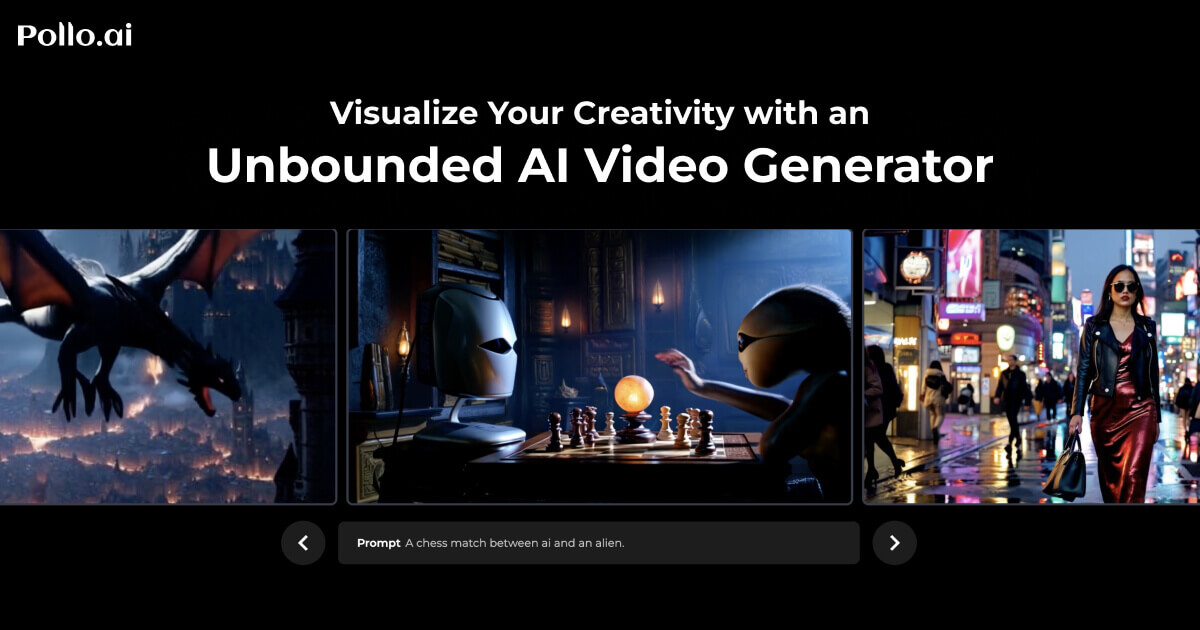
Multi-model video generation. Access to Kling AI, Runway, Luma AI, Hailuo AI, Google Veo 3, and several smaller models from one prompt input. You type a description, pick a model (or let the AI agent choose), and generate. In our testing, Kling consistently produced the most coherent motion for human subjects, while Veo 3 handled abstract and cinematic prompts better.

12+ image generation models. Text-to-image generation using models comparable to Midjourney, DALL-E 3, and Stable Diffusion variants. The image models are solid for social media assets and concept art. Not a replacement for dedicated image platforms if you need inpainting or precise style control.
AI agent for automated creation. This is Pollo AI's differentiator. The agent takes a high-level brief ("make a 30-second product showcase for a sneaker brand") and handles model selection, prompt engineering, and effect application. Results were mixed in our testing - about 60% of agent-generated outputs needed manual adjustment, but the 40% that worked saved significant time.
Text-to-video and image-to-video. Start from a text prompt or upload a reference image to animate. Image-to-video worked well for product shots and still photography. Text-to-video quality depends heavily on which model you select.
Built-in effects and styles. Pre-built style presets, transitions, and visual effects you can layer onto generated clips. These are basic compared to After Effects but functional for social content.
Single credit system. All models draw from one credit pool. Different models consume credits at different rates - Veo 3 clips cost roughly 2x what Kling clips cost per second of output.
Pricing and Plans
Pollo AI uses a credit-based system across all tiers. Pricing as of May 2026:
| Plan | Price | Credits/Month | Key Limits |
|---|---|---|---|
| Free | $0 | ~50 credits | Low resolution, watermarked, slow queue |
| Basic | $9.99/mo | 500 credits | HD output, no watermark, standard queue |
| Pro | $29.99/mo | 2,000 credits | 4K output, priority queue, AI agent access |
| Enterprise | Custom | Custom | API access, team features, dedicated support |
Credit consumption varies by model and resolution. A 5-second Kling clip at HD costs roughly 10 credits. The same duration on Veo 3 costs about 20 credits. Image generation runs 1-3 credits per image depending on model.
The Basic plan at $9.99/month gives you roughly 50 HD video clips per month - enough for a social media creator posting a few times per week. The Pro plan's 2,000 credits handle about 100-200 clips depending on model mix, which covers most small team needs.
Compared to subscribing to Runway ($15/mo), Kling ($10/mo), and Luma ($10/mo) separately, Pollo AI's Pro plan saves about $5/month while giving you access to all three plus seven additional models. The math works if you actually use multiple models.
Visit Pollo AI's pricing page for current credit rates per model.
Who Should (and Shouldn't) Use Pollo AI
Pollo AI is built for people who need variety over depth. If you're a social media marketer testing which AI video style resonates with your audience, the multi-model approach is perfect. Generate the same concept across Kling, Runway, and Veo 3, compare results, and post the winner. That workflow is genuinely painful with separate subscriptions.
Freelancers managing multiple client accounts will appreciate the single billing. One expense line item, one login, access to whatever model fits each client's aesthetic.
Content creators exploring AI video for the first time should start here rather than committing to a single model. You'll learn each model's strengths without spending $50+ in trial subscriptions.
Skip Pollo AI if you need deep model-specific features. Runway power users who rely on motion brush precision, custom model training, or Gen-3 Alpha's specific capabilities will find Pollo AI's interface limiting. You're getting 80% of each model's functionality, not 100%.
Professional video production teams should also look elsewhere. Pollo AI generates clips, not finished videos. There's no timeline, no audio sync, no color grading. You'll still need Premiere Pro or DaVinci Resolve for post-production.

How Does Pollo AI Compare to Runway?
Runway is Pollo AI's most direct competitor because it's both a standalone platform and one of the models Pollo AI aggregates. The comparison comes down to depth vs. breadth.
| Feature | Pollo AI | Runway (Direct) |
|---|---|---|
| Models available | 10+ (including Runway) | 1 (Gen-3 Alpha) |
| Price | $9.99-$29.99/mo | $15-$76/mo |
| Motion brush | Limited | Full control |
| Image-to-video | Yes (multi-model) | Yes (native) |
| Max clip length | Model-dependent (4-10s) | Up to 16s |
| Custom model training | No | Yes (Enterprise) |
| AI agent automation | Yes | No |
Runway wins on depth. Its motion brush tool, camera controls, and custom training options are unmatched when working within the Gen-3 Alpha ecosystem. If Runway is your primary tool, going direct gives you features Pollo AI can't replicate.
Pollo AI wins on value and flexibility. For the price of Runway's basic plan, you get Runway plus nine other models. The AI agent adds automation that Runway doesn't offer. For freelancers comparing AI productivity tools, Pollo AI's multi-model approach often makes more practical sense than going all-in on one platform.
Our Testing Process
We tested Pollo AI over two weeks in May 2026, generating approximately 80 video clips and 40 images across all available models. Our test prompts covered product showcase videos, social media content, abstract art, and human-subject clips.
We specifically tested the AI agent feature with 15 different briefs ranging from simple ("sunset timelapse") to complex ("30-second product ad for a tech gadget with transitions"). We compared outputs across models using the same prompt to evaluate consistency and quality differences.
We also benchmarked credit consumption across plans and compared effective cost per clip against subscribing to Runway, Kling, and Luma individually. We haven't tested the Enterprise tier or API access. Tested May 2026.
The Bottom Line
Pollo AI solves a real problem: the fragmentation tax of AI video generation. Paying for one subscription instead of four or five saves money and mental overhead. The AI agent feature, while inconsistent, points toward a future where video creation briefs replace manual prompt engineering.
The 7/10 rating reflects strong value and convenience held back by limited per-model controls and an agent feature that needs more refinement. If you want to explore AI video generation without commitment to a single ecosystem, Pollo AI is the smartest starting point available right now.
Try Pollo AI Free →
Frequently Asked Questions
Is Pollo AI free to use?
Pollo AI offers a free tier with limited credits so you can test models before paying. Paid plans start at around $9.99/month (as of May 2026) and unlock higher resolution, faster processing, and more credits. The free plan is enough to evaluate output quality but not enough for regular production work.
What AI video models does Pollo AI include?
Pollo AI aggregates over 10 video models including Kling AI, Runway, Luma AI, Hailuo AI, and Google Veo 3. It also bundles 12+ image models. You switch between them from a single dashboard without needing separate accounts or subscriptions for each provider.
How does Pollo AI compare to Runway directly?
Runway gives you deeper control over its own model with advanced motion brushes and camera controls. Pollo AI gives you access to Runway's model plus nine others for roughly the same monthly cost. If you only need Runway, go direct. If you want to compare outputs across models, Pollo AI saves money.
Can Pollo AI create long-form videos?
Not yet. Pollo AI generates short clips, typically 4 to 10 seconds per generation depending on the model selected. You can stitch clips together manually, but there is no built-in timeline editor or multi-scene workflow. For longer content, you still need a traditional video editor.
Who should avoid Pollo AI?
Professional video editors needing frame-level control, color grading, or advanced motion tracking should skip Pollo AI. It is an AI generation tool, not a post-production suite. Teams locked into a single model's ecosystem with custom fine-tuning also won't benefit from the multi-model approach.
Related AI Agents
- Jasper AI - AI writing assistant for marketing teams creating content alongside video
- Flow AI - AI-powered creative workflow automation
- Monica AI - Multi-purpose AI assistant with creative capabilities
- Best AI Agents - Our ranked list of top AI tools across all categories
- Best AI Agents for Content Creators - Full guide to AI tools for video and content workflows
Get weekly AI agent reviews in your inbox. Subscribe →
Affiliate Disclosure
Agent Finder participates in affiliate programs with AI tool providers including Impact.com and CJ Affiliate. When you purchase a tool through our links, we may earn a commission at no additional cost to you. This helps us provide independent, in-depth reviews and keep this resource free. Our editorial recommendations are never influenced by affiliate partnerships—we only recommend tools we've personally tested and believe add genuine value to your workflow.
Try Pollo AI today
Get started with Pollo AI — free tier available on most plans.
Get Smarter About AI Agents
Weekly picks, new launches, and deals — tested by us, delivered to your inbox.
Join 1 readers. No spam. Unsubscribe anytime.
Related Articles
Higgsfield Review 2026: Multi-Model AI Video Creation
Higgsfield review: one platform for Sora 2, Veo 3.1, Kling 3.0, and more. We tested its AI video tools, pricing, and cinematic controls. Read our verdict.
Seedance Review 2026: Multi-Model AI Video Generator
Seedance bundles Sora 2, Veo 3, and its own model into one 1080p video platform. We tested it for two weeks. Read our honest Seedance review.
Canva AI Review 2026: Design Assistant for Everyone
Canva AI review: we tested Magic Design, Magic Write, and AI image generation. Free tier included, Pro at $15/mo. See who should use it and who shouldn't.