
Wonder Review: AI Design Agent With Live Code Export
Wonder turns prompts into editable UI designs and exports React/Tailwind code. We tested it for 3 weeks. Read our full Wonder review and verdict.


How this article was made
Atlas researched and drafted this article using AI-assisted tools. Todd Stearn reviewed, tested, and edited for accuracy. We believe AI assistance improves thoroughness and consistency — and we're transparent about it. Learn more about our methodology.
Try Wonder today
Get started with Wonder — free tier available on most plans.
Wonder is the best AI design agent for developers who want to skip the Figma-to-code gap. It generates editable UI designs from prompts on a live canvas, then exports production-ready React and Tailwind code. Pricing starts free, with paid plans at $16/month (as of May 2026). Best for frontend developers and indie hackers who design in the browser.
Quick Assessment
| Rating | 8/10 |
| Price | Free tier available; Pro from $16/month (as of May 2026) |
| Best for | Frontend developers, indie hackers, and startup teams who need UI designs that ship as code |
Pros:
- Exports clean React + Tailwind code directly from the canvas
- MCP protocol integration with Cursor, Claude Code, and other coding agents
- Every element is editable in real time - no locked AI outputs
Cons:
- Limited value for print or non-web design workflows
- Component library is still growing compared to mature tools like Figma

What Is Wonder?
Wonder is an AI design agent that turns text prompts into fully editable UI designs on a live canvas. Unlike traditional design tools that treat AI as a plugin or afterthought, Wonder built its entire workflow around AI generation. You describe what you want, the canvas populates with real UI components, and every element stays editable.
The real differentiator is code export. Wonder doesn't just produce pretty mockups. It generates structured React and Tailwind CSS code from every design. You can copy that code manually or push it directly to coding agents through the MCP protocol - the open standard for connecting AI tools. If you've been using Pieces for Developers to manage code snippets across your workflow, Wonder fits into a similar developer-first philosophy but attacks the design side of the pipeline.
Wonder launched in 2024 and has been iterating fast. The team ships updates weekly, with MCP integration arriving in early 2026. It sits in a category alongside tools like v0 by Vercel and Bolt, but Wonder leans harder into the visual editing experience rather than pure code generation.
Key Features of Wonder
Wonder's feature set is narrow but deep. It does a few things well rather than trying to be everything.

AI Canvas Generation. Type a prompt like "dashboard for a SaaS analytics tool with sidebar nav and chart cards" and Wonder generates a complete layout in seconds. The output isn't a flat image. It's structured components on a canvas with layers, properties, and editable text. In our testing, generation took 3-8 seconds depending on complexity.
Real-Time Editing. Every AI-generated element is immediately editable. You can drag, resize, restyle, recolor, and restructure anything. The layers panel works similarly to Figma's - you select elements, adjust properties, and see changes live. This matters because most AI design tools lock you into regenerating the whole thing when you want to change one button color.
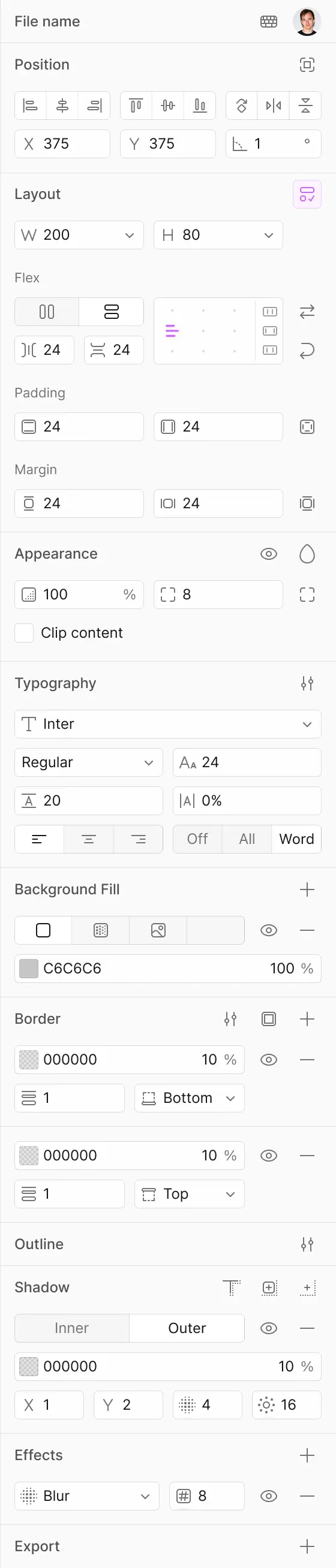
Code Export (React + Tailwind). The standout feature. Select any component or full page design and export it as React JSX with Tailwind utility classes. The code is component-structured and reasonably clean. It's not perfect - you'll refactor naming conventions and extract shared styles - but it's a 10x improvement over manually translating a Figma mockup into code.
MCP Protocol Integration. Wonder connects to Cursor, Claude Code, and other MCP-compatible coding agents. You can push a design directly from Wonder's canvas into your coding environment as structured code. This eliminates the copy-paste step and keeps the design-to-code pipeline seamless. We tested this with Cursor and it worked reliably, though initial setup took about 15 minutes.
Pitch Deck and Graphics Generation. Beyond UI, Wonder generates pitch decks, marketing graphics, and social media assets. These are secondary to its core UI workflow but useful for solo founders who need to produce investor materials alongside product interfaces.
Wonder Pricing and Plans
Wonder uses a freemium model. Here's the breakdown as of May 2026:
| Plan | Price | AI Generations | MCP Integration | Code Export |
|---|---|---|---|---|
| Free | $0/mo | 50/month | No | Basic (copy/paste) |
| Pro | $16/mo | Unlimited | Yes | Full (direct push) |
| Team | $28/user/mo | Unlimited | Yes | Full + shared libraries |
The free tier gives you enough generations to test the workflow and decide if it fits. The Pro plan at $16/month is where the real value lives - unlimited generations and MCP integration make it worth the price for any developer shipping UI regularly. The Team plan adds shared component libraries and collaborative editing.
Compared to Figma at $15/editor/month (which still requires separate AI plugins and code export tools), Wonder's Pro plan delivers more developer value per dollar. But Figma's ecosystem is vastly larger - more plugins, more community resources, more templates.
If you're evaluating tools for your broader workflow, our guide on choosing the right AI agent covers the decision framework we use for these comparisons.
Who Should (and Shouldn't) Use Wonder
Use Wonder if you're:
- A frontend developer who prototypes in code but wants visual design speed
- An indie hacker or solo founder building MVPs who can't afford a designer
- A startup team that needs to move from concept to deployed UI in hours, not days
- Already using Cursor or Claude Code and want a design tool that plugs into your existing coding workflow
Skip Wonder if you're:
- A design team that needs complex component libraries, design tokens, and multi-brand systems - Figma is still better for this
- Working primarily in print, illustration, or non-web formats
- A designer who doesn't write code and doesn't need code export - traditional tools give you more design depth
- Building complex design systems that require version control and branching across large teams
Wonder sits in a specific niche: the developer who designs. If you live in a code editor and treat design as a step toward shipping, Wonder removes friction. If design is your primary craft and code is someone else's problem, you'll find Wonder's design capabilities limiting compared to Figma or Sketch.
How Does Wonder Compare to v0 by Vercel?
v0 by Vercel is Wonder's closest competitor. Both generate UI from prompts and export React code. Here's how they differ.
| Feature | Wonder | v0 by Vercel |
|---|---|---|
| Visual canvas editing | Yes - full drag/drop editor | Limited - mostly prompt iteration |
| Code export format | React + Tailwind | React + Tailwind + shadcn/ui |
| MCP integration | Yes (Cursor, Claude Code) | No native MCP |
| Design iteration | Edit elements directly | Re-prompt for changes |
| Pricing | $16/mo Pro | $20/mo Premium |
| Component library | Growing | shadcn/ui ecosystem |
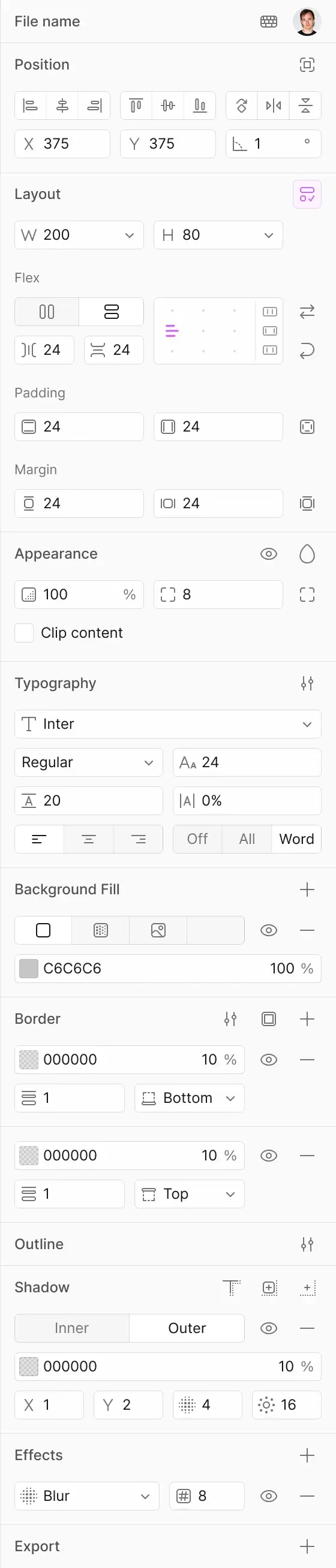
Wonder wins on visual editing. You can grab any element and change it without re-prompting. v0 is more of a prompt-and-iterate tool - you describe changes in text and it regenerates. For developers who think visually, Wonder is faster. For developers who prefer staying in text, v0 feels more natural.
v0 wins on component quality. Its tight integration with shadcn/ui means exported components follow established patterns and are immediately compatible with the broader shadcn ecosystem. Wonder's components are clean but don't plug into a pre-existing component library as seamlessly.
For coding agent integration specifically, Wonder's MCP support is a genuine advantage. Being able to push designs directly to Cursor or Claude Code without leaving the canvas is something v0 doesn't offer yet. If you're already using OpenCode or similar coding tools, that integration pipeline matters.
Our Testing Process
We tested Wonder over three weeks in May 2026. Our testing covered:
- Generation quality: 40+ prompts across dashboard UIs, landing pages, and mobile layouts
- Code export accuracy: Compared exported React/Tailwind code against manually coded equivalents
- MCP integration: Connected Wonder to Cursor and tested the push-to-editor workflow
- Editing depth: Tested how far we could customize AI-generated designs without re-prompting
Generation quality was strong for standard web UI patterns - dashboards, forms, card layouts, navigation. It struggled with highly custom or unusual layouts. Code export was clean about 80% of the time; the other 20% needed minor refactoring for naming and structure. MCP integration with Cursor worked reliably after initial setup.
We haven't tested the Team plan's collaborative features or enterprise-scale usage. Our testing reflects solo developer and small team workflows. Editorially reviewed by Todd Stearn. Full methodology at how we work.
The Bottom Line
Wonder delivers on a specific promise: turn design ideas into deployable React code faster than any traditional workflow. It's not trying to replace Figma for design teams. It's trying to eliminate the design-to-code handoff for developers who ship their own UI. At $16/month with MCP integration, it's the best tool in this niche right now. The visual editing canvas sets it apart from prompt-only competitors like v0, and the code quality is good enough to ship with minor cleanup. If you're a developer who designs, Wonder should be in your toolkit.
Frequently Asked Questions
Does Wonder export production-ready code?
Yes. Wonder exports React and Tailwind CSS code directly from any design on its canvas. The output is clean, component-structured, and ready to drop into a project. You can also push designs to coding agents like Cursor or Claude Code via MCP protocol, skipping the manual copy-paste step entirely.
Is Wonder free to use?
Wonder offers a free tier that includes basic canvas access and limited AI generations. Paid plans start at $16/month (as of May 2026) and unlock unlimited generations, MCP integrations, and priority rendering. The free tier is enough to test the core workflow before committing.
How does Wonder compare to Figma with AI plugins?
Wonder is purpose-built for AI-first design with native code export. Figma requires third-party plugins for AI generation and separate tools for code conversion. Wonder's workflow is faster for developers who need functional code, while Figma remains stronger for complex collaborative design systems and handoff workflows.
Can Wonder integrate with Cursor or Claude Code?
Yes. Wonder connects to Cursor, Claude Code, and other coding agents through the MCP (Model Context Protocol). This lets you push designs as structured code directly into your development environment. The integration eliminates the traditional designer-to-developer handoff and keeps design intent intact in code.
Who should not use Wonder?
Wonder is not ideal for print designers, illustrators, or teams needing complex multi-page document layouts. It focuses on screen-based UI and web components. If your workflow revolves around brand identity systems, photo manipulation, or non-web deliverables, traditional tools like Figma or Adobe Creative Suite are better fits.
Related AI Agents
- Pieces for Developers - AI-powered code snippet manager and workflow assistant for developers
- OpenCode - Open-source AI coding agent for terminal-based development
- Utari AI - AI development assistant with multi-model support
- NxisAI - AI agent for automated code generation and review
- Creatify Agent - AI creative agent for video and visual content generation
Get weekly AI agent reviews in your inbox. Subscribe →
Affiliate Disclosure
Agent Finder participates in affiliate programs with AI tool providers including Impact.com and CJ Affiliate. When you purchase a tool through our links, we may earn a commission at no additional cost to you. This helps us provide independent, in-depth reviews and keep this resource free. Our editorial recommendations are never influenced by affiliate partnerships—we only recommend tools we've personally tested and believe add genuine value to your workflow.
Try Wonder today
Get started with Wonder — free tier available on most plans.
Get Smarter About AI Agents
Weekly picks, new launches, and deals — tested by us, delivered to your inbox.
No spam. Unsubscribe anytime.
Related Articles
Stitch by Google Review: AI UI Design in Seconds
Stitch by Google turns prompts into production-ready UI designs. We tested this Gemini-powered tool for speed, code quality, and Figma export.
AI Designer MCP Review: Design Tools for Coding Agents
AI Designer MCP gives coding agents real design skills. We tested it with Claude Code and Cursor. Read our full review of features, pricing, and limitations...
Cursor 3 Review: Multi-Agent Coding Finally Works
Cursor 3 review: run parallel AI coding agents locally and in the cloud from one workspace. We tested it for 2 weeks. Here's the verdict.