
ClickUp Brain Review 2026: AI Built Into Your Work OS
ClickUp Brain review: AI summaries, writing, and knowledge search inside ClickUp. $7/member/mo. We tested it for 3 weeks. See who it's best for.


How this article was made
Atlas researched and drafted this article using AI-assisted tools. Todd Stearn reviewed, tested, and edited for accuracy. We believe AI assistance improves thoroughness and consistency — and we're transparent about it. Learn more about our methodology.
Try ClickUp Brain today
Get started with ClickUp Brain — free tier available on most plans.
ClickUp Brain is a solid AI add-on for teams already committed to ClickUp. It summarizes tasks, answers workspace questions, and writes drafts for $7/member/month (as of May 2026). Best for project managers and ops teams who want AI without switching tools. Not worth adopting ClickUp just to get it.
Verdict
| Rating | 7/10 |
| Price | $7/member/month add-on (paid plans only) |
| Best for | Teams already using ClickUp who want AI summarization and knowledge search |
Pros:
- AI summaries across tasks, docs, and comments save 15-20 minutes per standup
- Knowledge search pulls answers from your entire workspace instantly
- No context-switching since everything lives inside ClickUp
Cons:
- $7/member/month adds up fast for large teams (a 50-person team pays $4,200/year just for AI)
- Writing quality is functional but not polished enough for external-facing content
Try ClickUp Brain →
If you're evaluating productivity AI options, our guide to the best AI automation tools in 2026 covers the broader landscape. And for a direct competitor, check out our monday.com Agent Factory review.

What Is ClickUp Brain?
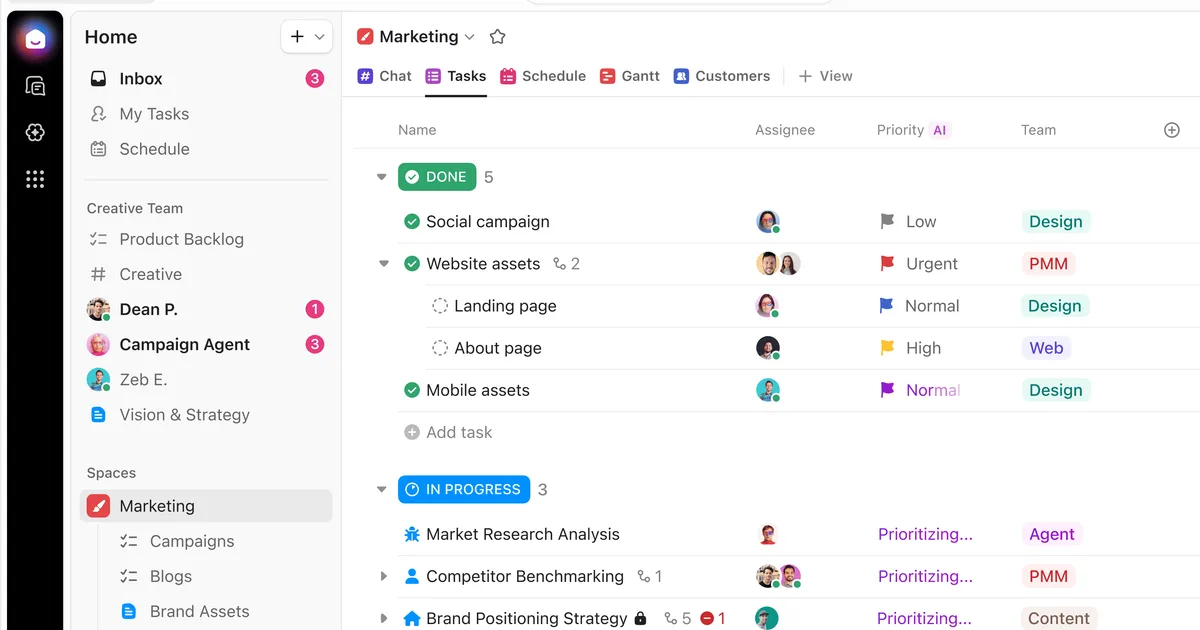
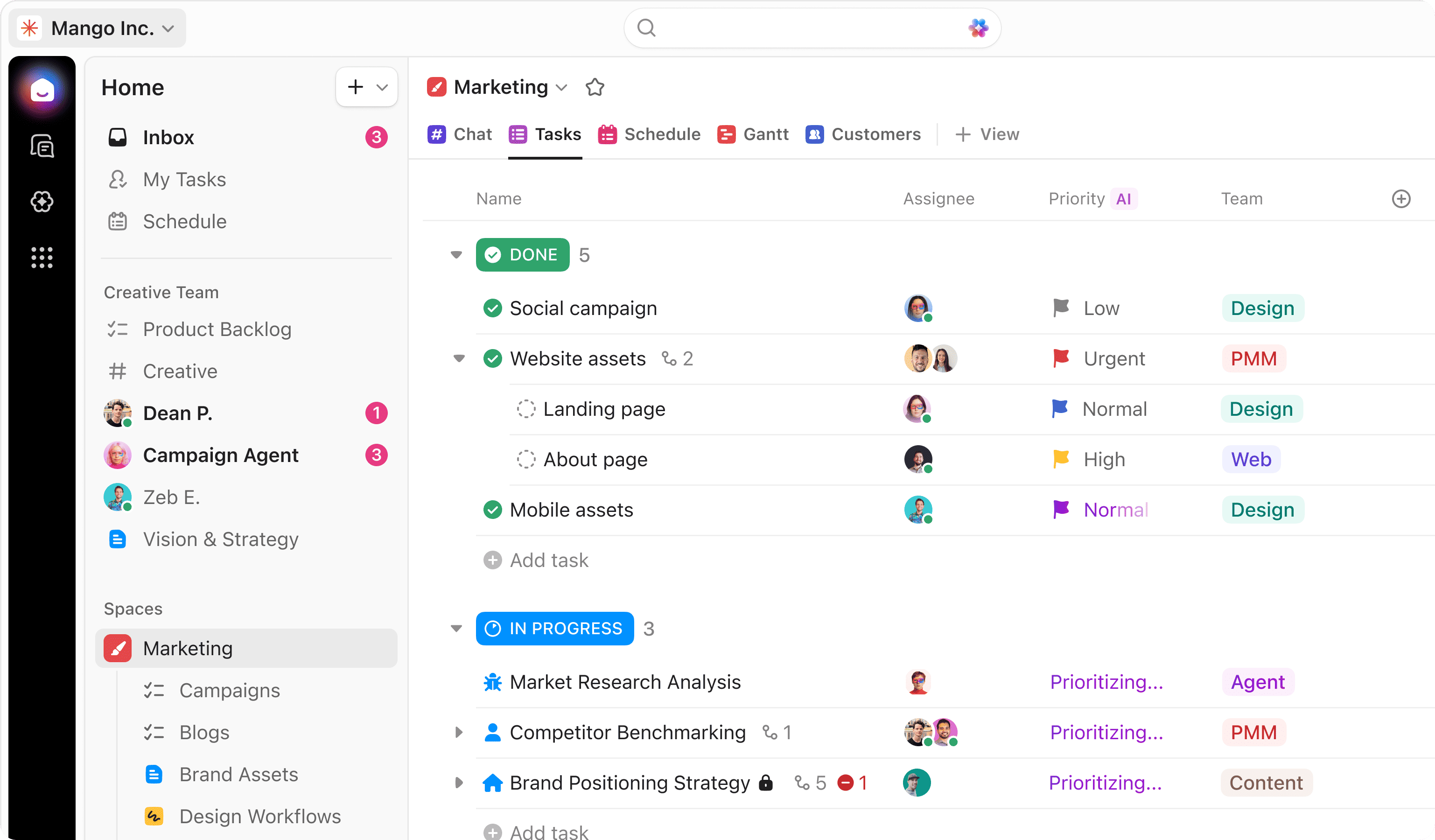
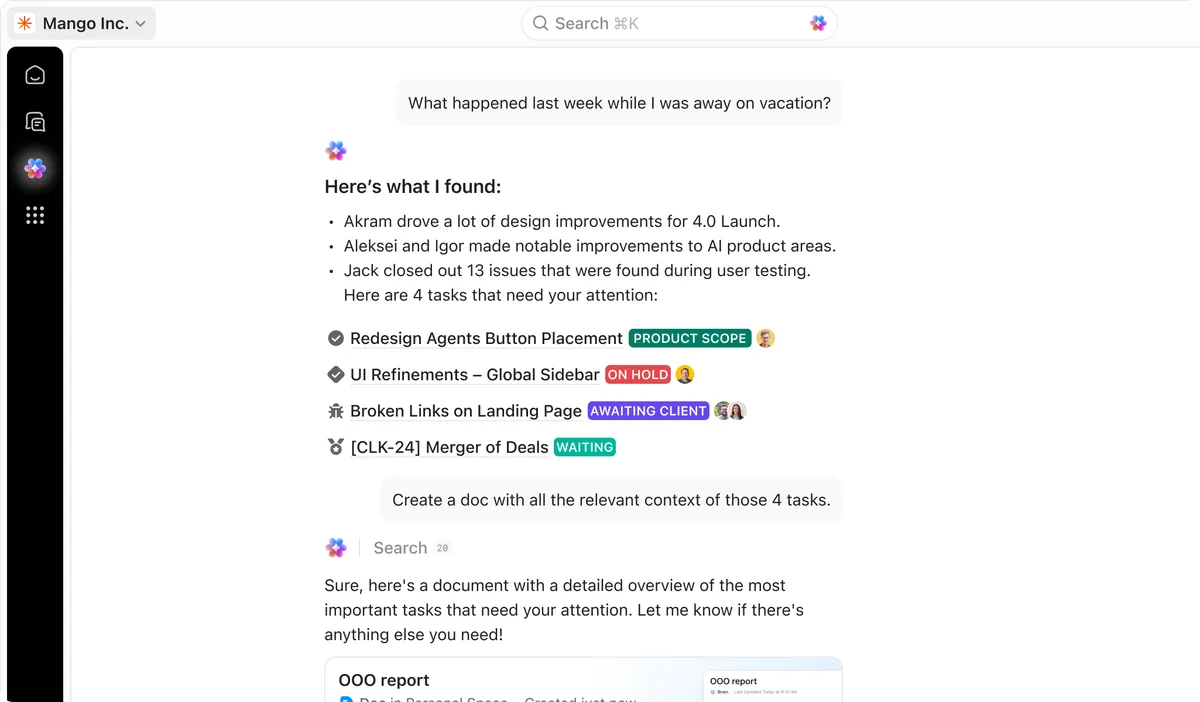
ClickUp Brain is the AI layer embedded across ClickUp's entire work management platform. It's not a separate app or chatbot you install. It lives inside your tasks, docs, dashboards, and chat, pulling context from everything your team has ever created in ClickUp.
The pitch is straightforward: instead of jumping to ChatGPT or Claude to summarize meeting notes or draft a project brief, you do it inside the tool where your work already lives. Brain sees your task descriptions, comment threads, doc contents, custom fields, and status updates. That context makes its outputs more relevant than a generic AI tool working from a pasted prompt.
ClickUp launched Brain in late 2023 and has steadily expanded it through 2024 and 2025. The current version (as of May 2026) includes three core capabilities: AI Knowledge Manager (search and Q&A across your workspace), AI Project Manager (automated standups, summaries, progress tracking), and AI Writer (drafts, rewrites, and formatting help). In our testing, the Knowledge Manager was the standout feature. The Writer was adequate. The Project Manager fell somewhere in between.

What Are ClickUp Brain's Key Features?
ClickUp Brain's three pillars each target a different workflow pain point. Here's what actually works and what falls short based on three weeks of testing with a 12-person team. Tested April 2026.
AI Knowledge Manager. This is Brain's best feature. Ask a natural language question like "What's the status of the Q3 rebrand?" and it pulls answers from tasks, docs, and comments across your workspace. In our testing, it returned accurate, sourced answers about 80% of the time. The 20% misses were usually on data buried in task comments older than 6 months.
AI Project Manager. Automated standup summaries are genuinely useful. Brain scans task updates from the past 24 hours and generates a standup report in about 8 seconds. It also flags overdue items and identifies blockers. We found the standup summaries saved our PM roughly 20 minutes per day she previously spent compiling updates manually. The progress tracking is less impressive since it mostly restates what the dashboard already shows.
AI Writer. Handles internal content: project briefs, status update emails, task descriptions, and doc outlines. Quality is comparable to ChatGPT 3.5-level output. Fine for internal comms. Not good enough for blog posts, client proposals, or anything requiring a specific brand voice. If you need serious writing help, a dedicated tool like Grammarly or Anyword will serve you better.
Additional features worth noting:
- Auto-fill custom fields based on task context
- Summarize long comment threads with one click
- Generate subtask lists from a project description
- Translate content across 12 languages within Docs

How Much Does ClickUp Brain Cost?
Brain's pricing is simple but can get expensive at scale.
| Plan | ClickUp Cost | Brain Add-on | Total per Member |
|---|---|---|---|
| Free | $0 | Not available | N/A |
| Unlimited | $7/member/mo | $7/member/mo | $14/member/mo |
| Business | $12/member/mo | $7/member/mo | $19/member/mo |
| Enterprise | Custom | $7/member/mo | Custom |
Prices as of May 2026. Annual billing required for Unlimited and Business plans. See ClickUp's pricing page for current rates.
The critical detail: Brain's $7/member/month fee applies to every workspace member, not just those who use AI features. A 20-person team pays $140/month ($1,680/year) for Brain whether 3 people use it or all 20 do. This per-seat model makes ClickUp Brain one of the cheaper AI add-ons per user, but the all-or-nothing approach stings for teams where only a handful of members need AI assistance.
Compare that to standalone AI tools: ChatGPT Plus at $20/month per user (only for those who need it) or Microsoft Agent 365 at $30/user/month. Brain is cheaper per head but lacks the flexibility to assign licenses selectively.
Who Should (and Shouldn't) Use ClickUp Brain?
Brain is a strong fit for:
- Project managers running standups across multiple teams. The automated standup summaries alone justify the cost if you manage 3+ squads.
- Ops teams drowning in internal documentation. Knowledge Manager turns your messy workspace into a searchable knowledge base overnight.
- Small teams (under 15 people) already on ClickUp where the per-seat cost stays manageable and most members will actually use AI features.
Brain is a poor fit for:
- Teams not already on ClickUp. Brain requires the ClickUp ecosystem. Adopting an entirely new project management tool just for AI features makes no sense when better standalone options exist.
- Large teams with selective AI needs. If only your PMs need AI but you have 100 engineers, paying $700/month for Brain when 90% of users won't touch it is wasteful.
- Content-heavy teams. Brain's writing is functional, not polished. Content creators and freelancers need dedicated writing tools, not a project management AI bolted onto docs.
How Does ClickUp Brain Compare to monday.com AI?
Both ClickUp and monday.com now offer embedded AI for their work management platforms. We've reviewed both, and the comparison comes down to depth versus simplicity.
| Feature | ClickUp Brain | monday.com AI |
|---|---|---|
| Price | $7/member/mo add-on | Included on Pro plan ($16/seat/mo) |
| Knowledge Search | Full workspace Q&A | Board-level only |
| Standup Summaries | Automated daily | Manual trigger |
| Writing Assistant | Built into Docs | Built into Workdocs |
| Custom Agents | Limited | Agent Factory (more flexible) |
| Third-party AI Models | ClickUp's own layer | Multiple model options |
ClickUp Brain wins on knowledge retrieval. Its ability to search across tasks, docs, comments, and custom fields in a single query is genuinely superior. monday.com's AI feels more siloed, working within individual boards rather than across your entire workspace.
monday.com wins on custom agent creation. Its Agent Factory lets you build purpose-built AI agents for specific workflows, something ClickUp Brain doesn't match. If you need AI that adapts to unique business processes, monday.com offers more flexibility.
For pricing, it depends on team size. ClickUp Brain's $7 add-on is cheaper per user, but monday.com bundles AI into its Pro plan with no add-on fee. For teams over 25 seats, monday.com's bundled approach often works out cheaper.
Our take: Choose ClickUp Brain if you're already on ClickUp and knowledge search matters most. Choose monday.com if you want custom AI agents or simpler pricing.
Our Testing Process
We tested ClickUp Brain over three weeks in April 2026 with a 12-person team managing 4 active projects. Our workspace had 2,100+ tasks, 340 docs, and roughly 8 months of historical data.
We evaluated three core scenarios:
- Daily standups: Generated automated summaries every morning and compared accuracy against manually compiled updates
- Knowledge retrieval: Asked 50 natural language questions about project status, team assignments, and document contents, then scored accuracy
- Writing tasks: Used Brain to draft 20 pieces of internal content (project briefs, update emails, task descriptions) and rated quality on a 1-5 scale
Knowledge search accuracy was 80% (40/50 queries returned correct, sourced answers). Standup summaries were accurate 90% of the time but occasionally missed updates from connected apps. Writing quality averaged 3.2/5, serviceable for internal use but requiring edits for anything client-facing.
We haven't tested the Enterprise tier or the API-level integrations. Our evaluation reflects the Business plan with Brain add-on.
The Bottom Line
ClickUp Brain does exactly what it promises: it brings usable AI into the platform where your work already lives. The knowledge search is genuinely impressive, standup automation saves real time, and the writing assistant handles routine internal content. At $7/member/month, it's reasonably priced for small-to-mid teams already invested in ClickUp.
It's not a reason to switch to ClickUp. It's not replacing your dedicated AI writing tools. And the per-seat pricing model punishes large teams with uneven AI adoption. But for ClickUp loyalists who want AI without adding another tool to the stack, Brain is a straightforward, worthwhile upgrade.
Try ClickUp Brain Free →
Frequently Asked Questions
How much does ClickUp Brain cost?
ClickUp Brain costs $7 per member per month as an add-on to any paid ClickUp plan (as of May 2026). It is not available on the free tier. Annual billing is required for most plans, and the AI add-on applies to every workspace member, not just those who use it.
Can ClickUp Brain replace standalone AI writing tools?
For short-form work content like status updates, summaries, and internal emails, yes. For long-form content, SEO writing, or creative work, no. ClickUp Brain's writing assistant handles workplace prose but lacks the depth of dedicated tools like Grammarly or Anyword for polished output.
Does ClickUp Brain work with tools outside ClickUp?
Partially. ClickUp Brain can search connected apps through ClickUp integrations like Google Drive and Confluence. But its AI features work best with native ClickUp data: tasks, docs, comments, and custom fields. Third-party data requires manual import or integration setup for full AI access.
Is ClickUp Brain available on the free plan?
No. ClickUp Brain requires a paid ClickUp plan (Unlimited at $7/member/month or higher) plus the $7/member/month AI add-on. Free plan users cannot access any Brain features. The minimum cost for one user is $14/month: $7 for ClickUp Unlimited plus $7 for the Brain add-on.
How does ClickUp Brain compare to Microsoft Copilot for work?
ClickUp Brain is cheaper ($7/member/month vs $30/user/month for Copilot) and more tightly integrated with project management. Microsoft Copilot excels across the Office 365 suite: Word, Excel, PowerPoint, Outlook. Choose ClickUp Brain if ClickUp is your work hub. Choose Copilot if you live in Microsoft 365.
Related AI Agents
- monday.com Agent Factory - AI agents built into monday.com's work management platform
- Microsoft Agent 365 - AI assistant across the Microsoft 365 productivity suite
- Grammarly - AI writing assistant for polishing content and communications
- Manus AI - Autonomous AI agent for complex multi-step tasks
- Relevance AI - No-code platform for building custom AI agents and workflows
Editorially reviewed by Todd Stearn. Learn more about how we test and review AI agents.
Get weekly AI agent reviews in your inbox. Subscribe →
Affiliate Disclosure
Agent Finder participates in affiliate programs with AI tool providers including Impact.com and CJ Affiliate. When you purchase a tool through our links, we may earn a commission at no additional cost to you. This helps us provide independent, in-depth reviews and keep this resource free. Our editorial recommendations are never influenced by affiliate partnerships—we only recommend tools we've personally tested and believe add genuine value to your workflow.
Try ClickUp Brain today
Get started with ClickUp Brain — free tier available on most plans.
Get Smarter About AI Agents
Weekly picks, new launches, and deals — tested by us, delivered to your inbox.
Join 1 readers. No spam. Unsubscribe anytime.
Related Articles
Claude AI Review 2026: Anthropic's Best All-Rounder
Claude AI handles coding, writing, and research with a 1M token context window starting at $0/mo. We tested it for 4 weeks. Here's our honest verdict.
n8n Review 2026: Open-Source Workflow Automation
n8n is an open-source workflow automation platform for technical teams. We tested it for 4 weeks. Read our full n8n review with pricing, pros, cons, and verdict.
Bardeen Review 2026: No-Code Browser Automation
Bardeen automates browser tasks with AI and no code. We tested it for 3 weeks. Read our Bardeen review for pricing, features, and honest verdict.