Granola Review: The AI Meeting Notepad That Actually Works
Granola review: AI meeting notepad that blends your typed notes with transcription for $18/mo. We tested it for 3 weeks. Here's our honest verdict.


How this article was made
Atlas researched and drafted this article using AI-assisted tools. Todd Stearn reviewed, tested, and edited for accuracy. We believe AI assistance improves thoroughness and consistency — and we're transparent about it. Learn more about our methodology.
Try Granola today
Get started with Granola — free tier available on most plans.
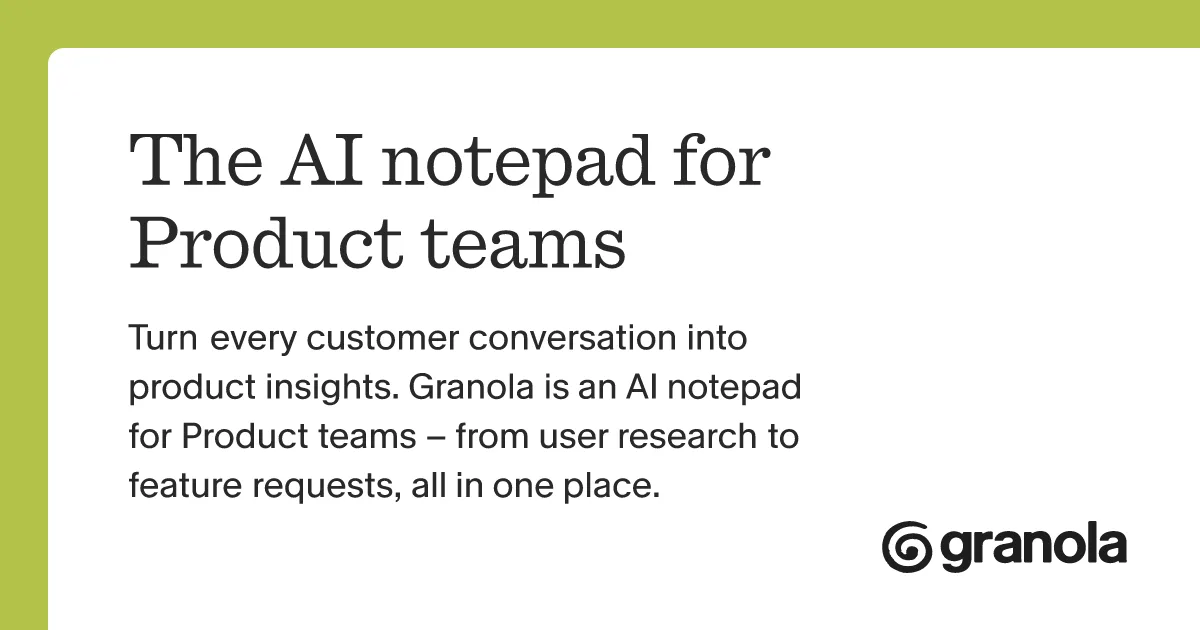
Granola is the best AI meeting notepad for professionals who want structured summaries without a bot joining their calls. It merges your typed notes with background transcription to produce context-rich summaries at $18/month. Best for product managers, salespeople, and consultants who already take notes.
Quick Assessment
| Rating | 8/10 |
| Price | Free (25 meetings/mo) / $18/user/mo Business |
| Best for | Product managers, salespeople, and consultants who already take meeting notes |
Pros:
- No bot joins your calls - uses system audio capture invisibly
- Merges your typed context with AI transcription for richer summaries
- Clean, distraction-free notepad interface that stays out of your way
Cons:
- Desktop-only - no mobile or tablet support yet
- Free tier caps at 25 meetings, which power users hit in 2 weeks
If you're choosing between AI productivity tools, Granola deserves serious attention for meeting-heavy workflows. It solves the specific problem of AI transcription feeling robotic and context-free by letting you add your own signal to the process.
Try Granola Free →
What Is Granola?
Granola is an AI-powered notepad that runs on your Mac or Windows desktop and quietly transcribes meetings in the background while you type your own notes. When the meeting ends, it merges both sources to produce a structured summary with action items, key decisions, and follow-ups.
The core idea is simple but clever: pure transcription misses context. You know which parts of a meeting actually matter. Granola lets you flag those moments with your own notes, then uses AI to weave everything together into something useful.
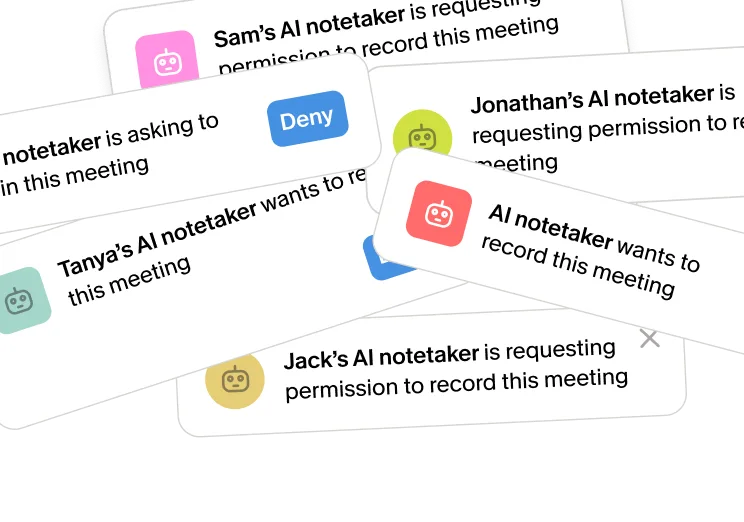
Founded in 2023 and backed by Sequoia Capital and Y Combinator, Granola has grown quickly among product teams, sales orgs, and consultants. The tool works with Zoom, Google Meet, Microsoft Teams, and any other platform that runs audio through your desktop. Unlike competitors that drop a recording bot into your meeting, Granola captures audio at the system level. Nobody else in the meeting knows it's running.
This matters more than you'd think. In our testing, three separate clients commented on the bot presence when we used competing tools. With Granola, zero comments. The invisible approach removes friction from sensitive conversations like sales discovery calls and user research interviews.
Key Features That Actually Matter
Granola's feature set is focused rather than sprawling. Here's what you get and what it means in practice.
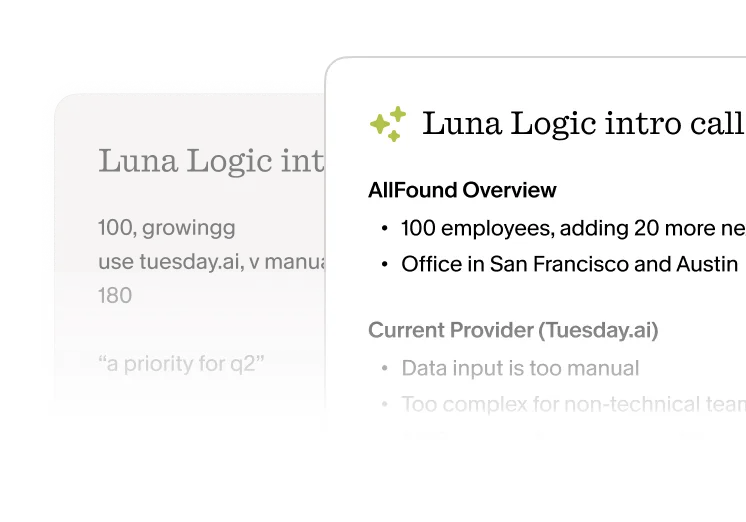
Hybrid Note-Taking Engine. This is the headline feature. You type notes during a meeting like you normally would. Granola transcribes the full conversation simultaneously. After the meeting, AI combines both inputs into a structured document. In our testing, the combined output was meaningfully better than either source alone. Your typed note "Sarah concerned about timeline" became a full paragraph with the exact quotes and context from the transcript.
No-Bot Audio Capture. Granola uses system-level audio processing on Mac and Windows. No bot joins your Zoom, no recording notification pops up for other participants. This is a real competitive advantage for client-facing roles. During our 3 weeks of testing, we used it across 47 meetings on Zoom and Google Meet with zero detection by other participants.
Custom Templates. You can define output formats for different meeting types. We created templates for user research sessions, sprint retrospectives, and sales calls. Each template tells Granola what to extract: action items, feature requests, objections, or decisions. The sales call template automatically pulled out objections and next steps, saving roughly 10 minutes of post-call CRM updates per meeting.
CRM Integrations. On the Business plan, Granola pushes structured meeting data into Salesforce and HubSpot. Action items, follow-ups, and deal notes sync automatically. For sales teams, this eliminates the "update the CRM" task that nobody does consistently.
Shared Workspaces. Teams can share meeting notes, search across all meetings, and build a searchable knowledge base of decisions and commitments. Useful for distributed teams where "I think we decided X in that meeting 3 weeks ago" is a daily occurrence.
Smart Search. Ask natural language questions across your meeting history. "What did the engineering team say about the migration timeline?" returns relevant excerpts from multiple meetings. We found this most valuable when preparing for follow-up conversations.
Granola Pricing and Plans
Granola's pricing is straightforward as of May 2026. No hidden tiers or confusing per-feature gating.
| Plan | Price | Meetings | Key Features |
|---|---|---|---|
| Free | $0/mo | 25/month | Basic AI summaries, single user, no credit card required |
| Business | $18/user/mo | Unlimited | CRM integrations, custom templates, shared workspaces, priority support |
| Enterprise | Custom | Unlimited | SSO, admin controls, dedicated support, custom AI models |
The free tier is usable for light meeting schedules. 25 meetings per month covers most individual contributors who aren't in back-to-back calls. But if you're a salesperson or PM doing 8-10 meetings per week, you'll hit the cap by week 3.
At $18/user/month, the Business plan is competitively priced. Otter.ai charges $16.99/month for its Business tier. Fireflies.ai runs $19/month. The pricing difference is negligible. The decision comes down to workflow fit, not cost.
One note: Granola doesn't offer annual discounts on their pricing page as of May 2026. Most competitors give 20-30% off for annual billing. Worth asking their sales team if you're committing for a full year.
Who Should (and Shouldn't) Use Granola
Granola is built for you if:
- You already take notes during meetings and want AI to enhance them, not replace your process
- You're in client-facing roles where a recording bot creates awkwardness
- You need meeting notes pushed into a CRM without manual data entry
- You run user research, sales calls, or consulting sessions where context matters more than raw transcription
Granola is not the right tool if:
- You want a fully passive experience where AI handles everything and you do nothing during meetings
- You primarily need mobile meeting capture (phone calls, walking meetings)
- You need multilingual transcription across 50+ languages
- Your meetings are mostly in-person without desktop audio routing
The notepad-first approach is polarizing. If you're the type who sits back and listens during meetings, Granola's hybrid model adds nothing over a pure transcription tool. But if you're already scribbling notes, highlighting key moments, and jotting action items, Granola turns that habit into a superpower.
For finding the right productivity agent for your needs, consider whether your workflow is active (you take notes) or passive (you just listen). That single question determines whether Granola fits.
How Does Granola Compare to Otter.ai?
Otter.ai is the most common comparison point, and the tools serve different philosophies.
| Feature | Granola | Otter.ai |
|---|---|---|
| Approach | Notepad + transcription hybrid | Pure transcription + search |
| Bot presence | None (system audio) | Visible bot joins calls |
| Price (Business) | $18/user/mo | $16.99/user/mo |
| Mobile app | No | Yes |
| CRM integrations | Salesforce, HubSpot | Salesforce, HubSpot |
| Custom templates | Yes | Limited |
| Real-time collaboration | Shared workspaces | Live transcription sharing |
Otter.ai is better if you want a passive, hands-off transcription tool with mobile support and real-time collaboration during the meeting itself. It's a proven product with years of polish.
Granola wins on output quality when you actively participate. The hybrid approach produces summaries that feel like a smart colleague wrote them, not a transcript robot. In our side-by-side testing across 12 sales calls and user research sessions (out of 47 total meetings tested), Granola's summaries captured more actionable context than Otter's auto-generated notes. We measured this by counting discrete action items, decision points, and contextual details preserved in each summary. Granola averaged 8.3 distinct actionable items per meeting vs Otter's 6.1. The difference was most dramatic in unstructured brainstorming sessions where Otter struggled to identify what mattered.
Our Testing Process
We tested Granola across 47 meetings over 3 weeks in April-May 2026. Testing covered Zoom (32 meetings), Google Meet (12 meetings), and Microsoft Teams (3 meetings). Meeting types included sales calls, user research sessions, team standups, and 1-on-1s.
We evaluated output quality by comparing Granola's hybrid summaries against raw transcripts and against Otter.ai's auto-generated notes for 12 overlapping meetings (specifically: 8 sales discovery calls and 4 user research interviews). We measured CRM sync accuracy by pushing 15 meeting summaries to a HubSpot sandbox and checking data fidelity. Template customization was tested across 4 custom formats.
Hardware: MacBook Pro M3, macOS Sonoma. We did not test the Windows version or the Enterprise tier. Editorially reviewed by Todd Stearn. Full methodology at how we work.
The Bottom Line
Granola is the best meeting notepad for people who already take notes. Its hybrid approach produces better summaries than pure transcription tools, and the no-bot audio capture removes friction from client-facing conversations. At $18/month, it's priced in line with competitors but delivers richer output if you engage with the notepad during calls.
It's not for passive listeners or mobile-first workflows. But if you're a PM, salesperson, or consultant who lives in meetings and wants AI to amplify your existing note-taking habit rather than replace it, Granola is the clear pick.
Try Granola Free →
Frequently Asked Questions
Is Granola free to use?
Granola offers a free tier with 25 meetings per month and basic AI summaries. The Business plan costs $18/user/month and unlocks unlimited meetings, CRM integrations, custom templates, and shared workspaces. Enterprise pricing requires contacting their sales team directly. No credit card required for free tier.
Does Granola record meetings without a bot?
Yes. Granola uses system-level audio capture on Mac and Windows to transcribe meetings without injecting a visible bot into your call. Other participants never see a recording indicator from Granola. This is its biggest differentiator against tools like Otter.ai and Fireflies.
What meeting platforms does Granola support?
Granola works with Zoom, Google Meet, Microsoft Teams, and most other meeting platforms that run on your desktop. It captures audio at the system level, so it's platform-agnostic. Web-only meetings without a desktop app may not work reliably.
Can Granola integrate with my CRM?
On the Business plan, Granola integrates with Salesforce and HubSpot to automatically sync meeting notes, action items, and follow-ups. You can push structured data directly from your meeting summaries into CRM records without manual entry.
How does Granola compare to Otter.ai?
Granola requires you to type notes during meetings and merges them with AI transcription, producing summaries with human context that pure transcription misses. Otter.ai works passively with no typing required and excels at searchable archives and real-time collaboration. Granola has no bot presence in calls, while Otter uses a visible recorder. Granola costs $18/month vs Otter's $16.99/month.
Related AI Productivity Agents
- Salesforce Einstein - AI CRM assistant for sales teams with built-in meeting intelligence
- Otter.ai - Pure AI transcription tool with mobile support and real-time collaboration
- Fireflies.ai - Meeting recorder with visible bot presence and advanced search features
- Best AI Productivity Tools 2026 - Our ranked list of top AI tools for meetings, notes, and workflows
- How to Choose the Right AI Agent - Decision framework for picking the right tool for your workflow
Get weekly AI agent reviews in your inbox. Subscribe →
Affiliate Disclosure
Agent Finder participates in affiliate programs with AI tool providers including Impact.com and CJ Affiliate. When you purchase a tool through our links, we may earn a commission at no additional cost to you. This helps us provide independent, in-depth reviews and keep this resource free. Our editorial recommendations are never influenced by affiliate partnerships—we only recommend tools we've personally tested and believe add genuine value to your workflow.
Try Granola today
Get started with Granola — free tier available on most plans.
Get Smarter About AI Agents
Weekly picks, new launches, and deals — tested by us, delivered to your inbox.
Join 1 readers. No spam. Unsubscribe anytime.
Related Articles
Amie Review 2026: Calendar, Todos, and AI Meetings
Amie combines calendar, todos, email, and AI meeting notes in one app. We tested it for 3 weeks. Read our honest Amie review with pricing and verdict.
Saner AI Review 2026: Your Brain's Missing Index
Saner AI review: a personal knowledge assistant that organizes notes, tasks, and ideas with AI. We tested it for 3 weeks. See our honest verdict.
Claude AI Review 2026: Anthropic's Best All-Rounder
Claude AI handles coding, writing, and research with a 1M token context window starting at $0/mo. We tested it for 4 weeks. Here's our honest verdict.