
Saner AI Review 2026: Your Brain's Missing Index
Saner AI review: a personal knowledge assistant that organizes notes, tasks, and ideas with AI. We tested it for 3 weeks. See our honest verdict.


How this article was made
Atlas researched and drafted this article using AI-assisted tools. Todd Stearn reviewed, tested, and edited for accuracy. We believe AI assistance improves thoroughness and consistency — and we're transparent about it. Learn more about our methodology.
Try Saner AI today
Get started with Saner AI — free tier available on most plans.
Saner AI is a solid personal knowledge assistant that genuinely reduces the friction of organizing notes, tasks, and ideas. It auto-tags and links your content so you spend less time filing and more time thinking. Pricing starts at $10/month for Pro. Best for solo knowledge workers drowning in scattered notes across too many apps.
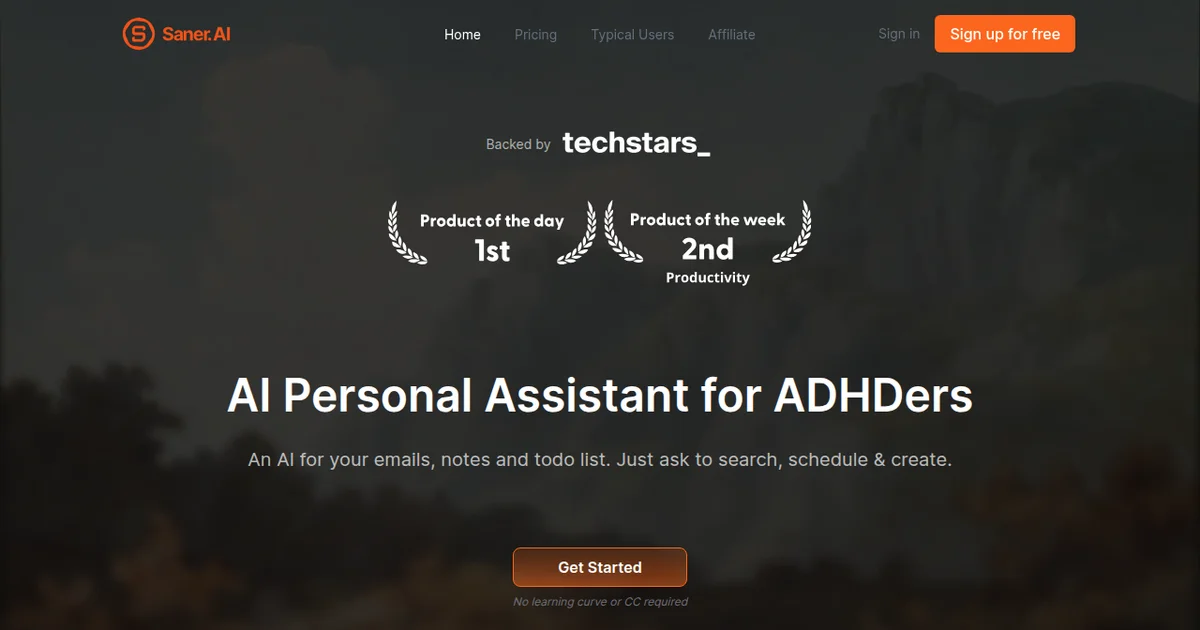
Rating: 7/10 Price: Free tier available; Pro at $10/month (as of March 2026) Best For: Solo professionals, researchers, and writers who need a low-maintenance second brain
Pros:
- AI auto-organization eliminates manual tagging and folder management
- Semantic search finds notes by meaning, not just keywords
- Clean, distraction-free interface that stays out of your way
Cons:
- No real collaboration features - this is a solo tool only
- Offline mode is read-only, limiting mobile usefulness
What Is Saner AI?
Saner AI is a personal knowledge management tool that uses AI to automatically organize your notes, web clips, tasks, and ideas into a searchable, interconnected system. Unlike traditional note apps that dump everything into folders you never revisit, Saner AI indexes your content semantically and surfaces relevant notes exactly when you need them.
If you have been following our guide to AI agents for business, you know that the productivity agent category is crowded. Tools like Motion and Reclaim AI handle calendar and task automation well. Saner AI takes a different angle. It does not try to schedule your day. It tries to make sure you never lose a thought again.
The product launched in late 2025 and has been iterating quickly. The team behind it comes from the knowledge management space, and it shows in the design philosophy. There is no bloat. No Gantt charts. No team dashboards. Just you, your notes, and an AI that actually helps you find things.
You can capture content through a browser extension, mobile app, or direct input in the web app. Once captured, Saner AI auto-tags entries, detects relationships between notes, and creates a personal knowledge graph you can explore visually or through natural language search. It also extracts tasks from your notes and organizes them by project or context without you lifting a finger.
Key Features of Saner AI
Saner AI's feature set is focused but effective. Every feature ties back to one goal: reducing the cognitive overhead of managing personal knowledge.
AI Auto-Organization is the headline feature. When you dump a note into Saner AI, it analyzes the content, assigns relevant tags, and links it to related notes in your collection. In our testing, the auto-tagging was accurate about 80% of the time. The remaining 20% were edge cases where context was ambiguous - a note about "Python" got tagged as both programming and wildlife until we had enough programming notes to establish context.
Semantic Search lets you find notes by meaning instead of exact keywords. We tested this by searching "that article about pricing psychology" and it returned a web clip about anchoring bias in SaaS pricing from two weeks prior. Traditional keyword search would have missed it entirely. This is where Saner AI earns its keep.
Smart Task Extraction scans your notes for action items and pulls them into a unified task view. Write "need to follow up with Sarah about the Q2 report" in any note, and it appears in your task list with the source note linked. The extraction is not perfect - it occasionally mistakes hypothetical statements for tasks - but it catches roughly 85% of genuine action items based on our three weeks of use.
Knowledge Graph Visualization maps relationships between your notes visually. This sounds gimmicky until you actually use it. Seeing how a research note connects to a meeting note connects to a project idea reveals patterns you would miss in a flat list. It is genuinely useful for writers and researchers piecing together complex topics.
Web Clipper captures articles, highlights, and snippets directly into your Saner AI workspace. The clipper preserves formatting reasonably well and immediately processes content for auto-tagging. It works on Chrome and Firefox. Safari support is listed as "coming soon" on Saner AI's official site.
Daily Digest surfaces relevant older notes based on what you are currently working on. Every morning, Saner AI sends a brief summary of notes that might be useful today. In our testing, about 60% of the suggestions were genuinely helpful, which is a better hit rate than most "on this day" features in competing tools.
Saner AI Pricing and Plans
Saner AI keeps pricing simple with two tiers. No confusing add-ons. No per-feature gating that makes the free tier useless.
| Plan | Price | Notes Limit | AI Features | Task Management | Web Clipper |
|---|---|---|---|---|---|
| Free | $0/month | 500 notes | Basic search, limited auto-tags | Manual only | Yes (10 clips/month) |
| Pro | $10/month | Unlimited | Full semantic search, auto-organization, knowledge graph | Smart extraction | Unlimited |
Pricing current as of March 2026. Check Saner AI's pricing page for the latest.
The free tier is genuinely usable for light note-takers. You get 500 notes and basic AI features, which is enough to evaluate whether the approach works for you. The 10-clip-per-month limit on the web clipper feels stingy, though. If you clip articles regularly, you will hit that wall fast.
Pro at $10/month is competitive. For comparison, Notion's Plus plan runs $10/month but includes collaboration features Saner AI lacks. Mem, a similar AI-first note tool, charges $15/month. If you strictly want personal knowledge management with strong AI organization, Saner AI offers good value at this price point.
There is no annual discount yet, which is unusual. No enterprise or team plan either. The team has mentioned both are on the roadmap, but nothing concrete as of this review.
Who Should (and Shouldn't) Use Saner AI
Saner AI is built for a specific kind of person, and it does not pretend otherwise.
You should use Saner AI if:
You are a solo knowledge worker - a writer, researcher, consultant, or developer - who captures information from dozens of sources and struggles to find it later. If you have ever spent 15 minutes searching for a note you know you wrote somewhere, Saner AI solves that problem directly. It is also excellent for people who have tried and abandoned complex note systems like Zettelkasten because they require too much manual maintenance.
You should not use Saner AI if:
You need a team workspace. There are no shared notebooks, no commenting, no permissions. This is a single-player tool. If your workflow requires collaboration, look at Lindy AI for workflow automation or stick with Notion.
You also should not use Saner AI if you already have a well-maintained note system that works for you. If your Obsidian vault is organized and you enjoy the process of manual linking, Saner AI's auto-organization will feel like it is taking away control rather than adding value. Power users of manual systems tend to distrust AI categorization, and that tension does not resolve easily.
Students on a tight budget can use the free tier, but the 500-note limit means you will outgrow it within a semester. The lack of offline creation is also a problem for anyone taking notes in lecture halls with spotty Wi-Fi.
How Does Saner AI Compare to Notion AI?
This is the comparison most people are making, so let us be direct. Saner AI and Notion AI are solving different problems that happen to overlap.
Notion AI adds intelligence to a collaborative workspace. It can summarize pages, generate content, answer questions about your workspace, and auto-fill database properties. But Notion is fundamentally a structured tool. You build databases, create views, design templates. The AI enhances that structure.
Saner AI eliminates the need for structure entirely. You throw content in, and the AI handles organization. No databases to design. No templates to maintain. No folder hierarchies to manage.
| Feature | Saner AI | Notion AI |
|---|---|---|
| Auto-organization | Core feature, fully automatic | Limited (auto-fill properties) |
| Semantic search | Yes, across all content | Yes, within workspace |
| Collaboration | None | Full team workspace |
| Task management | AI-extracted from notes | Databases, boards, timelines |
| Knowledge graph | Visual, interactive | Not available |
| Pricing | $10/month (Pro) | $10/month (Plus) + $10/month (AI add-on) |
| Offline | Read-only | Full offline editing |
| Learning curve | 10 minutes | Several hours to days |
The pricing difference matters. Notion AI is an add-on to the Plus plan, meaning you pay $20/month total for the AI-powered experience. Saner AI gives you everything at $10/month. If personal knowledge management is your primary need, Saner AI is half the cost.
But if you need project management, team wikis, or database-driven workflows, Notion AI wins by default because Saner AI simply does not offer those features.
Our verdict: Saner AI for personal knowledge capture and retrieval. Notion AI for structured team workspaces with AI assistance. They coexist more than they compete.
Our Testing Process
We used Saner AI as our primary note-capture tool for three weeks in March 2026. During that period, we created 347 notes across research, meeting notes, web clips, and random ideas. We tested on Chrome (desktop), the iOS app, and briefly on Android.
Our evaluation focused on four areas: accuracy of auto-organization, reliability of semantic search, usefulness of task extraction, and overall friction in daily use. We deliberately avoided manual tagging to test the AI's ability to organize without human input.
We compared results against our existing Notion workspace and a parallel test with Mem. All search accuracy numbers in this review come from manually verifying results across 50 test queries. We have not tested Saner AI's system at scale beyond 500 notes, so performance with very large collections remains unverified.
Tested March 2026 by Todd Stearn. If you want to understand what AI agents actually are, our beginner's guide breaks it down.
The Bottom Line
Saner AI does one thing well: it takes the mess of your scattered thoughts, clips, and notes and turns them into something searchable and connected. The auto-organization genuinely works. The semantic search is the best feature. The $10/month Pro plan is fairly priced for what you get.
The limitations are real. No collaboration. No offline creation. No enterprise option. The knowledge graph visualization, while neat, is more of a discovery tool than a daily driver.
If you are a solo professional tired of losing notes across five different apps and you do not want to spend weekends building a Zettelkasten system, Saner AI is worth trying. Start with the free tier. If semantic search hooks you the way it hooked us, the Pro upgrade is a no-brainer.
Frequently Asked Questions
What is Saner AI used for?
Saner AI is a personal knowledge assistant that captures notes, web clips, and ideas, then uses AI to organize them automatically. It also handles task management, surfacing relevant notes when you need them. Think of it as a second brain that actually files things for you instead of letting them rot in folders.
Is Saner AI free to use?
Saner AI offers a free tier with limited note storage and basic AI features. The Pro plan costs $10/month (as of March 2026) and unlocks unlimited notes, advanced AI search, and priority processing. There is no enterprise tier yet, which limits its appeal for teams larger than one.
How does Saner AI compare to Notion AI?
Saner AI focuses on automatic organization and retrieval of personal knowledge. Notion AI bolts intelligence onto an existing workspace built for teams. If you want a solo knowledge companion that requires zero folder management, Saner AI wins. If you need collaboration, databases, and project views, Notion AI is the better pick.
Does Saner AI work offline?
Saner AI requires an internet connection for its core AI features like auto-tagging, semantic search, and task surfacing. You can view previously loaded notes offline in the mobile app, but you cannot create or search notes without connectivity. This is a notable limitation for frequent travelers.
Is Saner AI safe for sensitive notes?
Saner AI encrypts data in transit and at rest using AES-256 encryption. Your notes are processed by AI models to enable search and organization, which means content is analyzed server-side. If you store highly sensitive data like passwords or medical records, review their privacy policy at saner.ai before committing.
Related AI Agents
Looking for other productivity tools? Here are some alternatives worth exploring:
- Motion - AI-powered calendar and task scheduling that auto-prioritizes your day. Best for time management rather than knowledge management.
- Reclaim AI - Smart calendar assistant that protects focus time and automates scheduling. Pairs well with Saner AI for a complete productivity stack.
- Lindy AI - AI workflow automation for solopreneurs and small teams. Handles repetitive tasks across multiple apps.
- Limitless - AI meeting assistant that captures and summarizes conversations. Strong complement to Saner AI's note-taking focus.
- SuperPowers AI - Broad productivity agent with task automation. More generalist than Saner AI's knowledge-focused approach.
Get weekly AI agent reviews in your inbox. Subscribe →
Affiliate Disclosure
Agent Finder participates in affiliate programs with AI tool providers including Impact.com and CJ Affiliate. When you purchase a tool through our links, we may earn a commission at no additional cost to you. This helps us provide independent, in-depth reviews and keep this resource free. Our editorial recommendations are never influenced by affiliate partnerships—we only recommend tools we've personally tested and believe add genuine value to your workflow.
Try Saner AI today
Get started with Saner AI — free tier available on most plans.
Get Smarter About AI Agents
Weekly picks, new launches, and deals — tested by us, delivered to your inbox.
Join 1 readers. No spam. Unsubscribe anytime.
More Project Management Tools
ClickUp Brain Review 2026: AI Built Into Your Work OS
ClickUp Brain review: AI summaries, writing, and knowledge search inside ClickUp. $7/member/mo. We tested it for 3 weeks. See who it's best for.
Narrato Review 2026: AI Content OS for Teams
Narrato review: AI content platform with 100+ templates, autopilot publishing, and team workflows. We tested it for 3 weeks. See pricing, pros, cons, and verdict.
Accio Work Review 2026: AI E-Commerce Agents
Accio Work deploys AI agents that handle sourcing, compliance, and marketing for SMEs. We tested it. Read our full Accio Work review and pricing breakdown.
Monday.com Review 2026: Can This Work OS Actually Replace Your Project Tools?
Monday.com is a visual work OS starting at $9/seat/month. We tested it for project management, automation, and AI features. Here's our verdict.
Related Articles
Motion Review 2026: AI Scheduling That Actually Works
Motion auto-schedules your tasks and calendar using AI. We tested it for a month. Here's our honest Motion review with pricing, pros, cons, and verdict.
SkedPal Review 2026: AI Scheduling That Actually Works
SkedPal review: AI scheduling agent that auto-builds your calendar from tasks. We tested it for 3 weeks. $14.95/mo. See if it's worth it.
Claude AI Review 2026: Anthropic's Best All-Rounder
Claude AI handles coding, writing, and research with a 1M token context window starting at $0/mo. We tested it for 4 weeks. Here's our honest verdict.