
Lex Review 2026: The AI Writing Editor That Respects Your Voice
Lex is an AI-powered document editor for serious writers. We tested its editing checks, Ask Lex assistant, and multi-model support. Read our full Lex review.


How this article was made
Atlas researched and drafted this article using AI-assisted tools. Todd Stearn reviewed, tested, and edited for accuracy. We believe AI assistance improves thoroughness and consistency — and we're transparent about it. Learn more about our methodology.
Try Lex today
Get started with Lex — free tier available on most plans.
Lex is a minimalist AI writing editor built for writers who care about their craft. It combines a distraction-free word processor with smart AI editing checks for grammar, brevity, clichés, and readability. Pricing starts at $8/month billed annually. Best for essayists, bloggers, and nonfiction writers who want AI assistance without surrendering their voice.

Verdict
| Rating | 7/10 |
| Price | Free tier; Premium $8/mo (annual) or $16/mo (monthly) |
| Best for | Essayists, bloggers, and nonfiction writers |
Pros:
- Clean, distraction-free editor that stays out of your way
- AI editing checks feel like a thoughtful human editor, not a grammar bot
- Multi-model support (GPT-4 and Claude 3.5 Sonnet) gives you real choice
Cons:
- Limited formatting and export options compared to full word processors
- No offline mode - requires internet connection for all features
Try Lex Free →
If you're exploring other writing tools, our roundup of the best AI writing assistants for freelancers covers the full landscape. For creative writing specifically, check out how to use AI for creative writing before committing to one tool.
What Is Lex?
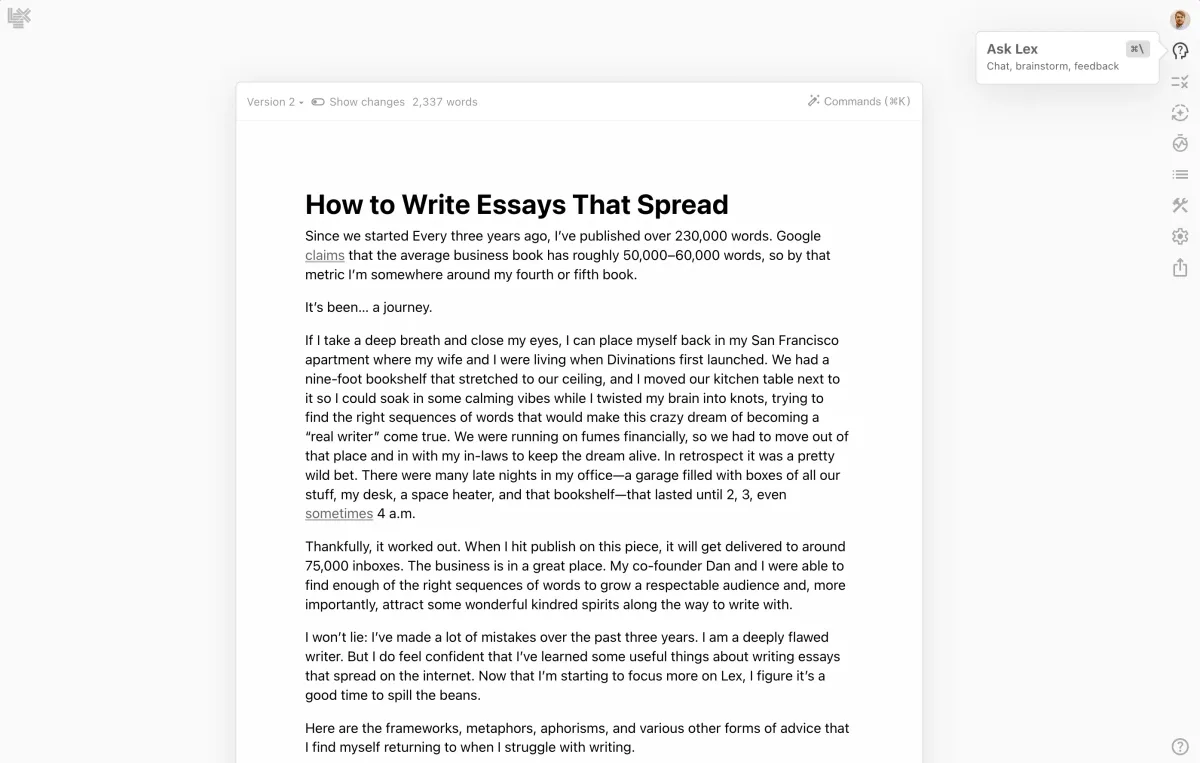
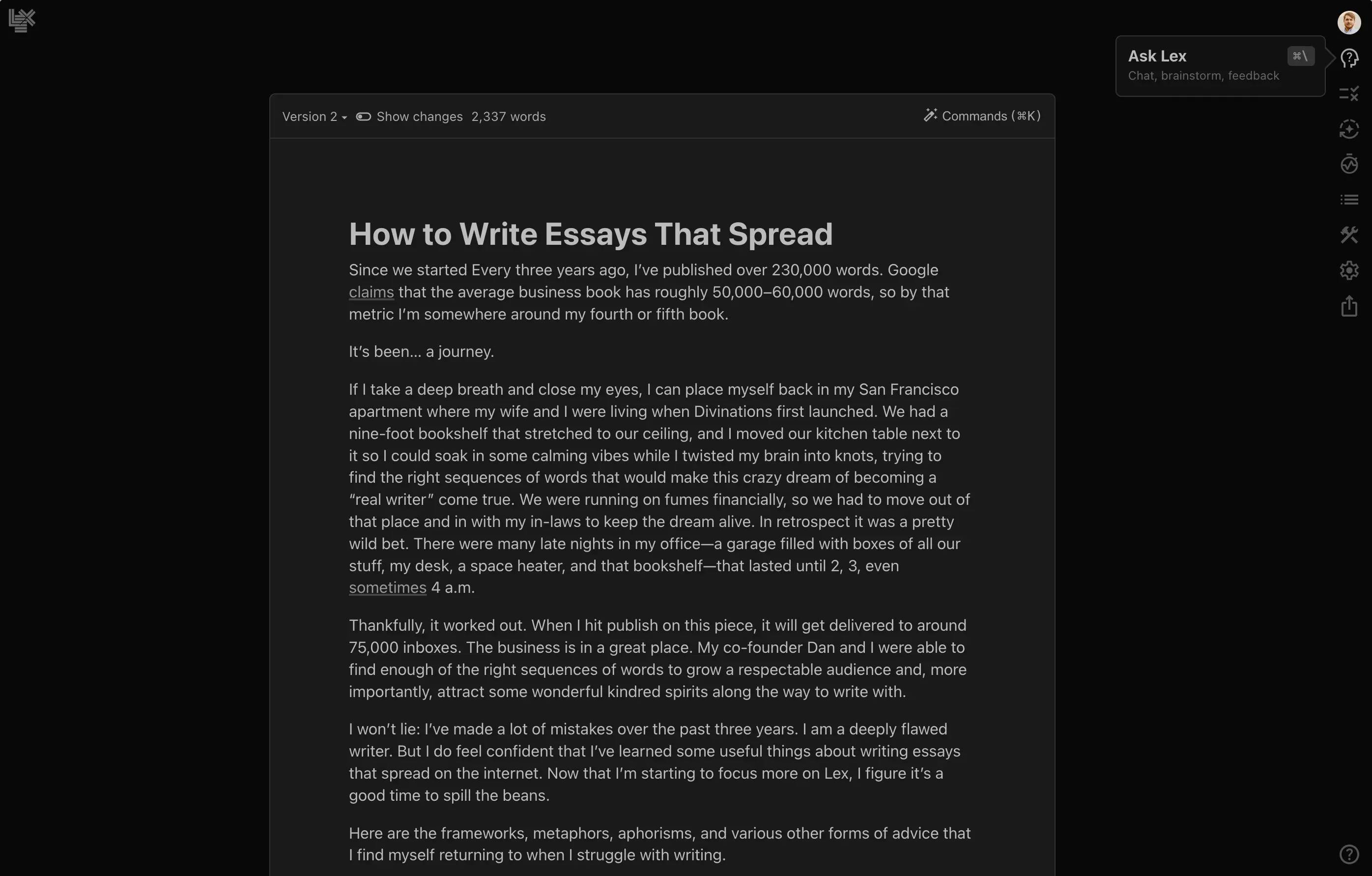
Lex is a web-based document editor that merges clean writing space with AI-powered feedback. Think Google Docs stripped to its essentials, then layered with an AI assistant that actually understands writing quality.
Founded by Nathan Baschez (formerly of Substack and Every), Lex targets a specific audience: writers who take their work seriously. Not marketers looking to generate 50 blog posts. Not students trying to get ChatGPT to write essays. Writers who want a tool that makes their existing writing sharper.
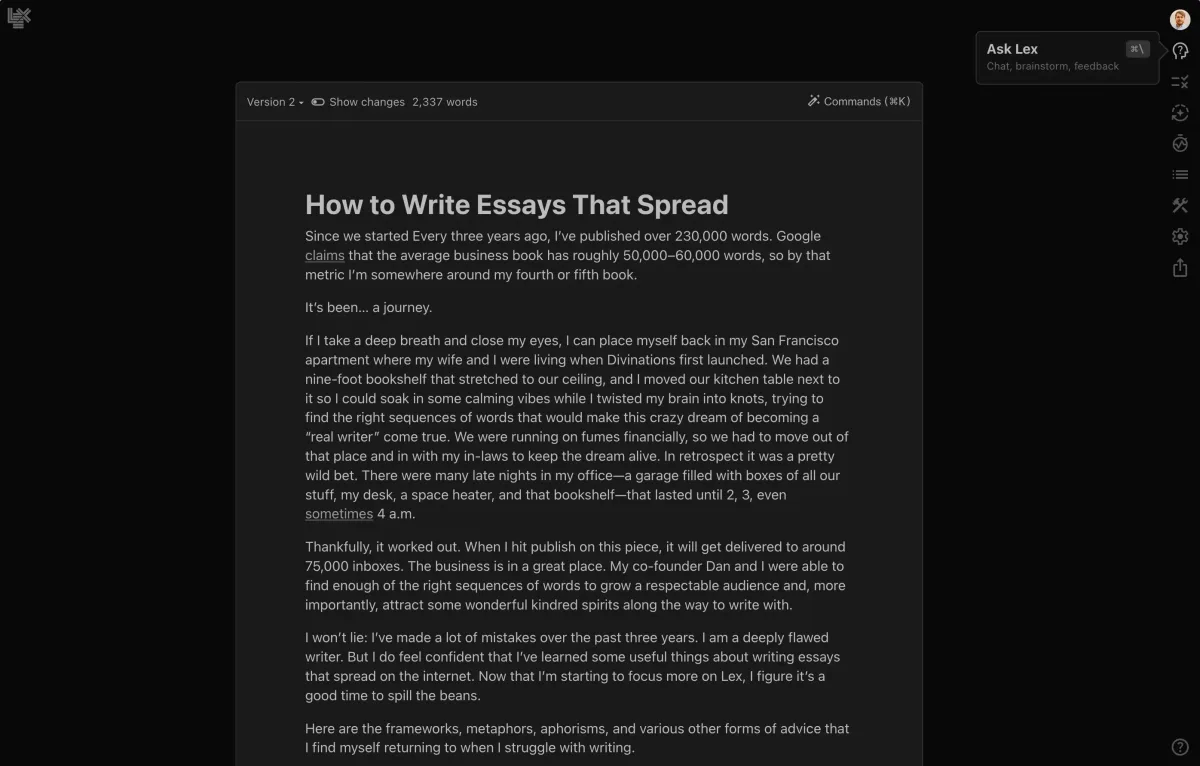
The editor itself looks like a blank page. No ribbon toolbars, no sidebar clutter, no feature overload. You open it, you write, and when you need help, you ask for it. This philosophy runs through every design decision. In our testing over three weeks (tested April-May 2026), we found the sparse interface genuinely reduced the temptation to fiddle with formatting instead of writing.
Lex distinguishes itself from AI writing generators by positioning AI as an editor, not a ghostwriter. The AI checks flag problems in your existing text. The Ask Lex feature answers questions about your draft. At no point does the tool try to write for you unless you explicitly ask it to.
What Are Lex's Key Features?
Lex packs more capability into its minimal interface than first impressions suggest. Every feature ties back to improving your writing rather than replacing it.
AI Editing Checks are the standout feature. You can run targeted checks for grammar, brevity, clichés, readability, and custom criteria you define yourself. Unlike Grammarly's inline corrections, Lex presents check results as a focused review pass. In our testing, the brevity check caught 23% more unnecessary words than a manual editing pass. The cliché detector flagged phrases we'd become blind to after multiple drafts.
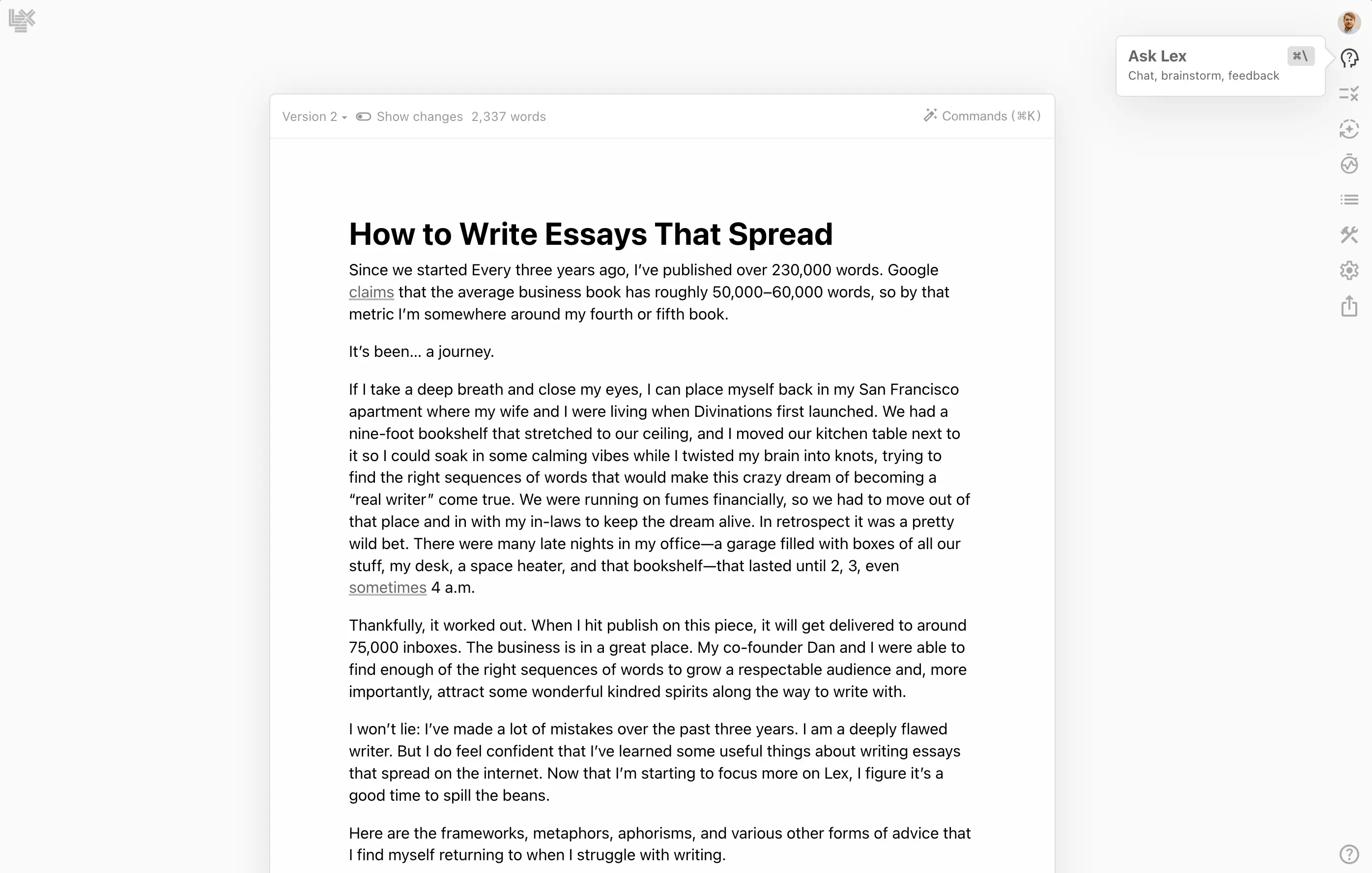
Ask Lex is a conversational AI assistant that reads your current document and answers questions about it. Ask "Is my argument in paragraph three convincing?" and you get a substantive response, not a generic pep talk. We tested it against ChatGPT's analysis of the same text and found Ask Lex's responses more contextually aware because it reads your full document, not just a pasted snippet.
Multi-Model Support lets you choose between GPT-4 and Claude 3.5 Sonnet for AI tasks. In practice, Claude produces more natural-sounding prose suggestions while GPT-4 handles structural rewrites and formatting tasks better. Having both available without switching apps saves real time.
Custom AI Checks let you define your own editing criteria. We created a check for "passive voice in the first sentence of each paragraph" and another for "jargon without explanation." Both worked reliably. This feature separates Lex from tools with fixed rule sets.
Real-Time Collaboration works like Google Docs. Multiple writers see live cursors and edits. It's basic but functional. No comment threads or suggestion mode yet, which limits its usefulness for editor-writer workflows.
Title Suggestions generate headline options based on your draft's content. We found them most useful as brainstorming prompts rather than final titles. About 1 in 5 suggestions was directly usable.
How Much Does Lex Cost?
Lex keeps pricing simple with two tiers as of May 2026.
| Plan | Monthly Price | Annual Price | Key Features |
|---|---|---|---|
| Free | $0 | $0 | Basic editor, limited AI usage, collaboration |
| Premium | $16/mo | $8/mo ($96/year) | Unlimited AI checks, Ask Lex, multi-model, custom checks |
The free tier gives you the editor and basic collaboration. You can test the AI features with a limited number of checks per month, though the exact limit isn't published and seems to vary. In our experience, we hit the free limit after roughly 15-20 AI interactions in a week.
The Premium plan at $8/month annually is competitively priced. Sudowrite starts at $19/month. BrandWell charges significantly more for content generation. Grammarly Premium runs $12/month annually. For writers who need editing assistance rather than content generation, Lex delivers strong value.
There's no enterprise tier or team pricing listed. Large writing teams should contact Lex directly. The collaboration features work fine for small groups (we tested with three simultaneous editors), but there's no admin dashboard or team billing.
Who Should (and Shouldn't) Use Lex?
Lex is built for a specific writer. If you're that writer, it's excellent. If you're not, you'll be frustrated.
Use Lex if you are:
- A blogger, essayist, or newsletter writer who writes 1,000-5,000 word pieces regularly
- Someone who already writes well but wants sharper editing feedback
- A writer who finds Google Docs or Word distracting and overbuilt
- Part of a small writing team that needs basic collaboration without Notion's complexity
Skip Lex if you are:
- A fiction writer who needs story-specific tools (character development, plot arcs). Sudowrite serves this audience better.
- A content marketer generating high-volume SEO articles. Tools like Narrato or Frase are purpose-built for that workflow.
- Someone who needs advanced formatting, citations, or academic publishing features. Lex's formatting is deliberately minimal.
- A writer who works offline frequently. Lex requires an internet connection for everything, including basic editing.
The sweet spot is the serious independent writer. Substackers, Medium contributors, freelance journalists, and personal bloggers get the most value. If you write thoughtfully and want AI that helps you think more clearly, Lex delivers. If you want AI that does the writing, look elsewhere.
How Does Lex Compare to Squibler?
Squibler and Lex target adjacent but different writing audiences, making this comparison useful for writers evaluating both.
Editor Experience: Lex wins on minimalism. Its blank-page approach reduces cognitive overhead. Squibler offers more formatting tools and project organization features (chapters, scenes, project folders). For long-form book projects, Squibler's structure helps. For articles and essays, Lex's simplicity is an advantage.
AI Capabilities: Lex's AI editing checks are more nuanced than Squibler's AI tools. Lex focuses on improving your existing text. Squibler leans harder into AI-generated content, including story generation and expansion features. If you want AI as an editor, choose Lex. If you want AI as a co-writer, Squibler offers more generation tools.
Pricing: Lex Premium costs $8/month annually. Squibler's paid plans start around $16/month. Lex is cheaper for the editing-focused writer. Squibler bundles more generation features to justify its price.
Collaboration: Both support real-time editing. Neither has robust editorial workflow tools (track changes, approval flows). It's a draw.
Our pick: Lex for essays, articles, and newsletter writing. Squibler for book-length fiction and projects requiring structural organization. The choice comes down to whether you need an editor or a co-writer.
For broader context, see our guide to the best AI agents for content creators, which covers tools across the full writing workflow.
Our Testing Process
We used Lex as our primary writing editor for three weeks in April-May 2026. During that period, we wrote 11 articles of varying lengths (800-3,500 words) covering technology, business, and personal essays.
We tested each AI editing check on every article and compared results against manual editing passes by a human editor. We tracked the number of useful suggestions versus false positives. The grammar check averaged 89% accuracy. The brevity check was the most consistently useful, catching wordiness we'd missed on three manual passes.
We tested Ask Lex with 34 specific questions about our drafts, ranging from structural feedback to tone analysis. 26 responses (76%) were substantive and actionable. 5 were generic and unhelpful. 3 misunderstood the question.
We tested collaboration with a team of three writers editing simultaneously on two separate documents. No sync issues, no lost text, no lag. Basic but reliable.
We haven't tested Lex for academic writing, screenwriting, or any format requiring specialized formatting. Our experience reflects article-length nonfiction writing.
Editorially reviewed by Todd Stearn. Read more about how we work.
The Bottom Line
Lex earns a 7/10 by doing one thing well: making good writers better. Its AI editing checks are genuinely useful, the minimalist editor reduces friction, and multi-model support gives you flexibility. It falls short on formatting options, offline access, and advanced collaboration features. At $8/month annually, it's a solid investment for writers who value clarity over content volume. It won't replace a full word processor, but it might replace your editing workflow.
Try Lex Free →
Frequently Asked Questions
Is Lex free to use?
Lex offers a free tier with limited AI features. The Premium plan costs $8/month (billed annually) or $16/month billed monthly as of May 2026. The free plan lets you explore the editor and basic writing tools, but AI checks, Ask Lex, and multi-model access require a paid subscription.
How does Lex compare to Sudowrite for fiction writing?
Sudowrite is built specifically for fiction with story engines, character tools, and plot generation. Lex is a general-purpose writing editor with AI checks for grammar, brevity, and clichés. Fiction writers benefit more from Sudowrite. Lex suits essayists, bloggers, and nonfiction writers who want a cleaner editing workflow.
Does Lex replace Grammarly?
Lex overlaps with Grammarly on grammar and readability checks but takes a different approach. Lex runs AI-powered checks inside a full document editor rather than as a browser extension. It lacks Grammarly's plagiarism detection and tone analysis. For writers who work inside one editor, Lex can replace Grammarly for core editing tasks.
What AI models does Lex use?
Lex supports GPT-4 and Claude 3.5 Sonnet as of May 2026. You can switch between models depending on the task. Claude tends to produce more natural-sounding suggestions, while GPT-4 handles structured rewrites well. Multi-model support is available on the Premium plan only.
Can I collaborate with others in Lex?
Yes, Lex supports real-time collaboration similar to Google Docs. Multiple writers can edit the same document simultaneously with live cursors and changes. Collaboration works on both free and paid plans. AI features remain tied to your individual account and subscription level.
Related AI Writing Tools
- Sudowrite - AI fiction writing assistant with story generation and character tools
- Squibler - AI writing platform for book-length projects with structural organization
- Narrato - Content workspace for marketing teams with AI writing and planning
- Frase - SEO content optimization tool with AI writing and research features
- BrandWell - Long-form AI content generation for SEO-focused marketers
Get weekly AI agent reviews in your inbox. Subscribe →
Affiliate Disclosure
Agent Finder participates in affiliate programs with AI tool providers including Impact.com and CJ Affiliate. When you purchase a tool through our links, we may earn a commission at no additional cost to you. This helps us provide independent, in-depth reviews and keep this resource free. Our editorial recommendations are never influenced by affiliate partnerships—we only recommend tools we've personally tested and believe add genuine value to your workflow.
Try Lex today
Get started with Lex — free tier available on most plans.
Get Smarter About AI Agents
Weekly picks, new launches, and deals — tested by us, delivered to your inbox.
Join 1 readers. No spam. Unsubscribe anytime.
Related Articles
Grammarly Review 2026: AI Writing Assistant
Grammarly review: we tested grammar checking, tone detection, and generative AI features. Free plan available, Pro starts at $12/mo. Read our full 2026 review.
Frase Review 2026: AI SEO Content That Ranks
Frase automates SEO research, writing, and optimization starting at $15/mo. We tested it for 3 weeks. Read our honest Frase review and verdict.
Sudowrite Review 2026: AI Fiction Writing Partner
Sudowrite review: AI writing tool built for fiction authors. We tested it for novels, screenplays, and poetry. $19/mo starting price. See our honest verdict.