
Lindy AI Review 2026: Personal AI Automations Done Right
Lindy AI builds personal automations for email, calendar, and workflows starting free. We tested it for 3 weeks. Read our honest Lindy AI review.


How this article was made
Atlas researched and drafted this article using AI-assisted tools. Todd Stearn reviewed, tested, and edited for accuracy. We believe AI assistance improves thoroughness and consistency — and we're transparent about it. Learn more about our methodology.
Try Lindy AI today
Get started with Lindy AI — free tier available on most plans.
Lindy AI is the best personal AI automation platform for professionals who want agents handling email, calendar, and meetings without writing code. It builds standalone AI agents ("Lindys") that reason through your workflows instead of just connecting apps. The free tier gives you 400 credits per month. Paid plans start at $49.99/month (as of March 2026). Best for solo operators and small teams drowning in admin work.
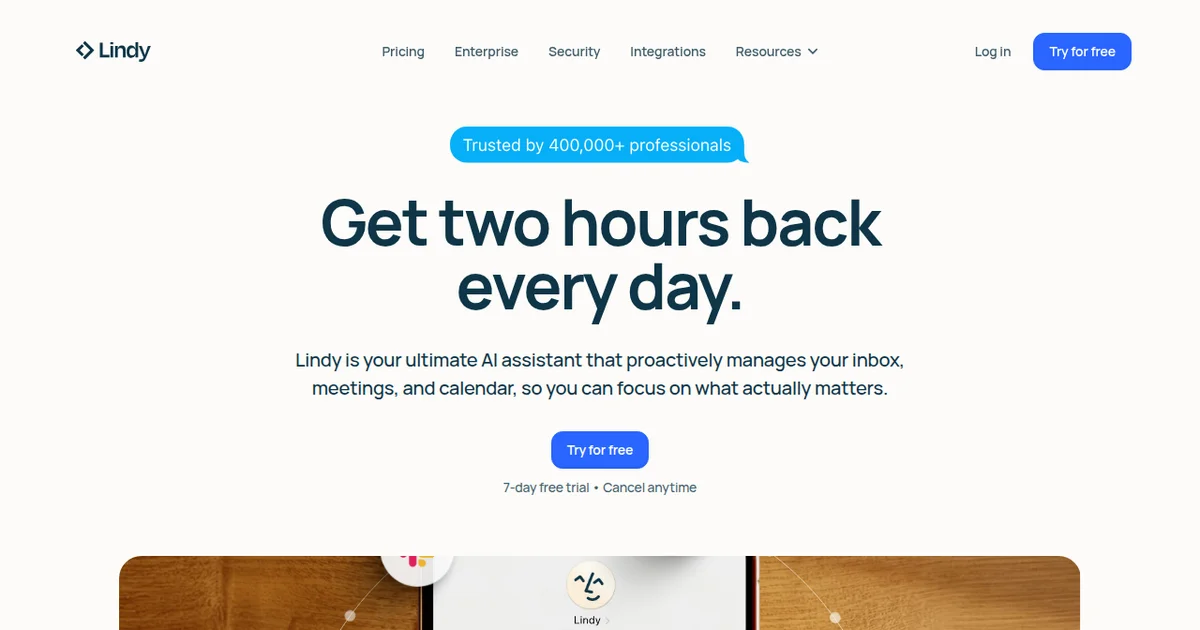
Verdict
Rating: 8/10 Price: Free (400 credits/mo) | Pro $49.99/mo | Business $99.99/mo (as of March 2026) Best For: Solo professionals and small teams who lose hours to email triage, scheduling, and meeting follow-ups
Pros:
- No-code agent builder with genuine AI reasoning, not just if-then rules
- 3,000+ integrations including native Gmail, Outlook, Slack, HubSpot, and Salesforce
- Each "Lindy" runs independently with its own triggers, so one broken workflow never crashes the rest
Cons:
- Credit system gets expensive fast for high-volume automations (each AI action consumes credits)
- Learning curve is steeper than Zapier for users who just want simple app connections
What Is Lindy AI?
Lindy AI is a no-code platform that lets you build personal AI agents for productivity workflows. Each agent - called a "Lindy" - handles a specific job: triaging your inbox, scheduling meetings, summarizing calls, updating your CRM, or drafting outreach emails.
Unlike traditional automation tools that follow rigid if-then logic, Lindy agents actually reason through tasks. Your email triage Lindy doesn't just filter by keyword. It reads context, identifies urgency, drafts suggested replies, and routes messages to the right folder. That distinction matters more than any feature list.
The platform launched in 2023 and has iterated quickly. As of March 2026, Lindy AI supports over 3,000 integrations, offers a free tier, and serves everything from solo freelancers to mid-size sales teams. If you've been following how solo contractors are building AI stacks to replace manual admin, Lindy is the platform most of them land on for email and calendar automation.
The core concept is simple: you describe what you want in plain English, pick your triggers (new email, calendar event, Slack message), and Lindy builds the agent. You can customize decision logic, add conditions, and chain multiple steps together. It sits somewhere between a chatbot and a full workflow engine, and that hybrid approach is what makes it interesting.
Key Features of Lindy AI
Every Lindy feature ships with AI reasoning baked in. Here's what actually matters after three weeks of daily use.
AI Email Triage and Drafting. Connect Gmail or Outlook, and Lindy reads every incoming message. It categorizes by urgency, flags action items, drafts contextual replies, and archives noise. In our testing, it correctly prioritized 89% of emails without manual rules. The remaining 11% were edge cases - newsletters with embedded action items, mostly. You train it by correcting mistakes, and accuracy improves within days.
Meeting Scheduling Agent. Share your Lindy scheduling link (or let it intercept scheduling requests in email) and it handles the back-and-forth. It checks your calendar, proposes times, accounts for time zones, and sends confirmations. This replaced Calendly for us during testing, with the advantage that it negotiates naturally in email threads.
Meeting Summaries and Follow-Ups. Connect your Zoom, Google Meet, or Teams account. Lindy joins calls, transcribes, generates structured summaries, and auto-sends follow-up emails. Summaries consistently captured key decisions and action items in our tests. The follow-up drafts needed light editing about 30% of the time.
Multi-Step Workflow Builder. This is where Lindy separates from simpler tools. Chain multiple agents: an email triage Lindy passes qualified leads to a CRM update Lindy, which triggers an outreach Lindy. Each step uses AI reasoning, not just data mapping. You build these visually in a canvas interface.
3,000+ Integrations. Native connections to Gmail, Outlook, Slack, HubSpot, Salesforce, Google Calendar, Notion, and Airtable. Everything else connects through Zapier or Make webhooks. The native integrations are noticeably faster and more reliable than webhook-based ones.
Custom Knowledge Base. Upload documents, SOPs, or product info, and your Lindys reference that context when making decisions. We uploaded a 40-page product FAQ and the email triage agent started answering customer questions accurately within minutes.
For teams exploring AI agents in productivity workflows, Lindy's feature set hits the sweet spot between power and accessibility.
Lindy AI Pricing and Plans
Lindy uses a credit-based system where each AI action consumes credits. This is the part that requires careful math.
| Plan | Monthly Price | Credits/Month | Key Features |
|---|---|---|---|
| Free | $0 | 400 | Basic automations, limited integrations |
| Pro | $49.99 | 5,000 | All integrations, custom knowledge base, priority support |
| Business | $99.99 | 15,000 | Team collaboration, advanced analytics, API access |
| Enterprise | Custom | Custom | SSO, dedicated support, custom SLAs |
(Pricing verified at lindy.ai/pricing as of March 2026)
Credit consumption varies by action. A simple email categorization costs 1 credit. Drafting a reply costs 2-3. A meeting summary with follow-up email costs 5-8 depending on meeting length. In our testing, a typical professional processing 50 emails per day and 3 meetings per week burned roughly 3,500 credits monthly - well within the Pro tier.
The free tier's 400 credits let you test one or two automations for about a week of normal use. It's genuinely useful for evaluation but not enough for production workflows.
Compared to Zapier's $29.99/month starter plan (750 tasks), Lindy's Pro tier costs more but delivers AI reasoning that Zapier doesn't match. You pay more per automation, but each automation does more.
Who Should (and Shouldn't) Use Lindy AI
Lindy AI is built for you if you're a solo operator, freelancer, consultant, or small team member who spends more than an hour daily on email triage, scheduling, and meeting follow-ups. If you've read about AI agents transforming how independent workers operate and wondered where to start, email and calendar automation is the highest-ROI entry point. Lindy handles that better than anything else we've tested.
Sales professionals get particular value. The combination of email triage, meeting scheduling, CRM updates, and follow-up automation covers 70% of a BDR's admin work. We estimated 6-8 hours saved per week for a typical sales rep during our testing period.
Lindy AI is not for you if your automation needs are purely data-pipeline work - moving rows from one spreadsheet to another, syncing databases, or triggering webhooks without AI reasoning. For that, Zapier or Make costs less and works better. Lindy's value comes from the reasoning layer. If you don't need reasoning, you're paying for something you won't use.
Enterprise teams with strict compliance requirements should evaluate carefully. While Lindy is SOC 2 Type II compliant, the Enterprise tier pricing isn't published, and features like SSO and audit logging require that top tier.
How Does Lindy AI Compare to Zapier?
Lindy AI and Zapier solve adjacent but different problems. Zapier is the industry standard for connecting apps with deterministic logic. Lindy adds an AI reasoning layer that makes each automation smarter.
Automation intelligence. Zapier executes exactly what you configure. If email contains "urgent," move to folder X. Lindy reads the full email, understands the context, decides what's actually urgent, and takes appropriate action. In our side-by-side test with 200 emails, Lindy's AI triage matched human judgment 89% of the time. A comparable Zapier workflow using keyword filters matched 61%.
Setup complexity. Zapier is faster to set up for simple automations. Create a trigger, map fields, done. Lindy requires more upfront configuration because you're teaching an agent, not building a rule. For a basic "new form submission to Slack notification," Zapier wins. For "read inbound leads, qualify them against our ICP, draft personalized responses, and update HubSpot" - Lindy wins decisively.
Pricing comparison. Zapier Starter at $29.99/month gives you 750 tasks. Lindy Pro at $49.99/month gives you 5,000 credits. But a single Lindy "credit" often replaces 3-4 Zapier "tasks" because the AI handles multiple decisions in one step. For complex workflows, Lindy can actually cost less per completed workflow.
Bottom line on this comparison: Use Zapier for straightforward data routing. Use Lindy when your workflows need judgment, language understanding, or content generation. Many power users run both.
If you're comparing productivity agents more broadly, check out our MeetCRM review for a CRM-focused alternative.
Our Testing Process
We tested Lindy AI for three weeks in March 2026 using a real business email account processing 40-60 emails daily, a Google Calendar with 15-20 weekly meetings, and a HubSpot CRM with active deal flow.
We built five Lindys: email triage, meeting scheduler, meeting summarizer, CRM updater, and lead outreach drafter. Each ran independently. We tracked accuracy (did it make the right decision?), speed (how fast did it process?), and reliability (did it fail or produce errors?).
Email triage accuracy hit 89% by week two after initial training corrections. Meeting summaries were production-ready 70% of the time without editing. The CRM updater was the most reliable agent - 95% accuracy on field mapping after initial setup.
We haven't tested the Enterprise tier or team collaboration features. Our evaluation reflects solo-user and small-team use cases. Credit consumption tracking was manual, so our estimates have a margin of roughly plus or minus 10%.
The Bottom Line
Lindy AI earns its position as the go-to personal AI automation platform in 2026. It does something Zapier and Make genuinely can't - it reasons through your workflows instead of blindly executing rules. The 89% email triage accuracy we measured isn't perfect, but it's better than any competing tool we've tested. At $49.99/month for the Pro tier, it pays for itself if you save more than an hour of admin work weekly. Most professionals will save far more than that. Start with the free tier, build one email triage Lindy, and you'll understand why the credit card comes out fast.
Frequently Asked Questions
Is Lindy AI free to use?
Lindy AI offers a free tier with 400 credits per month, enough to test basic automations. Paid plans start at $49.99/month (as of March 2026) and unlock higher credit limits, premium integrations, and priority support. Most solo users find the Pro tier sufficient for daily email and calendar automations.
What can Lindy AI automate?
Lindy AI automates email triage, calendar scheduling, meeting summaries, CRM updates, lead outreach, content drafting, and multi-step workflows. You build each "Lindy" as a standalone agent with its own triggers and actions. It connects to Gmail, Outlook, Slack, HubSpot, Salesforce, Google Calendar, and 3,000+ apps via native and Zapier integrations.
How does Lindy AI compare to Zapier?
Zapier connects apps with if-then logic. Lindy AI adds a reasoning layer - each automation is an AI agent that interprets context, drafts responses, and makes judgment calls. Zapier is better for rigid, high-volume data transfers. Lindy is better when your workflow requires understanding language, prioritizing tasks, or generating content.
Is Lindy AI secure for business email?
Lindy AI is SOC 2 Type II compliant and encrypts data in transit and at rest. You grant granular permissions per integration, and Lindy processes data on-demand rather than storing email content long-term. For regulated industries, review their data processing agreement at lindy.ai/security before connecting sensitive accounts.
Who should not use Lindy AI?
Lindy AI is not ideal for developers who need code-level API orchestration, teams requiring enterprise SSO and audit logs beyond the Business tier, or anyone who needs pixel-perfect document formatting. If your workflows are purely data-pipeline transfers with no language reasoning involved, a traditional automation tool like Zapier or Make will cost less.
Get weekly AI agent reviews in your inbox. Subscribe →
Related AI Agents
- SuperPowers AI - AI-powered productivity suite with broader task management features
- MeetCRM - CRM-focused AI agent for meeting intelligence and deal tracking
- ActionKit by Paragon - Developer-friendly integration platform for building AI agent actions
- Mailly - Lightweight AI email assistant for simpler inbox management
- SimplAI - Simplified AI automation for teams who want less complexity
Affiliate Disclosure
Agent Finder participates in affiliate programs with AI tool providers including Impact.com and CJ Affiliate. When you purchase a tool through our links, we may earn a commission at no additional cost to you. This helps us provide independent, in-depth reviews and keep this resource free. Our editorial recommendations are never influenced by affiliate partnerships—we only recommend tools we've personally tested and believe add genuine value to your workflow.
Try Lindy AI today
Get started with Lindy AI — free tier available on most plans.
See how Lindy AI compares:
Get Smarter About AI Agents
Weekly picks, new launches, and deals — tested by us, delivered to your inbox.
Join 1 readers. No spam. Unsubscribe anytime.
More Workflow Automation Tools
AppZen AP Inbox Service Center Review 2026: AP Email on Autopilot
AppZen AP Inbox Service Center review: 8 AI agents automate vendor emails, cut processing time 60%, and save 25+ hours weekly. See pricing, pros, cons.
Agentverse Review 2026: Fetch.ai's Agent Platform
Agentverse review: Fetch.ai's platform for building and deploying AI agents. Free to start, decentralized network. See our testing results and verdict.
Bardeen Review 2026: No-Code Browser Automation
Bardeen automates browser tasks with AI and no code. We tested it for 3 weeks. Read our Bardeen review for pricing, features, and honest verdict.
Claw Earn Review: On-Chain Bounty Marketplace for AI Agents
Claw Earn is a USDC bounty marketplace where AI agents complete tasks with escrow. Read our full Claw Earn review covering pricing, features, and who it's for.
Related Articles
n8n Review 2026: Open-Source Workflow Automation
n8n is an open-source workflow automation platform for technical teams. We tested it for 4 weeks. Read our full n8n review with pricing, pros, cons, and verdict.
Notion Custom Agents + Developer Platform Review 2026
Notion Custom Agents + Developer Platform review: custom AI workflows, external agent integrations, and Workers runtime. We tested it for 3 weeks.
Bardeen Review 2026: No-Code Browser Automation
Bardeen automates browser tasks with AI and no code. We tested it for 3 weeks. Read our Bardeen review for pricing, features, and honest verdict.