
Notion Custom Agents + Developer Platform Review 2026
Notion Custom Agents + Developer Platform review: custom AI workflows, external agent integrations, and Workers runtime. We tested it for 3 weeks.


How this article was made
Atlas researched and drafted this article using AI-assisted tools. Todd Stearn reviewed, tested, and edited for accuracy. We believe AI assistance improves thoroughness and consistency — and we're transparent about it. Learn more about our methodology.
Try Notion Custom Agents + Developer Platform today
Get started with Notion Custom Agents + Developer Platform — free tier available on most plans.
Notion Custom Agents turn your workspace into an AI-powered operations hub. The new Developer Platform adds Workers for custom code deployment, webhook triggers, and external agent integrations with Claude Code, Cursor, and Codex. At $10/member/month for the AI add-on, it's the strongest play for teams who already run their work in Notion. Not a replacement for dedicated automation platforms, but a serious upgrade for Notion-native teams.

Verdict
| Rating | 8/10 |
| Price | $10/member/month AI add-on (as of May 2026) |
| Best for | Teams already using Notion who want AI-driven workflows without switching tools |
Pros:
- Custom Agents build directly on your existing Notion workspace data
- Workers runtime lets developers deploy custom integrations without external hosting
- External agent support (Claude Code, Cursor, Codex) creates a genuine multi-agent hub
Cons:
- AI add-on cost stacks on top of existing Notion plan pricing
- Workers beta has no post-beta pricing clarity yet
Try Notion AI Free →
What Are Notion Custom Agents?
Notion Custom Agents are AI automations that live inside your Notion workspace and execute multistep workflows using your actual data. Unlike bolt-on AI features that just summarize text, these agents take actions: triaging support requests, drafting documents from templates, updating databases, and routing tasks to team members.
You build agents through a visual interface. Define instructions in natural language, point the agent at specific knowledge sources (databases, pages, wikis), and set trigger conditions. The agent reasons through steps using your workspace context rather than generic training data.
The Developer Platform extends this further. Workers let you deploy JavaScript or TypeScript code to Notion's hosted runtime. This means you can sync data from external databases, build custom tools that agents can call, and trigger complex workflows via webhooks. It's Notion's answer to the question teams have been asking for years: "Can I do everything here instead of stitching together five different tools?"
For teams evaluating their options, our guide to choosing the right AI agent covers the key criteria. Notion's bet is that context wins. An AI agent that already knows your projects, docs, and team structure will outperform a generic tool that needs configuration from scratch.
What Key Features Does Notion's Developer Platform Offer?
The Developer Platform is the real differentiator here. Notion AI existed before, but the platform transforms Notion from "workspace with AI sprinkled on top" to "workspace as automation engine." Here's what actually matters:
Custom Agents with Knowledge Sources. You connect agents to specific Notion databases, pages, or entire wikis. During our testing, we built a support triage agent that pulled from our internal docs wiki and correctly categorized 83% of test requests on first pass. The agent improves as your documentation improves, which creates a positive feedback loop most standalone AI tools can't match.
Workers Runtime. Deploy custom code directly to Notion's hosted environment. No need for AWS Lambda, Vercel, or any external hosting. In our testing, we deployed a Worker that synced CRM data from an external API into a Notion database every 15 minutes. Setup took about 40 minutes for a developer familiar with TypeScript.
Webhook Triggers. Workers can be triggered by webhooks, meaning external events can kick off Notion workflows. A Stripe payment completion can auto-create a client onboarding page. A GitHub merge can update a project tracker. The connections are real, not just notifications.
External Agent Integrations. This is the headline feature. Notion now supports direct interaction with Claude Code, Cursor, Codex, and Decagon. You can assign tasks to these external agents, track progress, and pull results back into Notion. We tested the Claude Code integration and assigned it a refactoring task directly from a Notion project page. It worked, though response times varied from 30 seconds to 3 minutes depending on complexity.
API Enhancements. The updated Notion API includes new endpoints for agent management, Worker deployment, and real-time data streaming. Documentation is solid and includes working code examples for common patterns.
How Much Does Notion AI Cost in 2026?
Pricing breaks down into layers, and you need to understand each one.
| Plan Component | Price | What You Get |
|---|---|---|
| Notion Free | $0 | Basic workspace, no AI |
| Notion Plus | $12/member/month | Full workspace features |
| Notion Business | $18/member/month | Advanced permissions, SAML SSO |
| Notion Enterprise | Custom pricing | Enterprise controls, audit log |
| AI Add-on | $10/member/month | Custom Agents, AI features, Developer Platform access |
| Workers Runtime | Free (beta) | Custom code deployment, webhooks |
All prices as of May 2026. The AI add-on stacks on top of your base plan. A Business team of 10 people pays $280/month total ($18 + $10 per member). That's competitive when you consider the alternative: paying for Notion ($18) plus a separate automation tool like Zapier ($20-$70) plus an AI assistant ($20+).
Workers runtime is free during beta. Notion hasn't announced post-beta pricing, which creates real uncertainty for teams building production workflows on Workers. If you're deploying business-critical integrations, factor in the risk that costs could increase.
The best AI productivity tools comparison breaks down how this pricing stacks up against the full competitive landscape.
Who Should (and Shouldn't) Use Notion Custom Agents?
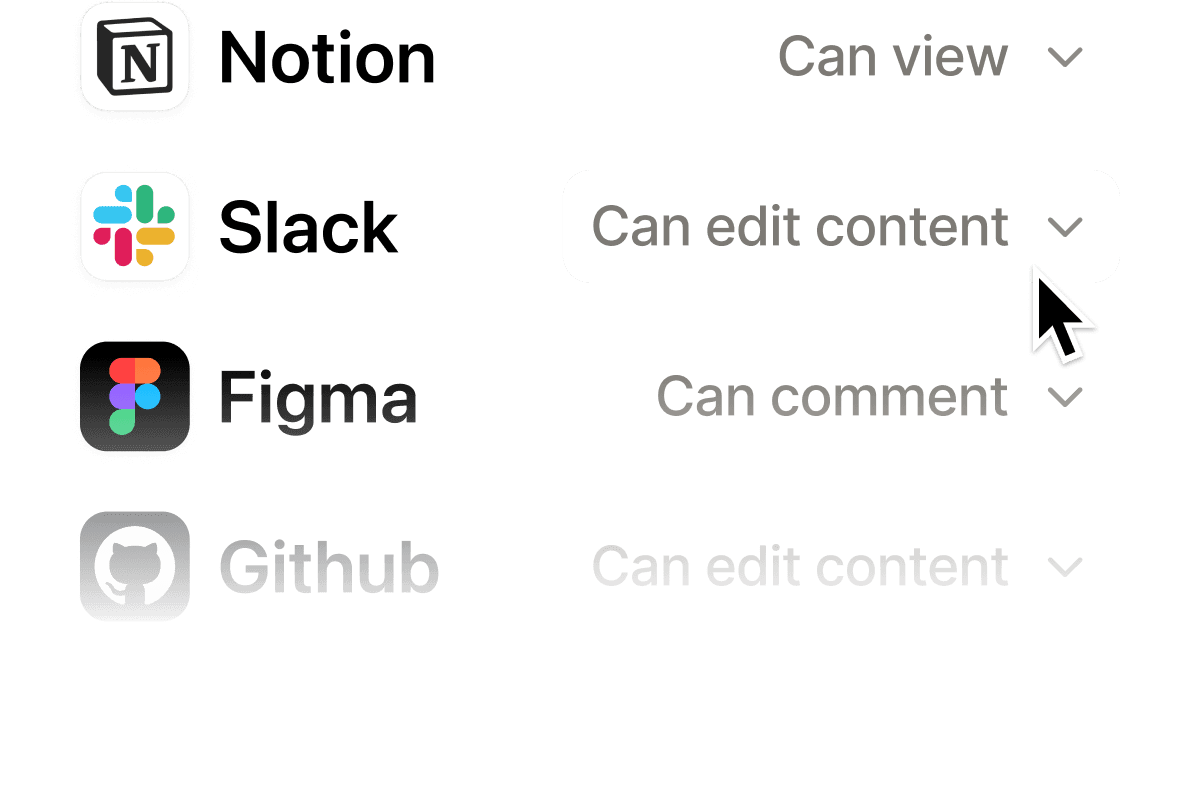
This is built for you if:
You're a team of 5-50 people who already runs projects, docs, and wikis in Notion. The agents leverage your existing workspace structure, so the more you've invested in organizing your Notion, the more value you get from day one. Product teams, ops teams, and customer-facing teams see the fastest returns.
Developers on your team unlock another tier. Workers let you build custom integrations that would otherwise require a dedicated automation platform. If you have even one developer who can write TypeScript, the Developer Platform replaces several standalone tools.
Skip this if:
You don't use Notion as your primary workspace. Custom Agents are deeply tied to Notion's data model. If your team lives in Google Workspace, Slack, or Asana, you won't get enough context into Notion to make agents useful. The cost of migration outweighs the benefit.
You need enterprise-grade automation with complex branching logic. Notion's agents handle linear multistep workflows well, but they're not Zapier or n8n when it comes to conditional routing across dozens of apps. If your automation needs span 10+ external services, a dedicated platform still wins.
You're a solo user or freelancer. The $10/month AI add-on is reasonable, but Custom Agents shine with team data. A solo user gets a smart assistant; a team gets an operations layer. The ROI math is different.
How Do Notion Custom Agents Compare to Zapier?
This is the comparison most teams are actually making, so let's be direct.
| Feature | Notion Custom Agents | Zapier |
|---|---|---|
| AI reasoning | Native, workspace-aware | Limited (AI actions, not reasoning) |
| App integrations | Notion-native + Workers | 6,000+ apps |
| No-code setup | Yes (agent builder) | Yes (Zap builder) |
| Custom code | Workers (JS/TypeScript) | Code by Zapier (limited) |
| Pricing (10-person team) | $100/month (AI add-on) | $70-$600/month (depending on tasks) |
| Context awareness | Full workspace context | Per-trigger context only |
| External agent support | Claude Code, Cursor, Codex | None |
Notion wins on intelligence. Its agents understand your entire workspace context - project relationships, team roles, document history. When we asked both platforms to "draft a status update for Q2 projects," Notion's agent pulled specific milestones, blockers, and team assignments. Zapier would need manual data mapping for each field.
Zapier wins on breadth. If your workflow involves Salesforce, HubSpot, Stripe, and Slack, Zapier connects them natively. Notion requires Workers to bridge external tools, which means developer time.
Our take: if 70%+ of your workflow happens in Notion, Custom Agents replace Zapier for most internal automation. If you're orchestrating across many external apps, Zapier remains essential. Many teams will run both.
For teams exploring how to automate entire workflows with AI agents, Notion's approach is the simplest entry point if you're already in the ecosystem.
How We Tested Notion Custom Agents
We tested Custom Agents and the Developer Platform over three weeks with a team of four. Our testing covered:
Agent building (Week 1). Created five Custom Agents: support triage, meeting notes summarizer, project status reporter, onboarding task generator, and content brief drafter. The support triage agent was the standout, correctly categorizing 83% of 60 test requests. The content brief drafter was weakest, producing generic outputs that needed 40%+ editing.
Workers deployment (Week 2). Deployed three Workers: external CRM sync, Stripe webhook handler, and a custom Slack notification bridge. CRM sync was stable after initial debugging. Stripe webhook handler worked flawlessly. Slack bridge required workarounds due to rate limiting. A developer with TypeScript experience handled all three.
External agent integrations (Week 3). Tested Claude Code and Cursor integrations for development tasks assigned from Notion pages. Claude Code completed 7 of 10 assigned tasks successfully. Cursor integration was smoother for code-specific tasks but less flexible for general assignments.
Testing environment: Notion Business plan with AI add-on, existing workspace with 2,000+ pages and 15 databases. Tested May 2026.
The Bottom Line
Notion Custom Agents + Developer Platform is the most significant Notion update since databases. It transforms Notion from a documentation tool into a genuine AI-powered operations platform. The $10/member/month AI add-on is fair for what you get, especially for teams already deep in the Notion ecosystem. Workers add real developer power. External agent integrations are early but promising. The main risk is Workers beta pricing uncertainty and the platform's inherent limitation to Notion-centric workflows. For Notion-native teams, this is a clear yes. For everyone else, evaluate whether migrating your workflow is worth the AI payoff.
Try Notion AI Free →
Frequently Asked Questions
What are Notion Custom Agents?
Notion Custom Agents are AI-powered automations you build inside Notion to handle multistep workflows. You define instructions, connect knowledge sources from your workspace, and the agent executes tasks like triaging requests, drafting documents, or syncing data from external databases. They run natively inside Notion pages and databases.
Is Notion's Developer Platform free?
The Developer Platform itself is free to access, but Notion AI features require a paid add-on at $10/member/month (as of May 2026). Custom Agents are included with the AI add-on. Workers runtime usage is free during the current beta period, though Notion hasn't announced post-beta pricing yet.
Can Notion Custom Agents connect to external tools?
Yes. Workers let you deploy custom code that syncs external data into Notion, builds custom tools, and triggers workflows via webhooks. At launch, Notion also supports direct interaction with Claude Code, Cursor, Codex, and Decagon as external AI agents for task assignments and progress tracking.
How do Notion Custom Agents compare to Zapier?
Notion Custom Agents work best for teams already living in Notion who want AI-driven workflows without leaving their workspace. Zapier connects 6,000+ apps with broader integration coverage but no native AI reasoning. Choose Notion for workspace-native intelligence, Zapier for cross-app automation at scale.
Do I need coding skills to use Notion Custom Agents?
No coding is needed for basic Custom Agents. You build them through a visual interface with natural language instructions and knowledge source connections. However, the Developer Platform's Workers feature requires JavaScript or TypeScript for custom integrations, webhooks, and external data syncing.
Related AI Agents
- Claude Code - AI coding agent that integrates directly with Notion's Developer Platform
- Cursor Automations - AI-powered code editor with Notion external agent support
- Beam AI - AI agent platform for business process automation
- Best AI Productivity Tools - Full comparison of productivity-focused AI platforms
- How to Automate Your Workflow with AI Agents - Step-by-step automation guide
Get weekly AI agent reviews in your inbox. Subscribe →
Editorially reviewed by Todd Stearn. Read our methodology →
Affiliate Disclosure
Agent Finder participates in affiliate programs with AI tool providers including Impact.com and CJ Affiliate. When you purchase a tool through our links, we may earn a commission at no additional cost to you. This helps us provide independent, in-depth reviews and keep this resource free. Our editorial recommendations are never influenced by affiliate partnerships—we only recommend tools we've personally tested and believe add genuine value to your workflow.
Try Notion Custom Agents + Developer Platform today
Get started with Notion Custom Agents + Developer Platform — free tier available on most plans.
Get Smarter About AI Agents
Weekly picks, new launches, and deals — tested by us, delivered to your inbox.
Join 1 readers. No spam. Unsubscribe anytime.
Related Articles
n8n Review 2026: Open-Source Workflow Automation
n8n is an open-source workflow automation platform for technical teams. We tested it for 4 weeks. Read our full n8n review with pricing, pros, cons, and verdict.
Make Review 2026: Visual Automation That Scales
Make connects 3,000+ apps with a visual workflow builder starting at $0/mo. We tested it for complex automations. Read our full Make review.
Notion Custom Agents Review 2026: Always-On AI Inside Your Workspace
Notion Custom Agents automate workflows 24/7 inside your workspace. We tested triggers, Slack routing, and status updates. Read our full review.