
Lumen5 Review: AI Video Creation for Content Teams
Lumen5 turns blog posts into videos in minutes. We tested its AI features, pricing from $29/mo, and output quality. Read our full Lumen5 review.


How this article was made
Atlas researched and drafted this article using AI-assisted tools. Todd Stearn reviewed, tested, and edited for accuracy. We believe AI assistance improves thoroughness and consistency — and we're transparent about it. Learn more about our methodology.
Try Lumen5 today
Get started with Lumen5 — free tier available on most plans.
Lumen5 is a solid AI video tool for turning blog posts and text into short social videos fast. It won't replace a video editor, but it cuts repurposing time from hours to minutes. Pricing starts at $29/month. Best for marketing teams who need consistent social video output without hiring a videographer.

Quick Assessment
| Rating | 7/10 |
| Price | Free plan available; paid from $29/mo (as of May 2026) |
| Best for | Content marketers repurposing blog posts into social video |
Pros:
- Blog-to-video AI generates a usable first draft in under 2 minutes
- Dead-simple interface that non-video people can actually use
- Built-in stock media library with millions of photos and clips
Cons:
- Output looks templated and "Lumen5-ish" without heavy customization
- No voiceover recording, limited audio editing, and a 5-minute video cap
Try Lumen5 Free →
If you're evaluating AI tools for your business more broadly, our guide on how to choose the right AI agent covers the decision framework we use. And if you're already producing video content for sales or outreach, check out our Dubb review for a tool built around video messaging.
What Is Lumen5?
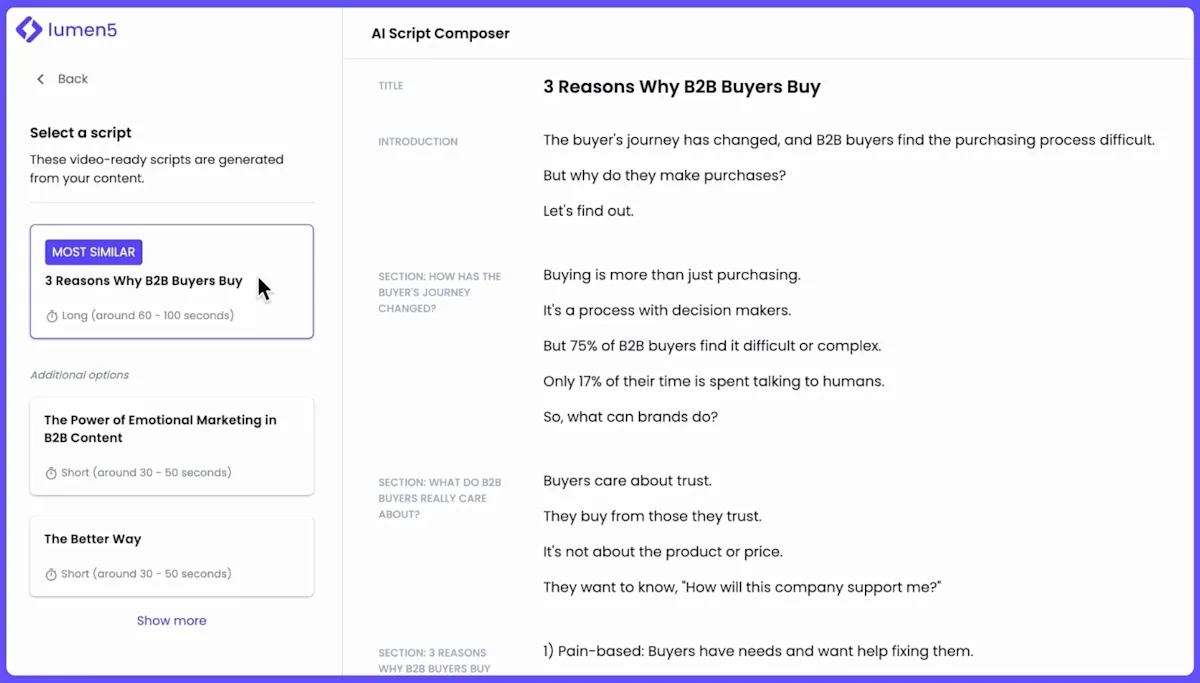
Lumen5 is a browser-based video creation platform that uses AI to convert text content into short-form video. Founded in 2017 in Vancouver, it was one of the first tools to offer blog-to-video conversion and has since expanded to include idea-to-video generation, automatic translation, and team collaboration features.
The core pitch is simple: paste a blog URL or some text, and Lumen5's AI pulls out key sentences, matches them with relevant stock footage, adds background music, and delivers a rough video draft. You edit from there. The whole process takes 10-20 minutes instead of the 2-4 hours a traditional video editor might need.
Lumen5 isn't trying to be Adobe Premiere or even Creatify. It targets a specific user: the content marketer who needs to turn written content into social-ready video without learning complex editing software. That focus is both its greatest strength and its biggest limitation.
The platform serves over 800,000 users according to Lumen5's website, with clients including Salesforce, Mitsubishi, and SAP. It's squarely positioned as an enterprise-friendly marketing tool, not a creative playground.
Key Features of Lumen5: What Actually Works
Lumen5's AI features range from genuinely useful to somewhat overpromised. Here's what matters after real testing.
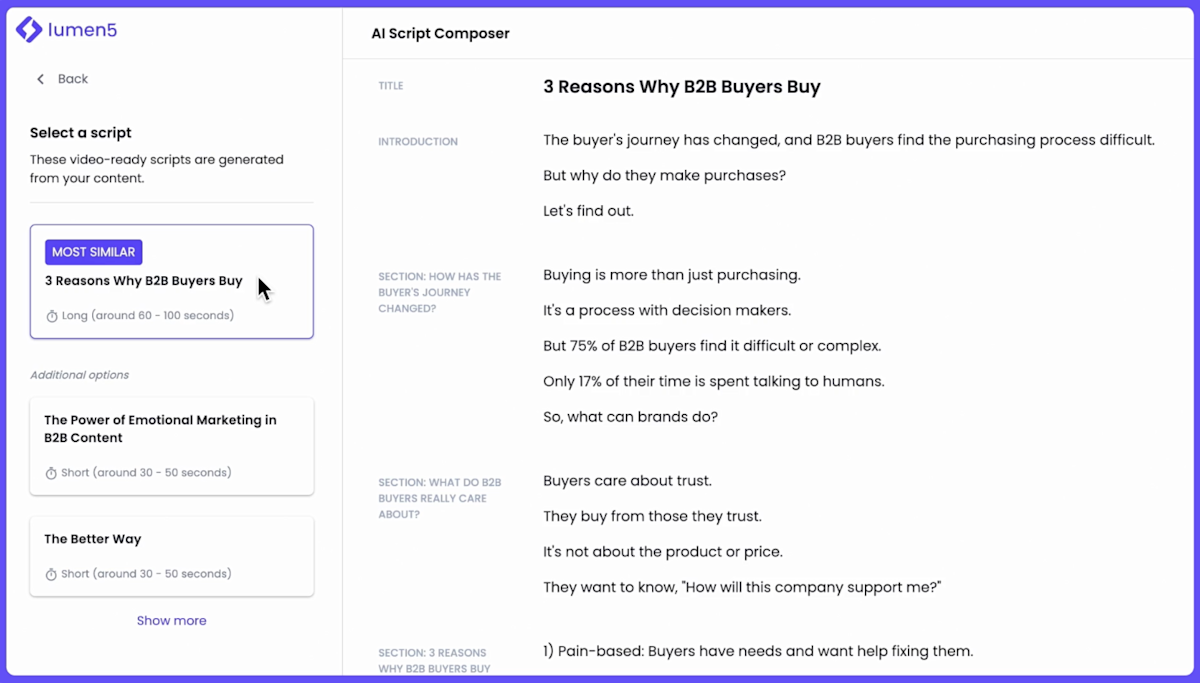
Blog-to-Video Conversion: This is the headline feature and the one that works best. Paste a blog URL, and the AI analyzes the text, breaks it into scenes, selects key phrases for on-screen text, and matches relevant stock media to each scene. In our testing, the AI correctly identified the main points about 70% of the time. The other 30% required manual scene editing. Still, starting from a rough draft is dramatically faster than starting from scratch.
Idea-to-Video: Type a prompt describing your video concept, and Lumen5 generates a storyboard with visuals. This feature is newer and less polished than blog-to-video. The AI tends to default to generic stock footage and safe compositions. Useful for brainstorming, less useful for final output.
Automatic Translation: Lumen5 can translate video text into 20+ languages with one click. The translations are machine-generated, so you'll want a native speaker to review them. But for quick localization of social content, this saves significant time versus recreating videos manually.
Brand Kit: Upload your logo, fonts, and brand colors, and Lumen5 applies them across all videos. This is essential for teams producing high volumes. Every video comes out on-brand without manual formatting.
Stock Media Library: Access to millions of photos, video clips, and music tracks. The library is decent for business and marketing content. Less useful for niche topics. You can also upload your own media.
Team Collaboration: Shared workspaces, review workflows, and approval processes. On Business and Enterprise plans, you can assign roles, leave comments on specific scenes, and track revision history.
Lumen5 Pricing: What Each Plan Gets You
Lumen5 uses a tiered pricing model with a free entry point and escalating features. All prices below are current as of May 2026 and based on annual billing.
| Plan | Price (Annual) | Price (Monthly) | Resolution | Key Features |
|---|---|---|---|---|
| Community | $0/mo | $0/mo | 720p | Lumen5 watermark, limited stock media |
| Basic | $29/mo | $49/mo | 1080p | No watermark, brand colors, 10M stock assets |
| Starter | $79/mo | $129/mo | 1080p | Brand kit, custom fonts, priority support |
| Professional | $199/mo | $299/mo | 1080p | Advanced brand kit, auto-translate, API access |
| Enterprise | Custom | Custom | 1080p | SSO, dedicated support, custom integrations |
The free Community plan works for trying the platform, but the watermark makes it unusable for professional content. Most solo marketers will land on Basic ($29/month), while teams need Starter ($79/month) for brand kits and collaboration.
The jump from Basic to Starter is steep at $50/month for features that mainly add brand consistency. If brand guidelines matter to your organization, it's worth it. If you're a freelancer producing varied content, Basic covers most needs.
Professional at $199/month unlocks automatic translation and API access. This only makes sense for companies producing video at scale across multiple markets.
Worth noting: Canva includes video creation in its $15/month Pro plan. InVideo offers a comparable AI video tool starting at $25/month. Lumen5 isn't the cheapest option, but its blog-to-video feature is more mature than most competitors.
Who Should (and Shouldn't) Use Lumen5
Lumen5 is purpose-built for one workflow: turning existing written content into social video. If that describes your week, it's worth your money. If it doesn't, keep looking.
Lumen5 is ideal for:
- Content marketing teams producing 5+ social videos per week from blog posts, newsletters, or reports. The blog-to-video pipeline alone justifies the subscription.
- Solo marketers and small business owners who can't afford a video editor but need video for LinkedIn, Instagram, or Facebook. The learning curve is about 30 minutes.
- Internal communications teams creating company updates, training summaries, or announcement videos. Brand kit keeps everything consistent.
- Agencies managing multiple client brands. The workspace structure supports client separation on higher-tier plans.
Lumen5 is NOT for:
- YouTube creators who need long-form editing, voiceover tools, or advanced effects. Lumen5 caps at about 5 minutes and offers minimal audio control.
- Anyone needing talking-head or live-action video. Lumen5 is fundamentally a text-and-stock-footage tool. No teleprompter, no camera integration.
- Creative professionals who want unique visual styles. Lumen5 output has a recognizable "template" aesthetic that's hard to escape entirely.
- Teams already using Canva heavily. Canva's video features have caught up significantly, and paying for both tools creates redundancy.
How Does Lumen5 Compare to Canva Video?
Canva Video is Lumen5's most direct competitor for marketing teams. Both target non-video professionals who need to produce content fast. The differences are real but situational.
Speed of blog-to-video: Lumen5 wins. Its blog URL import is genuinely automated. Paste a link, get a draft in 90 seconds. Canva requires you to manually build each slide and add text, even with its AI features. For teams repurposing 10+ blog posts monthly, Lumen5 saves hours.
Design flexibility: Canva wins. Canva's template library is 10x larger, offers more animation options, and integrates with its broader design ecosystem. If your video needs custom graphics, charts, or non-standard layouts, Canva handles it. Lumen5 locks you into a more rigid scene structure.
Pricing: Canva wins. Canva Pro at $15/month includes video creation plus graphic design, presentations, and social media scheduling. Lumen5 Basic at $29/month only covers video. If you're choosing one tool, Canva is better value.
AI sophistication: Lumen5 wins for text analysis. Its AI does a better job of extracting key points from long-form content and structuring scenes logically. Canva's AI features are improving fast but still require more manual input for video specifically.
Bottom line: If blog-to-video speed is your priority and you produce high volumes of social video from written content, Lumen5 justifies its premium over Canva. If you need a broader creative toolkit and video is just one output among many, Canva Pro is the smarter investment.
For teams evaluating AI creative tools more broadly, our Creatify review covers a newer entrant focused on ad creative generation.
Our Testing Process
We tested Lumen5 over two weeks in May 2026 on the Starter plan ($79/month). We converted 8 blog posts into videos, tested the idea-to-video feature with 5 different prompts, and used the automatic translation feature on 3 videos.
Our evaluation focused on: time-to-first-draft, quality of AI scene selection, ease of editing, and final output quality compared to videos created manually in Canva. We also tested brand kit consistency across 15 videos to evaluate enterprise readiness.
We tested on Chrome (macOS) and found performance stable with no crashes or significant lag. Render times averaged 2-3 minutes for a 60-second video. We haven't tested the Enterprise tier or API integration.
Editorially reviewed by Todd Stearn. Learn more about our review methodology.
The Bottom Line on Lumen5
Lumen5 does one thing well: it turns written content into passable social video faster than any other tool we've tested. The blog-to-video feature genuinely works and saves real time for marketing teams producing at volume.
But "passable" is the ceiling without significant manual editing. The output looks templated, the audio tools are basic, and the pricing is aggressive given what Canva now offers for less. At 7/10, Lumen5 earns its rating for speed and ease of use while losing points for creative limitations and value relative to broader tools.
If you're a content team publishing 5+ blog posts weekly and need a video pipeline, Lumen5 delivers. If you need creative flexibility or produce fewer than 4 videos per month, the subscription math doesn't work. Start with the free plan and test it against your actual workflow before committing.
Try Lumen5 Free →
FAQ
Is Lumen5 free to use?
Lumen5 offers a free Community plan with Lumen5 watermark, 720p exports, and limited stock media access. Paid plans start at $29/month (billed annually) for the Basic tier, which removes the watermark and unlocks 1080p resolution. The free plan works for testing but isn't viable for business use.
Can Lumen5 turn a blog post into a video automatically?
Yes, blog-to-video is Lumen5's signature feature. Paste a URL and the AI extracts key text, matches it with stock media, and generates a rough video draft in about 90 seconds. You'll still need to edit scenes, swap visuals, and adjust pacing, but it cuts production time from hours to roughly 15-20 minutes.
How does Lumen5 compare to Canva Video?
Lumen5 focuses specifically on AI-powered text-to-video conversion for content marketing teams. Canva Video is a broader design tool that added video features. Lumen5 is faster for blog repurposing, but Canva offers more design flexibility and a larger template library. Choose Lumen5 for speed, Canva for design versatility.
What video formats does Lumen5 support?
Lumen5 supports landscape (16:9), square (1:1), and vertical (9:16) video formats. You can resize any project between formats with one click. Exports are available in 720p on the free plan and 1080p on paid plans. The Business plan and above unlock custom brand fonts and colors.
Is Lumen5 good for YouTube videos?
Lumen5 is built for short-form social content, not long-form YouTube production. Videos max out at around 5 minutes and lack advanced editing features like transitions, voiceover recording, or multi-track audio. For YouTube, tools like Descript or Adobe Premiere are better choices. Lumen5 works well for YouTube Shorts.
Related AI Agents
Looking for alternatives or complementary tools? Here are related agents we've reviewed:
- Creatify - AI ad creative generation with video output, better for performance marketing teams
- Dubb - Video messaging platform focused on sales outreach and personalized video emails
- Meta AI App - General-purpose AI assistant with emerging creative features
- Pacvue AI Assistant - AI-powered advertising optimization for ecommerce brands
Get weekly AI agent reviews in your inbox. Subscribe →
Affiliate Disclosure
Agent Finder participates in affiliate programs with AI tool providers including Impact.com and CJ Affiliate. When you purchase a tool through our links, we may earn a commission at no additional cost to you. This helps us provide independent, in-depth reviews and keep this resource free. Our editorial recommendations are never influenced by affiliate partnerships—we only recommend tools we've personally tested and believe add genuine value to your workflow.
Try Lumen5 today
Get started with Lumen5 — free tier available on most plans.
Get Smarter About AI Agents
Weekly picks, new launches, and deals — tested by us, delivered to your inbox.
No spam. Unsubscribe anytime.
More Video Creation Tools
Higgsfield Review 2026: Multi-Model AI Video Creation
Higgsfield review: one platform for Sora 2, Veo 3.1, Kling 3.0, and more. We tested its AI video tools, pricing, and cinematic controls. Read our verdict.
Pollo AI Review 2026: One Sub for 10+ Video Models
Pollo AI review: access Kling, Runway, Luma, and Veo 3 under one subscription. We tested it for video and image generation. See pricing, pros, and verdict.
Eklipse Review 2026: AI Clip Generator for Streamers
Eklipse auto-clips gaming highlights for TikTok, Reels, and Shorts. We tested it for 3 weeks. Read our honest Eklipse review with pricing, pros, and cons.
Seedance Review 2026: Multi-Model AI Video Generator
Seedance bundles Sora 2, Veo 3, and its own model into one 1080p video platform. We tested it for two weeks. Read our honest Seedance review.
Related Articles
Creatify Agent Review: AI Ad Production on Autopilot
Creatify Agent produces full video ads from a URL or brief. We tested it for 3 weeks. Read our honest review of features, pricing, and results.
Firefly AI Assistant Review: Adobe's Creative AI Agent
Firefly AI Assistant review: Adobe's conversational creative agent orchestrates Photoshop, Illustrator, and more. We tested it. Here's our honest verdict.
Firefly AI Assistant Review 2026: Adobe's AI Agent for Creative Workflows
Firefly AI Assistant orchestrates multi-step workflows across Adobe Creative Cloud. We tested the public beta.