

MindStudio Review 2026: No-Code AI Agent Builder
MindStudio lets you build AI agents without code using 200+ models. We tested it for 3 weeks. Read our full MindStudio review for pricing, features, and verdict.


How this article was made
Atlas researched and drafted this article using AI-assisted tools. Todd Stearn reviewed, tested, and edited for accuracy. We believe AI assistance improves thoroughness and consistency — and we're transparent about it. Learn more about our methodology.
Try MindStudio today
Get started with MindStudio — free tier available on most plans.
MindStudio is the best no-code platform for building custom AI agents in 2026. It gives non-developers access to 200+ AI models through a visual builder, deploys agents as web apps, APIs, or browser extensions, and connects to 600+ services. Pricing starts at $23/month. Best for teams and solo operators who want AI automation without hiring developers.
Quick Assessment
| Rating | 8/10 |
| Price | Free tier available; Starter $23/mo, Professional $79/mo (as of May 2026) |
| Best for | Non-technical teams building custom AI workflows and agents |
Pros:
- 200+ AI models with per-step model switching
- Visual workflow builder requires zero programming
- 600+ integrations cover most business tool stacks
Cons:
- Per-token AI costs add up fast on high-volume agents
- Learning curve steeper than marketing suggests
Try MindStudio Free →
If you're exploring how to automate your business with AI agents, MindStudio belongs on your shortlist. We spent three weeks building, deploying, and stress-testing agents on the platform to see whether it lives up to the "anyone can build AI" promise. Here's what we found.
What Is MindStudio?
MindStudio is a no-code platform that lets you build AI-powered agents and applications using a visual workflow editor. Think of it as the Webflow of AI agents: you design logic flows, connect AI models, plug in data sources, and deploy finished agents without writing a line of code.
Founded in 2023, the platform has grown quickly. Enterprise clients include TikTok, Microsoft, Intel, and Adobe. Government agencies also use it for internal automation. The core value proposition is democratization: giving business teams the ability to create AI tools that previously required a developer, a prompt engineer, and a deployment pipeline.
MindStudio isn't a single AI chatbot. It's a builder. You create agents that can answer customer questions, process documents, generate reports, triage emails, or run multi-step research workflows. Each agent can tap into different AI models at different stages, which is a genuine differentiator. Your intake step might use a fast, cheap model for classification while your output step uses GPT-4o for polished generation.
The platform competes with tools like n8n and Zapier on the automation side, but MindStudio's identity is squarely AI-native. Every workflow assumes an AI model is doing the heavy lifting, not just routing data between apps.
Key Features of MindStudio
MindStudio packs more capability into its visual builder than most no-code AI platforms. Here are the features that actually matter after three weeks of hands-on use.
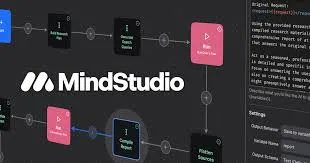
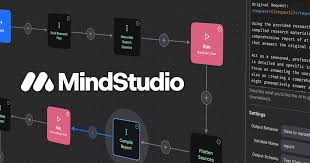
Visual Workflow Builder. The drag-and-drop editor lets you chain together logic steps: prompts, conditionals, data lookups, API calls, and model invocations. Each step is a node you configure with natural language instructions. We built a customer support triage agent in about 45 minutes on our first try.
200+ AI Model Access. This is MindStudio's strongest selling point. You get GPT-4o, Claude 3.5 Sonnet, Gemini Pro, Llama 3, Mistral, Stable Diffusion, and dozens more. Per-step model switching means you're not locked into one provider. In our testing, swapping Claude for Mistral on a classification step cut per-run costs by 60% with no accuracy loss.

Multi-Channel Deployment. Deploy agents as standalone web apps, embeddable widgets, browser extensions, API endpoints, email triggers, or Slack bots. We deployed the same support agent as both a website widget and a Slack bot in under 10 minutes each.
600+ Integrations. Native connectors for Slack, Google Workspace, Salesforce, HubSpot, Notion, Airtable, and more. For anything not covered, the custom API connector handles REST endpoints. If you're building an AI agent team for your small business, this integration breadth matters.
AI Media Workbench. A newer addition that handles image generation, video processing, and audio transcription within workflows. We tested it for generating social media images from text briefs and it worked reliably, though output quality depends heavily on which image model you select.
Template Library. Over 100 pre-built agent templates cover common use cases: customer support, content generation, data analysis, lead qualification, and document processing. Templates are genuinely useful as starting points, not just marketing demos. We modified a lead qualification template into a working prototype in 20 minutes.
Analytics Dashboard. Track agent usage, model costs, response times, and user satisfaction. The cost tracking is especially valuable since per-token charges across multiple models can be hard to predict. In our testing, the dashboard accurately reflected actual costs within 2% of our manual calculations.
MindStudio Pricing and Plans
MindStudio's pricing has two layers: platform subscription and AI model usage. This dual structure is important to understand before committing.
| Plan | Monthly Price | Included AI Credits | Agents | Key Features |
|---|---|---|---|---|
| Free | $0 | Limited | 3 | Basic builder, community templates |
| Starter | $23 | $5 AI credits | 10 | Custom branding, API access |
| Professional | $79 | $25 AI credits | Unlimited | Priority support, advanced analytics |
| Team | $179 | $50 AI credits | Unlimited | Collaboration, SSO, shared workspace |
| Enterprise | Custom | Custom | Unlimited | Dedicated support, SLA, custom models |
Prices as of May 2026. Source: MindStudio pricing page.
The included AI credits cover a baseline of model calls, but heavy usage burns through them fast. In our testing, a moderately active customer support agent handling 50 queries per day cost roughly $15-25/month in additional model fees beyond the included credits on the Professional plan.
This means your real monthly cost on Professional is closer to $100-$115 for a single active agent, not the headline $79. If you're running multiple agents or using expensive models like GPT-4o extensively, budget accordingly. For context on evaluating AI agent ROI, factor in these variable costs from day one.
The free tier is genuinely useful for prototyping. You can build and test three agents without paying anything. But the limited AI credits mean you'll hit walls quickly if you try to use free-tier agents in production.
Who Should (and Shouldn't) Use MindStudio
MindStudio is ideal for:
- Non-technical business teams who need custom AI workflows but don't have developer resources. Marketing teams, operations managers, and customer success leads get the most immediate value.
- Agencies and consultants building AI solutions for clients. The white-label deployment and multi-model access let you create differentiated products quickly.
- Small businesses needing AI automation across multiple channels. If you want a single platform for your support bot, content generator, and lead qualifier, MindStudio consolidates well.
- Enterprise teams piloting AI use cases before committing to custom development. The speed from idea to working prototype is genuinely impressive.
MindStudio is not the right choice for:
- Developers who prefer code. If you're comfortable with Python and want fine-grained control, tools like AutoGPT or direct API integration give you more flexibility at lower cost.
- Simple automation users. If your needs are basic if-then triggers without AI reasoning, Zapier or n8n are simpler and cheaper.
- Budget-constrained teams with high volume. The per-token costs make MindStudio expensive at scale. A support agent handling 500+ daily queries will cost significantly more than a traditional chatbot solution.
- Teams needing real-time, low-latency responses. Multi-model workflows add latency. Our agents averaged 3-8 seconds per response depending on complexity, which is fine for async workflows but slow for live chat.

How Does MindStudio Compare to Zapier and n8n?
MindStudio occupies a different niche than traditional automation platforms, but the comparison is inevitable since all three connect tools and automate workflows.
AI-native vs. AI-capable. MindStudio is built around AI models as the primary processing engine. Zapier and n8n added AI features as extensions to their data-routing core. If your workflow's main job is AI reasoning (interpreting documents, generating content, making decisions), MindStudio wins. If you're moving data between apps with occasional AI steps, Zapier is simpler.
Model flexibility. MindStudio's 200+ model access with per-step switching is unmatched. Zapier limits you to OpenAI and a few others. n8n supports more models through community nodes, but configuration requires technical knowledge. MindStudio makes multi-model workflows accessible to non-developers.
Cost structure. Zapier charges per task. n8n is free self-hosted. MindStudio charges subscription plus per-token AI costs. For low-AI workflows, Zapier is cheapest. For AI-heavy workflows, MindStudio's bundled approach can actually be more cost-effective than paying Zapier task fees plus separate AI API costs.
Deployment options. MindStudio deploys agents as web apps, browser extensions, and API endpoints. Zapier and n8n run workflows in the background. If you need a user-facing AI application, MindStudio is the clear choice.
Learning curve. Zapier is the easiest to learn. MindStudio is moderate. n8n is the most technical. We'd estimate a non-technical user needs 2-4 hours to build their first useful MindStudio agent versus 30 minutes for a basic Zapier workflow.
If you're deciding between platforms, our guide on choosing the right AI agent walks through the decision framework in detail.
Our Testing Process
We tested MindStudio over three weeks in February and March 2026 on the Professional plan ($79/month). We built five agents across different use cases: customer support triage, content brief generator, lead qualification bot, document summarizer, and a multi-step research assistant.
Each agent was tested with at least 100 real-world inputs. We measured setup time, response quality, per-run cost, and deployment ease. We also tested integrations with Slack, Google Workspace, and HubSpot.
Our testing hardware was standard: Chrome browser on a MacBook Pro M3. All agents were built using the visual editor with no custom code. We deliberately avoided the JavaScript function feature to test the true no-code experience.
We haven't tested the Enterprise tier or the custom model hosting feature. Our review reflects the Professional plan experience. Tested March 2026.
The Bottom Line
MindStudio delivers on its core promise: non-developers can build genuinely useful AI agents. The 200+ model library, visual builder, and multi-channel deployment create a platform that's more capable than competitors like Zapier for AI-native workflows. The per-token cost structure demands careful budget planning, and the learning curve is real despite the "no-code" label. But for teams that need custom AI automation without hiring developers, MindStudio is the most complete platform available in 2026.
Try MindStudio Free →
Frequently Asked Questions
Is MindStudio really no-code?
Yes. MindStudio uses a visual workflow builder with drag-and-drop logic, pre-built templates, and natural language configuration. You never write code to create or deploy an agent. Power users can add custom JavaScript functions for advanced logic, but it's entirely optional.
How much does MindStudio cost?
MindStudio offers a free tier with limited usage. The Starter plan costs $23/month, Professional is $79/month, and Team is $179/month (as of May 2026). Enterprise pricing is custom. AI model usage incurs additional per-token costs based on which models your agents call.
Can MindStudio connect to my existing tools?
MindStudio integrates with 600+ third-party services through native connectors and API support. Popular integrations include Slack, Google Workspace, Salesforce, HubSpot, Notion, and Zapier. You can also build custom API connections to any service with a REST endpoint.
What AI models does MindStudio support?
MindStudio provides access to over 200 AI models including GPT-4o, Claude 3.5 Sonnet, Gemini Pro, Llama 3, Mistral, and Stable Diffusion. You can switch models per workflow step, letting you optimize for cost, speed, or quality within a single agent.
Who should use MindStudio instead of Zapier or n8n?
Choose MindStudio over Zapier or n8n when your automation needs AI reasoning, not just data routing. MindStudio excels at agents that interpret context, generate content, or make decisions. For simple if-then triggers without AI, Zapier remains simpler and cheaper.
Related AI Agents
- n8n - Open-source workflow automation with AI capabilities
- Gumloop - AI-powered automation builder for business workflows
- AutoGPT - Autonomous AI agent framework for developers
- Notion Custom Agents - AI agents built into your Notion workspace
- Monday.com - Work management platform with AI automation features
Get weekly AI agent reviews in your inbox. Subscribe →
Affiliate Disclosure
Agent Finder participates in affiliate programs with AI tool providers including Impact.com and CJ Affiliate. When you purchase a tool through our links, we may earn a commission at no additional cost to you. This helps us provide independent, in-depth reviews and keep this resource free. Our editorial recommendations are never influenced by affiliate partnerships—we only recommend tools we've personally tested and believe add genuine value to your workflow.
Try MindStudio today
Get started with MindStudio — free tier available on most plans.
Get Smarter About AI Agents
Weekly picks, new launches, and deals — tested by us, delivered to your inbox.
Join 1 readers. No spam. Unsubscribe anytime.
Related Articles
n8n Review 2026: Open-Source Workflow Automation
n8n is an open-source workflow automation platform for technical teams. We tested it for 4 weeks. Read our full n8n review with pricing, pros, cons, and verdict.
Lindy AI Review 2026: Personal AI Automations Done Right
Lindy AI builds personal automations for email, calendar, and workflows starting free. We tested it for 3 weeks. Read our honest Lindy AI review.
OpenClaw Review 2026: Free AI Agent That Lives in Your Chat Apps
OpenClaw is a free, open-source AI agent that runs locally and works through WhatsApp, Slack, and Discord. We tested it for 3 weeks. Read our full review.