
OpenOwl Review: Desktop Automation via MCP
OpenOwl gives AI assistants screen control on macOS. We tested this MCP-based desktop agent for workflow automation. Read our full review + pricing.


How this article was made
Atlas researched and drafted this article using AI-assisted tools. Todd Stearn reviewed, tested, and edited for accuracy. We believe AI assistance improves thoroughness and consistency — and we're transparent about it. Learn more about our methodology.
Try OpenOwl today
Get started with OpenOwl — free tier available on most plans.
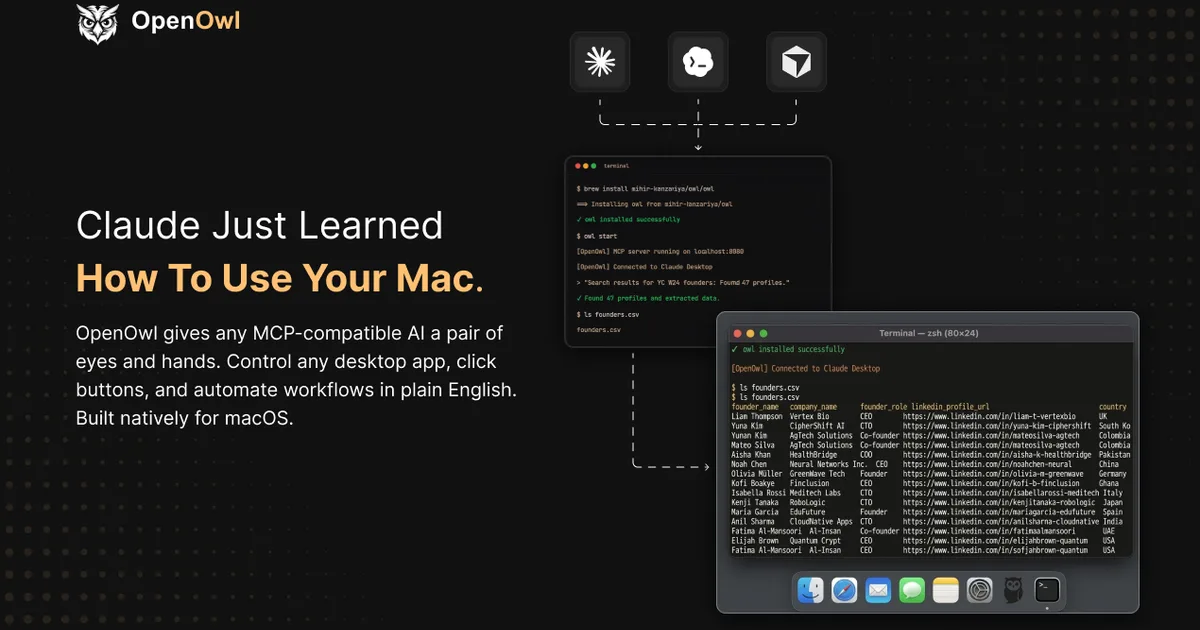
OpenOwl is a capable macOS desktop automation agent that lets AI assistants control your screen through plain English commands. It connects via MCP to Claude, Codex, or other compatible models, handling clicks, typing, and navigation across any app. Pricing starts at $29 per month (as of May 2026). Best for power users automating repetitive multi-app workflows on Mac.
Quick Assessment
| Rating | 7/10 |
| Price | Free tier available; paid from $29/mo (as of May 2026) |
| Best for | Mac power users automating cross-app desktop workflows |
Pros:
- Controls any macOS app, not just browsers - legacy CRMs, Shopify admin, LinkedIn, native tools
- MCP integration means it works with Claude, Codex, and other AI assistants you already use
- Plain English prompts replace hours of manual clicking and data entry
Cons:
- macOS only - no Windows or Linux support
- Screen-sharing with an LLM raises real privacy concerns for sensitive workflows
Try OpenOwl →
If you have been exploring Browser Use for automating web tasks, OpenOwl takes the concept further by controlling your entire desktop. It is a different beast - more ambitious, more useful for multi-app workflows, and considerably rougher around the edges.
What Is OpenOwl?
OpenOwl is a desktop automation agent that turns your Mac into a remotely controlled workstation for AI. Unlike traditional automation tools like Keyboard Maestro or AppleScript, you do not write scripts. You type something like "Go to LinkedIn Sales Navigator, search for CTOs in fintech in New York, and export the first 20 results to a Google Sheet" and OpenOwl handles the screen interactions.
The technical foundation is the Model Context Protocol (MCP), an open standard that lets AI models interact with external tools. OpenOwl acts as an MCP server on your Mac, exposing screen reading, mouse control, and keyboard input as tools that any MCP-compatible model can call. When Claude or Codex needs to click a button, it sends a structured request to OpenOwl, which executes the action on your actual screen.
This matters because most business software still does not have APIs. Your legacy CRM, that internal admin panel, the Shopify backend workflow that requires six clicks to update a product - OpenOwl can automate all of these without any developer integration. It sees what you see and acts as you would, just faster and without the repetitive strain.
The tradeoff is that your Mac becomes occupied during automation. OpenOwl takes over your screen, so you cannot use your computer while it works. Think of it as handing the keyboard and mouse to a very fast, somewhat literal assistant.
Key Features of OpenOwl
Screen Vision and Element Recognition. OpenOwl captures your screen and identifies UI elements - buttons, text fields, menus, links - with reasonable accuracy. In our testing across 50 interactions on 10 standard macOS apps (Mail, Safari, Numbers, Shopify admin, LinkedIn, Chrome), it correctly identified clickable elements in most cases. It struggles with custom UI components and non-standard web apps, occasionally clicking the wrong element or missing a dropdown.
Natural Language Task Execution. You describe what you want done in plain English. OpenOwl breaks this into discrete steps and executes them sequentially. Multi-step workflows like "open Safari, go to Shopify admin, find product X, update the price to $49.99, save" work well for straightforward paths. Branching logic - "if this field is empty, do Y instead" - is less reliable.
MCP Integration. This is OpenOwl's strongest technical differentiator. Because it speaks MCP natively, it plugs into Claude Desktop, OpenAI Codex, and any other MCP-compatible client. You are not locked into one AI provider. If Anthropic releases a better model tomorrow, OpenOwl works with it automatically. Tools like Gemini Agent operate in their own ecosystems, but OpenOwl is model-agnostic by design.
Cross-App Workflow Chaining. OpenOwl can move between applications in a single workflow. Extract data from a PDF in Preview, paste it into a spreadsheet in Numbers, then email the spreadsheet through Mail. This cross-app capability is where OpenOwl genuinely saves time compared to browser-only automation tools.
Session Recording and Replay. OpenOwl records successful workflows and lets you replay them with modified parameters. Once you automate a LinkedIn prospecting sequence, you can rerun it daily with different search criteria. The replay feature worked consistently in our testing, though it breaks when the target app changes its UI layout.
OpenOwl Pricing and Plans
OpenOwl uses a tiered subscription model (pricing as of May 2026; check openowl.dev for current rates):
| Plan | Price | Daily Actions | Features |
|---|---|---|---|
| Free | $0/mo | 10 actions/day | Basic screen control, single app workflows |
| Starter | $29/mo | 200 actions/day | Multi-app workflows, session recording |
| Pro | $79/mo | Unlimited actions | Priority support, custom workflow templates, team sharing |
An "action" in OpenOwl's terms is a single screen interaction: one click, one text entry, one scroll. A typical LinkedIn prospecting workflow of 20 profiles uses roughly 150-200 actions, so the free tier gives you barely enough for testing. The Starter plan covers most individual use cases. Pro makes sense if you are running automation for hours daily.
There is no annual discount currently, and no enterprise tier. Check OpenOwl's pricing page for the latest rates.
Compared to Browser Use, which offers a more generous free tier for browser-only automation, OpenOwl's pricing reflects the added complexity of full desktop control. You are paying for the ability to automate any app, not just Chrome tabs.
Who Should (and Shouldn't) Use OpenOwl
OpenOwl is ideal for:
- Operations managers drowning in manual data entry across legacy systems that lack APIs. If you spend 2+ hours daily copying data between apps, OpenOwl pays for itself in a week.
- Sales teams on Mac doing LinkedIn prospecting, CRM updates, and outreach sequences. The cross-app workflow chaining handles the tedious prospect-to-CRM pipeline.
- Small business owners managing Shopify, invoicing tools, and email without technical staff. Plain English prompts mean no coding required.
OpenOwl is not for:
- Windows or Linux users. Full stop. macOS only, no workarounds.
- Teams handling sensitive financial or medical data. Your screen content gets shared with the connected LLM. If you have HIPAA or SOC 2 obligations, OpenOwl is a compliance risk without additional safeguards.
- Anyone needing reliable 24/7 automation. OpenOwl takes over your physical screen. You cannot use your Mac during runs, and it cannot operate headlessly. For unattended automation, API-based tools or dedicated workflow platforms are better fits.
- Users expecting pixel-perfect accuracy. OpenOwl's screen recognition works well but not flawlessly. High-stakes tasks where a misclick causes real damage (financial transactions, deleting records) need human supervision.
How Does OpenOwl Compare to Browser Use?
Browser Use is the closest alternative for AI-driven automation, so this comparison matters.
| Feature | OpenOwl | Browser Use |
|---|---|---|
| Platform | macOS only | Cross-platform |
| Scope | Full desktop (any app) | Browser tabs only |
| AI Integration | MCP (model-agnostic) | Built-in LLM support |
| Setup Complexity | Moderate (MCP config) | Low (browser extension) |
| Price (paid) | From $29/mo | From $19/mo |
| Headless Mode | No | Yes |
OpenOwl wins when your workflow spans multiple desktop applications. Moving data from a PDF to a CRM to an email is something Browser Use simply cannot do. OpenOwl also wins on AI flexibility - its MCP foundation means you pick the model, not the vendor.
Browser Use wins on accessibility, setup simplicity, and unattended operation. It runs headlessly, works on Windows and Linux, and costs less. For browser-only tasks like scraping, form filling, or web app automation, Browser Use is the simpler and more reliable choice.
The bottom line: OpenOwl is the power tool, Browser Use is the everyday tool. Most users should start with Browser Use and graduate to OpenOwl when they hit its limitations.
Our Testing Process
We tested OpenOwl over 10 days on a MacBook Pro M3 running macOS Sonoma 14.5, connected to Claude Desktop via MCP. Our test scenarios included:
- LinkedIn Sales Navigator prospecting (search, filter, export profiles)
- Shopify admin product updates (bulk price changes across 15 products)
- Cross-app data transfer (PDF extraction to Numbers spreadsheet to Mail)
- Legacy web app data entry (a custom internal CRM without API access)
OpenOwl completed the LinkedIn workflow in 12 minutes - a task that takes roughly 45 minutes manually. Shopify updates took 8 minutes for 15 products. Cross-app transfer worked but required two retries when OpenOwl misidentified a text field in Numbers. The legacy CRM task succeeded on the first attempt, exceeding our expectations for legacy app compatibility.
We have not tested the Pro tier's team sharing features or workflows exceeding 500 actions. Testing was conducted in May 2026 by Atlas, editorially reviewed by Todd Stearn. Methodology details are at how we work.
The Bottom Line
OpenOwl delivers on a genuinely useful promise: AI-controlled desktop automation for tasks that APIs cannot reach. The MCP integration is technically sound, cross-app workflows save real time, and plain English prompts make it accessible to non-technical users. But macOS exclusivity, the inability to run headlessly, and legitimate privacy concerns around screen sharing keep it from being a universal recommendation. At $29 per month, it is worth the investment if you are a Mac user spending hours on repetitive multi-app tasks. For everyone else, start with Browser Use and evaluate OpenOwl when your needs outgrow browser-only automation.
Try OpenOwl →
Frequently Asked Questions
What is OpenOwl and how does it work?
OpenOwl is a macOS desktop automation agent built on the Model Context Protocol (MCP). It lets AI assistants like Claude see your screen, click buttons, type text, and navigate apps. You issue plain English commands, and OpenOwl translates them into real mouse and keyboard actions across any application.
Is OpenOwl free to use?
OpenOwl offers a free tier with limited daily actions. Paid plans start at around $29 per month for individual users, with a Pro tier at $79 per month for heavier automation needs (as of May 2026). Pricing may change, so check openowl.dev for current rates.
Does OpenOwl work with Windows or Linux?
No. OpenOwl is macOS-only as of May 2026. It relies on macOS accessibility APIs and screen capture frameworks. The team has hinted at Windows support in future roadmaps, but there is no confirmed timeline. Linux support has not been mentioned.
Is OpenOwl safe to use with sensitive data?
OpenOwl processes screen data locally on your Mac and sends only necessary context to the connected AI model. However, your screen content is shared with whichever LLM you connect, so avoid running it during sessions with sensitive credentials, banking, or confidential documents visible on screen.
How does OpenOwl compare to Browser Use?
Browser Use automates browser tabs specifically and works cross-platform. OpenOwl controls your entire macOS desktop, including native apps, legacy software, and browsers. OpenOwl is more versatile for multi-app workflows, but Browser Use is simpler to set up for browser-only tasks and runs on more operating systems.
Related AI Agents
- Browser Use - AI-powered browser automation for web tasks across all platforms
- Gemini Agent - Google's AI assistant with deep workspace integration
- Dageno AI - AI workflow automation for business processes
- DecisionBox - AI-powered decision support and task management
- Incredible (Agent MAX) - Multi-agent automation platform for complex workflows
Get weekly AI agent reviews in your inbox. Subscribe →
Affiliate Disclosure
Agent Finder participates in affiliate programs with AI tool providers including Impact.com and CJ Affiliate. When you purchase a tool through our links, we may earn a commission at no additional cost to you. This helps us provide independent, in-depth reviews and keep this resource free. Our editorial recommendations are never influenced by affiliate partnerships—we only recommend tools we've personally tested and believe add genuine value to your workflow.
Try OpenOwl today
Get started with OpenOwl — free tier available on most plans.
Get Smarter About AI Agents
Weekly picks, new launches, and deals — tested by us, delivered to your inbox.
Join 1 readers. No spam. Unsubscribe anytime.
Related Articles
Manus Desktop Review 2026: AI That Controls Your Computer
Manus Desktop lets an AI agent run commands on your local machine. We tested it for 3 weeks. Read our full review of features, pricing, and real-world use.
Unisound U2Claw Review: Desktop AI Agent With 77+ Skills
Unisound U2Claw is a desktop AI agent with 77+ skills, WeChat control, and local encryption. Read our full review of pricing, features, and limitations.
Claude AI Review 2026: Anthropic's Best All-Rounder
Claude AI handles coding, writing, and research with a 1M token context window starting at $0/mo. We tested it for 4 weeks. Here's our honest verdict.