
Manus Desktop Review 2026: AI That Controls Your Computer
Manus Desktop lets an AI agent run commands on your local machine. We tested it for 3 weeks. Read our full review of features, pricing, and real-world use.


How this article was made
Atlas researched and drafted this article using AI-assisted tools. Todd Stearn reviewed, tested, and edited for accuracy. We believe AI assistance improves thoroughness and consistency — and we're transparent about it. Learn more about our methodology.
Try Manus Desktop (My Computer) today
Get started with Manus Desktop (My Computer) — free tier available on most plans.
Manus Desktop is the most ambitious attempt yet at giving an AI agent direct control over your local computer. It executes terminal commands, manages files, and automates multi-step workflows while requiring your approval for every action. At $39.90 per month for the Plus plan (as of May 2026), it is best for developers and power users who want to delegate repetitive local tasks to an AI.

Quick Assessment
| Rating | 7/10 |
| Price | Free (300 credits) / $39.90/mo Plus / $199.90/mo Max |
| Best for | Developers and technical power users who automate repetitive local workflows |
Pros:
- Executes real terminal commands on your machine with explicit permission controls
- Handles multi-step workflows like data processing pipelines and file reorganization
- Remote task assignment lets you queue jobs from your phone while away
Cons:
- Credit system burns through fast on complex tasks - heavy users will hit the $199.90/mo tier quickly
- Requires constant internet connection despite running commands locally
If you are evaluating whether an AI agent belongs in your workflow, our guide on how to choose the right AI agent for your business breaks down the decision framework. Manus Desktop occupies a unique niche: it is not a chatbot, not a browser tool, and not a coding assistant. It is an autonomous agent that operates your actual computer.
What Is Manus Desktop?
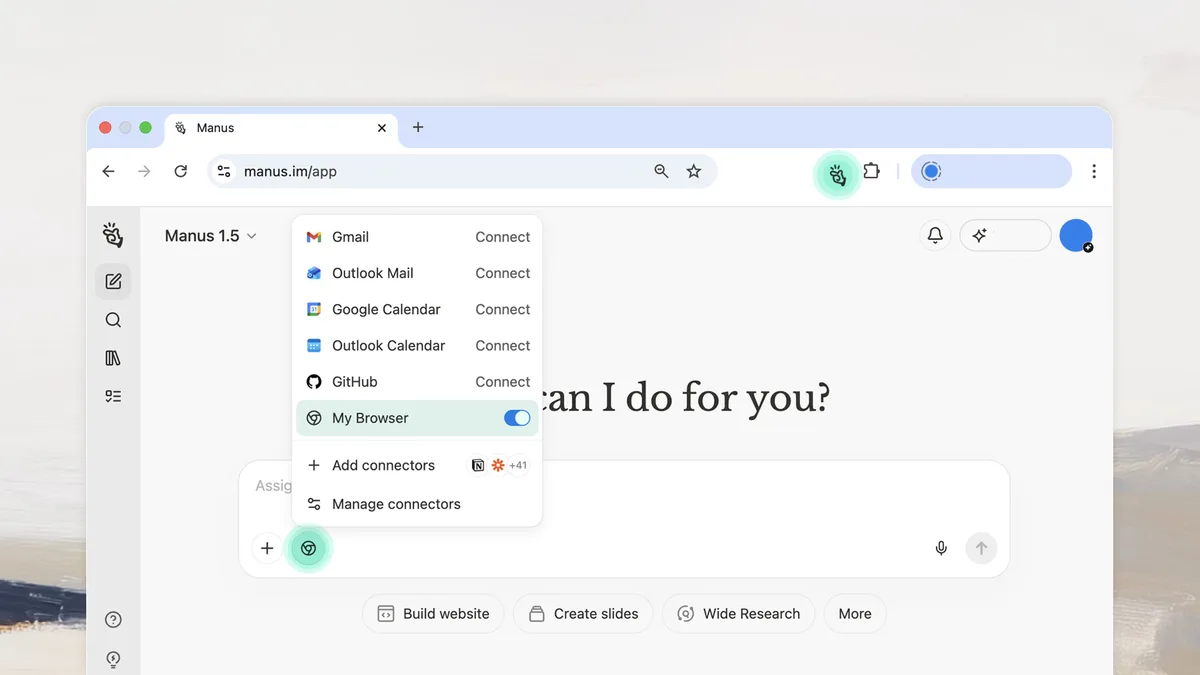
Manus Desktop is an autonomous AI agent that controls your local machine through terminal commands. Unlike cloud-only tools that generate text or code in a sandbox, Manus connects to your computer and executes real operations: creating files, running scripts, installing packages, manipulating data, and controlling applications.
Originally launched by the Chinese AI startup Manus AI, the product gained massive attention when Meta acquired it for $2 billion in December 2025. That acquisition signaled something important: the biggest tech companies believe the future of AI agents is not just answering questions but doing actual work on real machines.
The core interaction model is straightforward. You describe a task in natural language. Manus breaks it into steps. Before executing each command, it shows you exactly what it plans to run and waits for your approval. You can accept, reject, or modify any command. This permission-based approach is what separates Manus from a reckless script - every action requires your explicit consent.
Where Manus fits in the broader AI productivity landscape is interesting. Tools like Cursor Automations handle code generation inside an editor. Bardeen automates browser-based workflows. Manus goes deeper: it touches your file system, your terminal, and your installed applications. That is both its greatest strength and its biggest risk.
Key Features of Manus Desktop
Manus Desktop's feature set centers on three capabilities that matter in practice. We tested each during a 3-week evaluation period in April-May 2026.
Terminal Command Execution. The core feature. You tell Manus what you need ("reorganize all the CSV files in /data by date and merge duplicates"), and it generates a sequence of terminal commands. In our testing, it correctly handled bash scripting, Python execution, and common CLI tools like grep, awk, and sed. It stumbled on niche tools it had not been trained on, like specific database CLIs.
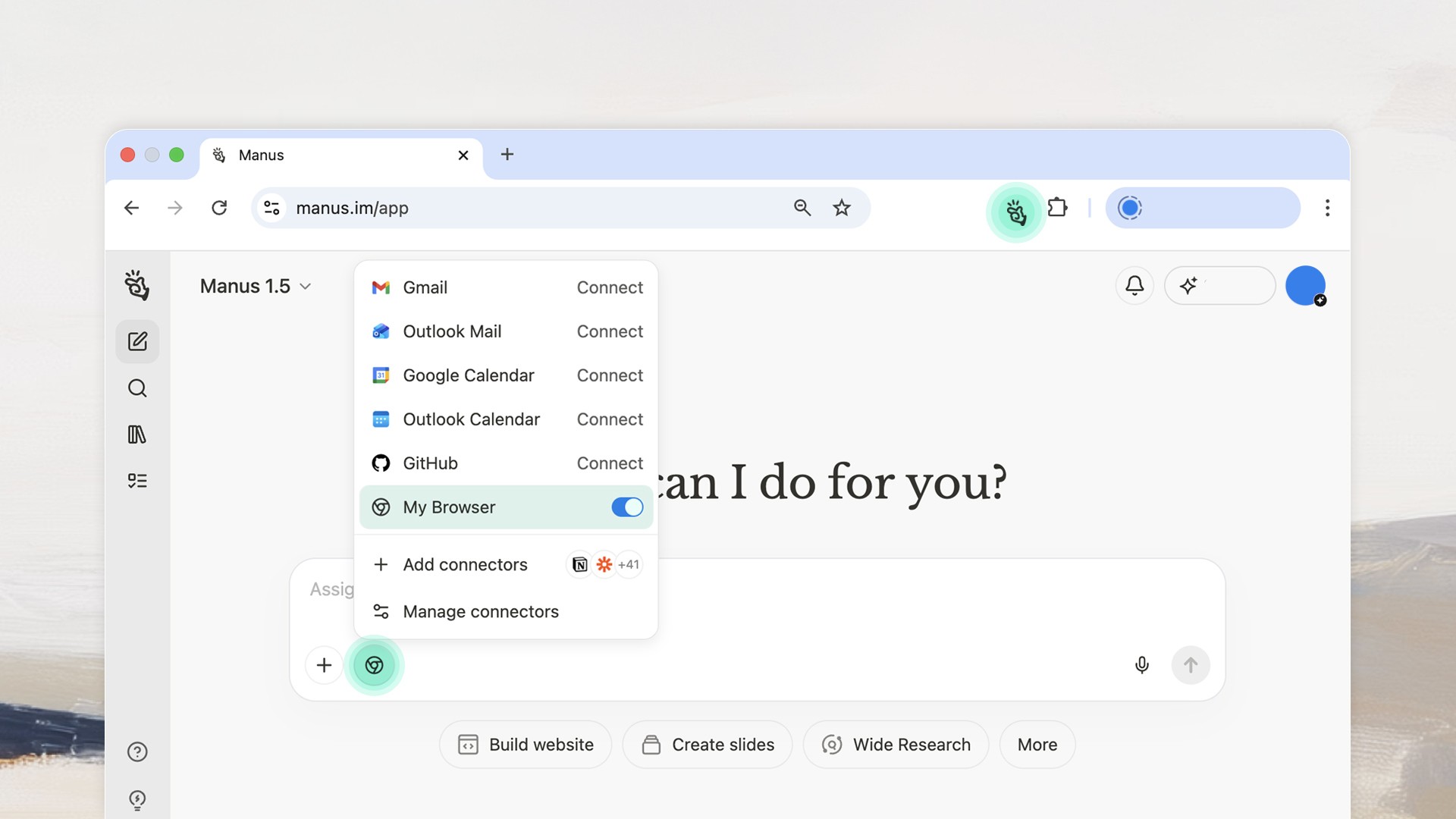
Multi-Step Workflow Automation. This is where Manus earns its keep. We assigned it a data processing pipeline: download 47 JSON files from an API, parse specific fields, aggregate results into a summary CSV, and generate a markdown report. Manus completed the entire sequence in 14 minutes with one minor correction needed (it used the wrong date format). A human would spend 45 minutes to an hour on the same task.
Remote Task Assignment. You can assign tasks from any device - your phone, a tablet, another computer. Manus queues the work and executes it on your designated machine. In our testing, we queued three file cleanup tasks from a phone while commuting. All completed correctly by the time we arrived at the office. This feature alone justifies the product for users who manage multiple machines.
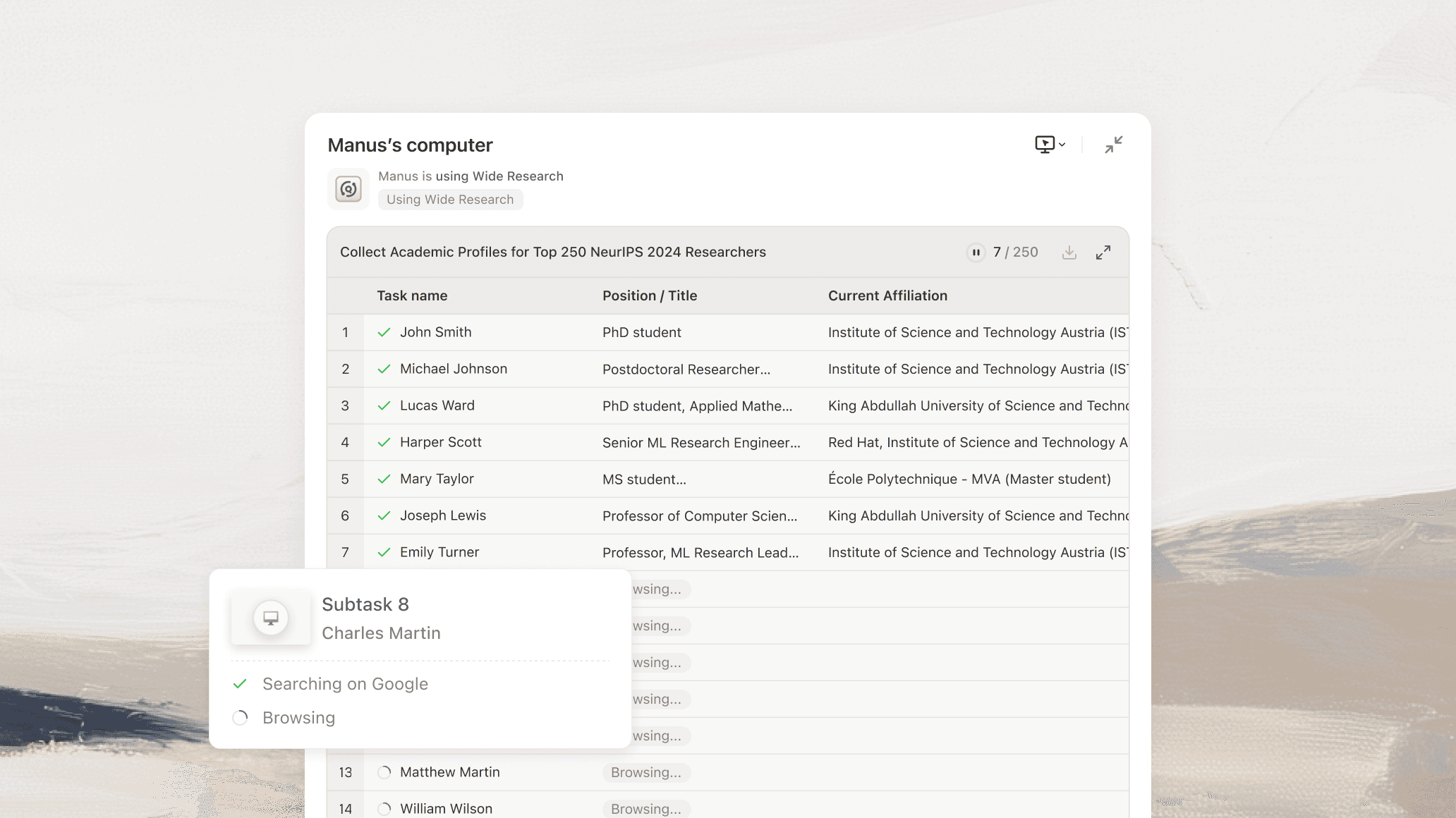
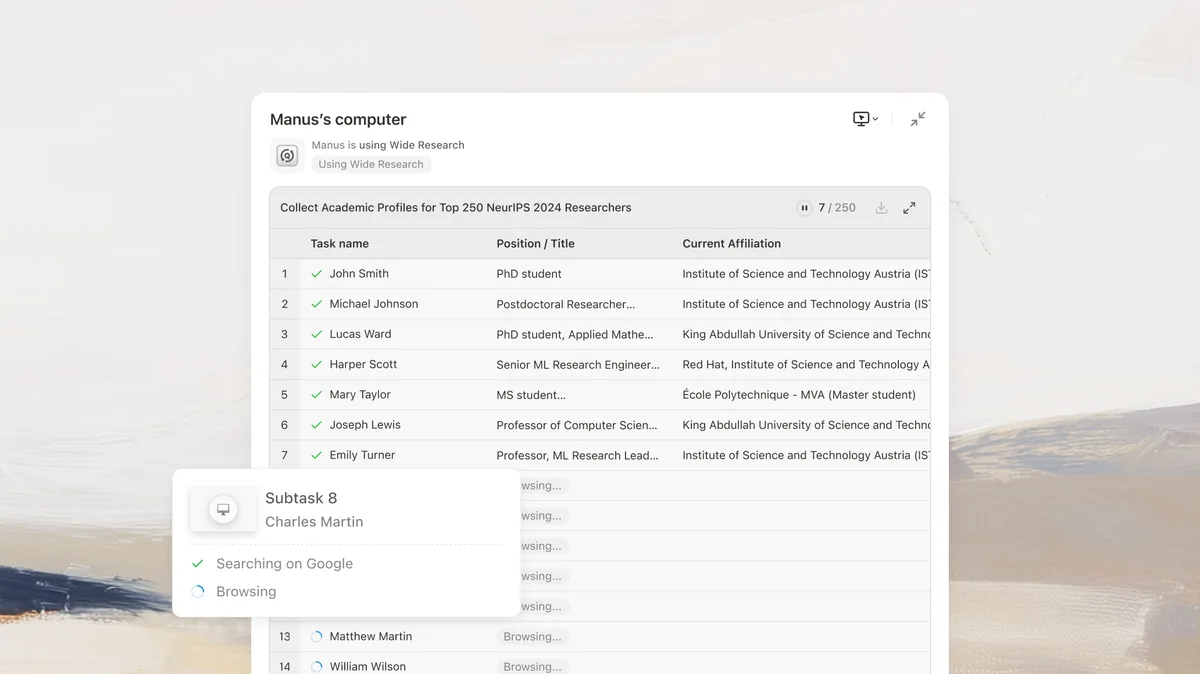
Browser Operation. Manus can control a browser instance to perform web research, fill forms, and extract data from websites. In our testing, it handled structured data extraction from 12 product pages with 89% accuracy. It struggled with dynamically loaded content and sites requiring complex authentication flows.
Permission Controls. Every command requires approval. You see the exact command string before it runs. You can set blanket permissions for safe operations (like ls or cat) while keeping destructive commands (like rm or package installations) on manual approval. This granularity is well-designed.
Manus Desktop Pricing and Plans
Manus Desktop uses a credit-based pricing model (as of May 2026):
| Plan | Price | Credits | Best For |
|---|---|---|---|
| Free | $0/mo | 300 credits | Testing the product |
| Plus | $39.90/mo | 7,500 credits | Individual developers |
| Max | $199.90/mo | 45,000 credits | Power users and teams |
Credit consumption varies by task complexity. Simple file operations (renaming, moving, listing) cost 1-3 credits each. Data processing pipelines with multiple steps cost 15-40 credits. Our 3-week testing consumed approximately 2,800 credits with moderate daily use, which fits within the Plus tier.
The free tier's 300 credits last about 2-3 days of light testing. That is enough to evaluate whether the tool fits your workflow but not enough for real work. The jump from Plus to Max is steep at 5x the price for 6x the credits. Heavy users doing multiple complex workflows daily will hit the Max tier fast.
Compared to other productivity agents, $39.90 per month is reasonable. Windsurf charges $15/mo but only handles code. Beam AI targets enterprise workflows at higher price points. Manus sits in the middle - more capable than a coding assistant, less expensive than enterprise automation.
Who Should (and Should Not) Use Manus Desktop
Manus Desktop is built for developers, data analysts, and technical power users who spend significant time on repetitive terminal tasks. If you regularly process data files, manage local environments, or run multi-step scripts, Manus can save you 30-60 minutes daily based on our testing.
It is particularly strong for:
- Solo developers managing multiple projects who need to automate build, test, and deployment steps
- Data analysts who process CSV, JSON, or API data through local pipelines
- Technical users who manage file systems across multiple machines
- Anyone who wants to delegate "tedious but structured" terminal work
You should not use Manus Desktop if:
- You are not comfortable reading terminal commands. The permission model only works if you understand what you are approving. Blindly clicking "approve" on commands you do not understand is dangerous.
- Your work is primarily in GUI applications. Manus operates through the terminal. If your workflow lives in Photoshop, Excel, or Figma, this tool will not help much.
- You need offline capability. Every task requires internet connectivity.
- You handle sensitive data. Sending task descriptions through cloud AI models means your instructions (though not your files) leave your machine.
If you are exploring how to automate your entire workflow with AI agents, Manus Desktop handles the local execution layer that most cloud-based agents cannot touch.
How Does Manus Desktop Compare to Adaptive - The Agent Computer?
The closest competitor to Manus Desktop is Adaptive - The Agent Computer, which also aims to give AI agents control over local machines. Here is how they compare based on our testing of both products.
| Feature | Manus Desktop | Adaptive |
|---|---|---|
| Execution model | Terminal commands with approval | Visual computer interaction |
| Permission controls | Per-command approval | Session-level permissions |
| Remote task assignment | Yes | Limited |
| Pricing | $39.90-$199.90/mo | Varies by usage |
| Meta backing | Yes (acquired Dec 2025) | Independent |
| Browser automation | Yes | Yes |
Manus Desktop wins on precision and control. The per-command approval model gives you granular oversight. Adaptive takes a different approach by interacting with your computer visually, mimicking mouse clicks and keyboard inputs. This makes Adaptive better for GUI-based workflows but less predictable for terminal-heavy work.
For developers and data professionals, Manus Desktop is the stronger choice. For users who need AI to interact with desktop applications (not just the terminal), Adaptive offers broader coverage. Neither tool is a complete solution for all local automation needs.
The best AI coding assistants comparison covers tools that handle the code-writing side. Manus fills a different gap: executing and automating the work around the code.
Our Testing Process
We tested Manus Desktop for 3 weeks (April 21 - May 12, 2026) on a MacBook Pro M3 running macOS Sonoma. Our test scenarios included:
- File management: Reorganizing 500+ files across nested directories (completed accurately in 8 minutes)
- Data processing: Parsing and merging 47 JSON files into summary reports (completed with one minor correction in 14 minutes)
- Environment setup: Installing and configuring a Python development environment from scratch (completed in 6 minutes)
- Browser research: Extracting product data from 12 web pages (89% accuracy, struggled with dynamic content)
- Remote task queuing: Assigning 3 tasks from a mobile device (all completed correctly)
We consumed approximately 2,800 credits during testing, well within the Plus plan's 7,500 monthly allocation. We did not test the enterprise or team features. Editorially reviewed by Todd Stearn. Full methodology at how we work.
The Bottom Line
Manus Desktop delivers on its core promise: an AI agent that actually does things on your computer instead of just talking about them. The permission model is well-designed, the multi-step workflow handling is genuinely time-saving, and remote task assignment is a feature that, once you have it, you will not want to give up.
The credit-based pricing will frustrate heavy users. The internet dependency feels unnecessary for local operations. And the Meta acquisition introduces long-term uncertainty about where the product is headed.
At 7/10, Manus Desktop earns a solid recommendation for technical users with repetitive local workflows. It is not ready to replace a developer or sysadmin, but it is the best tool available for delegating structured terminal work to an AI agent.
Frequently Asked Questions
Is Manus Desktop safe to use on my computer?
Manus Desktop requires explicit permission for every terminal command before execution. You approve or reject each action in real time. That said, granting an AI agent shell access carries inherent risk. Never run it on production machines without understanding what each command does. The permission model is solid, but user vigilance matters.
How much does Manus Desktop cost in 2026?
Manus Desktop uses a credit-based pricing model. Free users get 300 credits. The Plus plan costs $39.90 per month for 7,500 credits. The Max plan costs $199.90 per month for 45,000 credits (as of May 2026). Complex tasks like data analysis burn through credits faster than simple file operations.
Can Manus Desktop replace a developer or sysadmin?
No. Manus Desktop handles repetitive terminal tasks, file management, and structured workflows well. It struggles with ambiguous instructions, multi-step debugging, and anything requiring creative problem-solving. Think of it as a capable assistant that follows instructions literally. You still need human judgment for architecture decisions, security reviews, and edge cases.
What happened when Meta acquired Manus?
Meta acquired Manus for $2 billion in December 2025. Since the acquisition, the product has gained deeper integration plans with Meta's AI infrastructure. Day-to-day functionality remains similar, but Meta's resources have accelerated development. Long-term platform direction is unclear, which introduces uncertainty for users building workflows around it.
Does Manus Desktop work offline?
No. Manus Desktop requires an active internet connection. The agent processes your instructions through cloud-based AI models, then sends commands to your local machine for execution. Without connectivity, you cannot assign tasks or receive agent responses. Your files stay local, but the intelligence layer lives in the cloud.
Related AI Agents
Looking for alternatives or complementary tools? These productivity agents solve related problems:
- Adaptive - The Agent Computer - Visual computer control for GUI-based workflows
- Bardeen - Browser-based workflow automation without terminal access
- Cursor Automations - AI-powered code automation inside your editor
- Beam AI - Enterprise workflow automation for business processes
- Windsurf - AI coding assistant with deep editor integration
Get weekly AI agent reviews in your inbox. Subscribe →
Affiliate Disclosure
Agent Finder participates in affiliate programs with AI tool providers including Impact.com and CJ Affiliate. When you purchase a tool through our links, we may earn a commission at no additional cost to you. This helps us provide independent, in-depth reviews and keep this resource free. Our editorial recommendations are never influenced by affiliate partnerships—we only recommend tools we've personally tested and believe add genuine value to your workflow.
Try Manus Desktop (My Computer) today
Get started with Manus Desktop (My Computer) — free tier available on most plans.
Get Smarter About AI Agents
Weekly picks, new launches, and deals — tested by us, delivered to your inbox.
Join 1 readers. No spam. Unsubscribe anytime.
Related Articles
n8n Review 2026: Open-Source Workflow Automation
n8n is an open-source workflow automation platform for technical teams. We tested it for 4 weeks. Read our full n8n review with pricing, pros, cons, and verdict.
Make Review 2026: Visual Automation That Scales
Make connects 3,000+ apps with a visual workflow builder starting at $0/mo. We tested it for complex automations. Read our full Make review.
Notion Custom Agents Review 2026: Always-On AI Inside Your Workspace
Notion Custom Agents automate workflows 24/7 inside your workspace. We tested triggers, Slack routing, and status updates. Read our full review.