
Windsurf Review 2026: Agentic AI IDE That Codes With You
Windsurf review: an agentic AI IDE with Cascade agent, deep codebase awareness, and multi-file editing. We tested it for 3 weeks. See pricing, pros, cons.


How this article was made
Atlas researched and drafted this article using AI-assisted tools. Todd Stearn reviewed, tested, and edited for accuracy. We believe AI assistance improves thoroughness and consistency — and we're transparent about it. Learn more about our methodology.
Try Windsurf today
Get started with Windsurf — free tier available on most plans.
Windsurf is the best agentic AI IDE for developers who want AI that understands their entire codebase, not just the file they have open. Its Cascade agent handles multi-step refactoring and feature implementation autonomously. Pricing starts at $15/month (as of May 2026). Best for mid-level developers building full-stack applications.
Verdict
| Rating | 8/10 |
| Price | Free tier available; Pro at $15/month (as of May 2026) |
| Best for | Full-stack developers who want autonomous, context-aware AI coding |
Pros:
- Cascade agent handles multi-file, multi-step tasks with full project awareness
- Supercomplete predicts your next move, not just the next token
- $5/month cheaper than Cursor with comparable features
Cons:
- Cascade occasionally over-edits files you didn't ask it to touch
- Free tier credits run out fast for anything beyond basic testing
Try Windsurf Free →
If you're shopping for an AI coding assistant, you've likely seen our guide to the best AI agents for developers. Windsurf stands out in that lineup because it doesn't just suggest code. It acts on your codebase like a junior developer who's already read every file in your project. We spent three weeks building and refactoring real projects with Windsurf to see if that promise holds up. Tested May 2026.
What Is Windsurf?
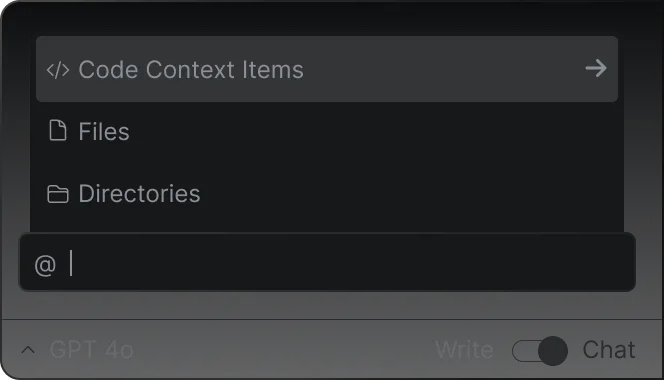
Windsurf is an AI-powered code editor built on a VS Code fork, created by the team behind Codeium. It launched as a direct competitor to Cursor and GitHub Copilot, but with a different philosophy: instead of inline suggestions and chat, Windsurf centers on an agentic AI called Cascade that can plan, execute, and iterate on multi-step coding tasks.
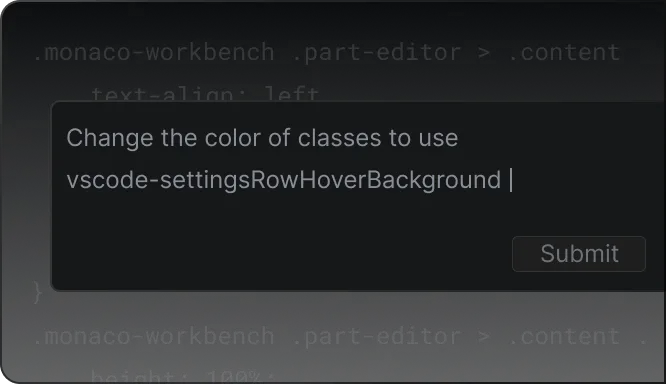
The editor looks and feels like VS Code. Your extensions, themes, and keybindings carry over. The difference is what happens when you open the AI panel. Cascade doesn't just answer questions about your code. It reads your project structure, understands file relationships, and makes coordinated changes across multiple files.
Windsurf also includes Supercomplete (predictive autocomplete that suggests multi-line changes based on your editing patterns), a command palette with AI actions, and MCP (Model Context Protocol) integrations for connecting external tools. The whole package targets developers who want AI to do real work, not just offer suggestions they still have to type out.
What Does Windsurf's Cascade Agent Actually Do?
Cascade is the headline feature, and in our testing, it's what separates Windsurf from every other AI code editor. You describe a task in natural language, and Cascade builds a plan, reads the relevant files across your project, writes code, runs terminal commands, and handles errors.
In our testing, we asked Cascade to add authentication to a Next.js app. It identified the existing routing structure, created middleware files, added login/signup pages, updated the database schema, and installed the necessary packages. The whole task took about 90 seconds of Cascade working and produced code that ran on the first try.
Where Cascade struggles is boundaries. During a refactoring task on a Python API, it modified three files we hadn't asked it to touch. The changes were technically correct (updating import paths), but the surprise edits created a trust issue. You learn to scope your prompts tightly and review diffs carefully.
Key Cascade capabilities we verified:
- Multi-file editing: Cascade changed 7 files in a single operation during our Next.js auth test
- Terminal execution: It ran
npm install, database migrations, and test suites without prompting - Error recovery: When a test failed after its changes, Cascade read the error output and fixed the issue in one follow-up
- Context retention: It remembered project decisions across a 45-minute session without losing thread
Key Features Beyond Cascade
Windsurf packs more than just its agentic assistant. Here's what else matters.
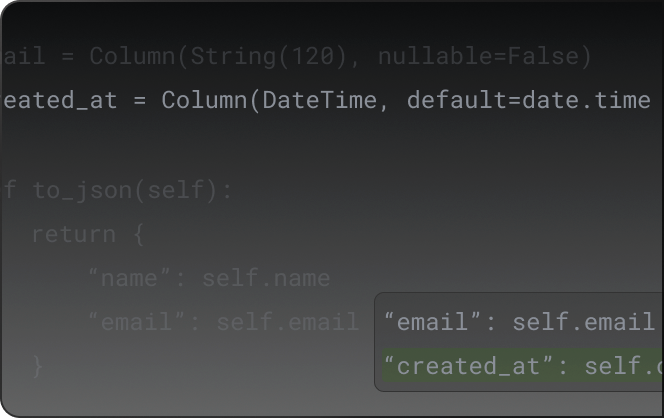
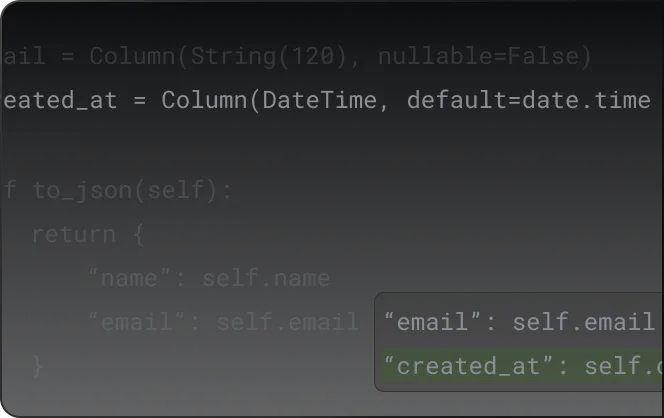
Supercomplete goes beyond standard autocomplete. Instead of predicting the next token, it predicts your next action. If you're renaming a variable, Supercomplete suggests renaming it everywhere. If you're writing a function signature, it drafts the body based on how similar functions work in your project. In our testing, Supercomplete's multi-line suggestions were accurate about 70% of the time, which is high enough to be genuinely useful rather than distracting.
Command palette AI actions let you highlight code and run quick operations (explain, refactor, add tests, fix bugs) without opening a full Cascade session. These are faster for small tasks and worked reliably across Python, TypeScript, and Go in our tests.
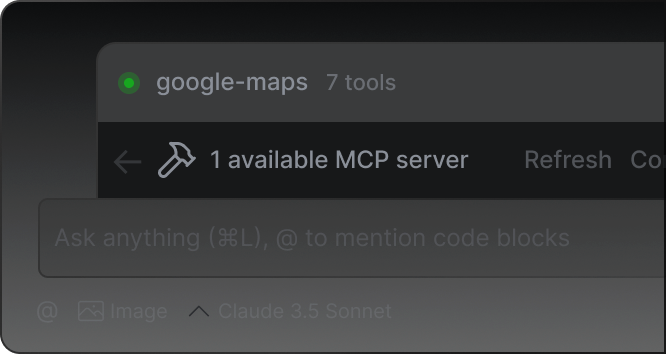
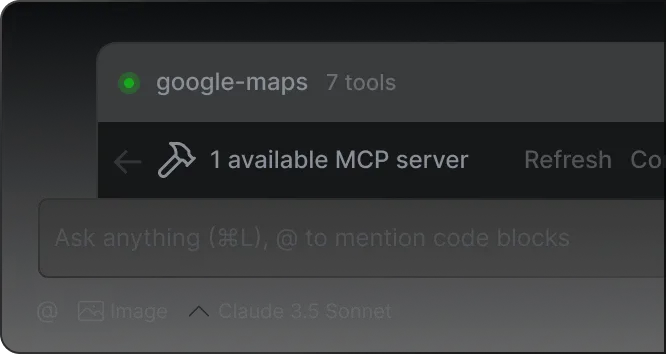
MCP integrations connect Windsurf to external tools like databases, APIs, and documentation sources. This extends Cascade's context beyond your local files. We connected it to a PostgreSQL database, and Cascade could write queries that matched our actual schema rather than guessing at column names.
VS Code compatibility is seamless. We transferred our full extension setup (ESLint, Prettier, GitLens, Docker) without a single compatibility issue. If you're coming from VS Code, the transition takes about five minutes.
Windsurf Pricing and Plans
Windsurf's pricing is straightforward and undercuts its main competitor. All prices verified on Windsurf's pricing page as of May 2026.
| Plan | Price | AI Credits | Key Features |
|---|---|---|---|
| Free | $0/mo | Limited (resets monthly) | Cascade, Supercomplete, basic features |
| Pro | $15/mo | High volume | Unlimited Cascade, priority models, MCP |
| Team | $25/user/mo | Team allocation | Admin controls, shared context, SSO |
| Enterprise | Custom | Custom | Self-hosted, compliance, dedicated support |
The free tier is useful for evaluation but not for daily work. We burned through the free credits in about two hours of active Cascade use. Pro at $15/month is the sweet spot for individual developers. That's $5/month less than Cursor's Pro plan and $4/month less than GitHub Copilot's Individual tier.
Team pricing at $25/user/month includes shared project context, which means Cascade can learn from how your team writes code, not just your own patterns. We haven't tested the enterprise tier.
One thing to watch: Windsurf uses a credit system even on paid plans. Heavy Cascade users (10+ complex agentic tasks per day) may hit soft limits on the Pro plan. The limits reset daily and we never hit a hard stop, but response times slowed noticeably toward the end of heavy-use days.
Who Should (and Shouldn't) Use Windsurf?
Windsurf is ideal for:
- Full-stack developers building applications that span multiple files and frameworks. Cascade's project-wide awareness pays off most when your changes ripple across components, APIs, and database layers.
- Solo developers and freelancers who need a "second brain" for refactoring and feature implementation. If you're a freelancer juggling multiple projects, Cascade's ability to quickly ramp up on a codebase saves real time.
- Mid-level developers comfortable reading and reviewing AI-generated code but wanting to move faster. Cascade's output needs verification, and you need enough experience to spot subtle issues.
Windsurf is not ideal for:
- Beginners who can't review AI output critically. Cascade writes confident, plausible code that sometimes has subtle bugs. If you can't catch them, you'll ship problems.
- Developers who mostly work in single files. If your workflow is writing functions in isolation, Cursor or GitHub Copilot's inline suggestions are faster and less overhead.
- Teams with strict code review processes already in place. Cascade's multi-file edits create large diffs that can slow down code review if your team isn't used to reviewing AI-generated changes.
How Does Windsurf Compare to Cursor?
This is the comparison everyone asks about. We've used both extensively. If you're looking at other coding tools like Kilo Code or BASE44, those serve different niches. Windsurf vs Cursor is the real head-to-head for AI IDE users.
| Feature | Windsurf | Cursor |
|---|---|---|
| Price | $15/mo | $20/mo |
| AI approach | Agentic (Cascade plans & executes) | Assistive (Tab, Chat, Composer) |
| Multi-file editing | Native, autonomous | Composer mode (requires more guidance) |
| Autocomplete | Supercomplete (action prediction) | Tab (fast, inline) |
| Codebase awareness | Full project indexing | Full project indexing |
| VS Code compatibility | Full | Full |
| Terminal integration | Cascade runs commands autonomously | Chat suggests commands |
Where Windsurf wins: Cascade is genuinely more autonomous. For tasks like "add Stripe billing to this app," Windsurf plans and executes with minimal hand-holding. Cursor's Composer can do similar work, but you guide it more actively.
Where Cursor wins: Cursor's Tab completion feels faster and more responsive for line-by-line coding. If your workflow is mostly writing new code rather than refactoring, Cursor's inline suggestions create less friction.
The verdict: Windsurf is the better tool when you want AI to handle complex, multi-step tasks. Cursor is better when you want AI to accelerate your existing typing. At $5/month less, Windsurf is also the better value for agentic workflows.
Our Testing Process
We tested Windsurf Pro ($15/month) over three weeks in May 2026. Our test projects included:
- Next.js full-stack app: Adding authentication, Stripe integration, and admin dashboard
- Python FastAPI service: Refactoring a monolithic API into modular routes with tests
- Go CLI tool: Building a file synchronization tool from scratch
We evaluated Cascade on task completion rate (did it produce working code?), accuracy (how many bugs needed manual fixes?), and speed (time from prompt to working code). We also tested Supercomplete during normal coding sessions and tracked how often we accepted vs rejected suggestions.
Our baseline comparison was Cursor Pro, which we'd been using for the previous two months. All testing was done by developers with 5+ years of experience. Editorially reviewed by Todd Stearn. Learn more about how we work.
The Bottom Line
Windsurf earns an 8/10 by delivering on the agentic AI promise better than any other IDE we've tested. Cascade genuinely plans and executes multi-step coding tasks, and the $15/month price point makes it the best value in the AI IDE market. The over-editing issue and credit limitations keep it from a higher score. If you build full-stack applications and want AI that works across your whole project, Windsurf is the tool to beat in 2026.
Try Windsurf Free →
Frequently Asked Questions
Is Windsurf free to use?
Windsurf offers a free tier with limited AI credits that lets you test Cascade, autocomplete, and basic features. The free plan works for casual use, but serious developers will hit credit limits within a day or two. Paid plans start at $15/month (as of May 2026) and unlock unlimited or higher-volume AI interactions.
How does Windsurf compare to Cursor?
Windsurf and Cursor both fork VS Code and add AI coding features. Windsurf's Cascade agent is more autonomous for multi-step tasks and multi-file refactoring. Cursor's Tab completion and chat feel snappier for single-file edits. Windsurf costs $15/month vs Cursor's $20/month. Choose Windsurf for agentic workflows, Cursor for fast inline assistance.
What is Windsurf's Cascade feature?
Cascade is Windsurf's agentic AI that plans and executes multi-step coding tasks across your entire project. You describe what you want in natural language, and Cascade reads relevant files, writes code, runs terminal commands, and iterates on errors. It maintains context across your full codebase rather than working file-by-file.
Does Windsurf work with all programming languages?
Windsurf supports any language you can use in VS Code, including Python, JavaScript, TypeScript, Go, Rust, Java, and C++. AI features like Cascade and Supercomplete work best with popular languages that have large training datasets. Niche languages still get editor support but less accurate AI suggestions.
Is Windsurf good for beginners?
Windsurf is excellent for beginners because Cascade can scaffold entire projects from plain-English descriptions. The VS Code base means familiar UI and extensions. However, beginners should verify Cascade's output carefully since it can introduce subtle bugs. It's a powerful learning tool, not a replacement for understanding your code.
Related AI Coding Agents
- Kilo Code Review - Open-source AI coding assistant with multi-model support
- BASE44 Review - AI-powered app builder for rapid prototyping
- Playcode AI Review - Browser-based AI code playground
- Best AI Agents for Developers - Full guide to AI coding tools in 2026
- Manus AI Review - General-purpose agentic AI for complex tasks
Get weekly AI agent reviews in your inbox. Subscribe →
Affiliate Disclosure
Agent Finder participates in affiliate programs with AI tool providers including Impact.com and CJ Affiliate. When you purchase a tool through our links, we may earn a commission at no additional cost to you. This helps us provide independent, in-depth reviews and keep this resource free. Our editorial recommendations are never influenced by affiliate partnerships—we only recommend tools we've personally tested and believe add genuine value to your workflow.
Try Windsurf today
Get started with Windsurf — free tier available on most plans.
See how Windsurf compares:
Get Smarter About AI Agents
Weekly picks, new launches, and deals — tested by us, delivered to your inbox.
Join 1 readers. No spam. Unsubscribe anytime.
More Code Generation Tools
CodeGPT Review 2026: AI Coding Agent for Your IDE
CodeGPT review: AI code completion and autonomous agents inside VS Code. Free tier, multi-model support, $9.99/mo Pro. We tested it for 2 weeks.
Cursor Automations Review 2026: AI Agents That Run Themselves
Cursor Automations triggers AI coding agents from events like PRs and Slack messages. We tested it for code review, security audits, and bug triage. Full review.
Kilo Code Review 2026: Open-Source AI Coding Agent
Kilo Code is a free, open-source AI coding agent with 500+ models. We tested its parallel execution and subagent delegation. Read our full review.
Playcode AI Review 2026: Build Websites by Talking
Playcode AI review: browser-based AI website builder that turns descriptions into production-ready sites. Free plan available. See our honest verdict.
Related Articles
Cursor Review 2026: AI Code Editor Worth It?
Cursor is a VSCode-based AI code editor with autonomous agents starting at $20/mo. We tested it for 4 weeks. Read our honest Cursor review.
Cursor 3 Review: Multi-Agent Coding Finally Works
Cursor 3 review: run parallel AI coding agents locally and in the cloud from one workspace. We tested it for 2 weeks. Here's the verdict.
Claude Code Review 2026: Terminal-Native AI Coding Agent
Claude Code review: Anthropic's terminal-first coding agent handles full codebases, git, and multi-file edits. We tested it for 3 weeks. Here's our verdict.