
CodeGPT Review 2026: AI Coding Agent for Your IDE
CodeGPT review: AI code completion and autonomous agents inside VS Code. Free tier, multi-model support, $9.99/mo Pro. We tested it for 2 weeks.


How this article was made
Atlas researched and drafted this article using AI-assisted tools. Todd Stearn reviewed, tested, and edited for accuracy. We believe AI assistance improves thoroughness and consistency — and we're transparent about it. Learn more about our methodology.
Try CodeGPT today
Get started with CodeGPT — free tier available on most plans.
CodeGPT is a solid AI coding assistant that stands out for its model flexibility and local AI support. It runs inside VS Code and JetBrains IDEs, offering code completion, chat, and autonomous agents starting at $0/month. Best for developers who want to choose their own AI models rather than being locked into one provider.
If you're evaluating AI coding tools, our comparison of the best AI coding assistants covers how CodeGPT stacks up against Cursor, Windsurf, and Cline. For a broader look at AI tools for your development workflow, check out our guide for developers.
Verdict Box
| Rating | 7/10 |
| Price | Free tier; $9.99/mo Basic; $19.99/mo Pro (as of May 2026) |
| Best for | Developers who want multi-model flexibility and local AI support in VS Code |
Pros:
- Choose from 10+ AI models including Mistral, GPT-4o, Claude, and local models via Ollama
- Autonomous agents handle multi-step coding tasks across your entire codebase
- Free tier actually works for light usage - no credit card required
Cons:
- Autocomplete speed lags behind Copilot and Cursor by 200-400ms in our testing
- Agent reliability drops on complex refactoring tasks spanning 5+ files
Try CodeGPT Free →
What Is CodeGPT?
CodeGPT is an AI-powered coding assistant that installs as an extension in VS Code and JetBrains IDEs. It provides code completion, an integrated chat interface, and autonomous AI agents that can understand and modify your entire codebase.
What separates CodeGPT from most coding assistants is model choice. Instead of locking you into a single AI provider, CodeGPT lets you pick from a curated selection including Mistral, GPT-4o, Claude 3.5, and local models through Ollama. You can swap models mid-session depending on the task. Need fast autocomplete? Use a lightweight model. Need complex refactoring? Switch to Claude or GPT-4o.
The tool launched as a simple VS Code chat extension but has evolved into something more ambitious. Its autonomous agents can plan multi-step workflows, generate code across multiple files, debug errors, and even handle deployment tasks. Think of it as a middle ground between basic code completion tools and full-blown AI IDEs like Cursor or Windsurf.
CodeGPT is built by a team based in Latin America and has carved out a niche among developers who value transparency about which models power their suggestions. The extension has over 1 million installs on the VS Code marketplace as of May 2026.
What Are CodeGPT's Key Features?
CodeGPT's feature set covers three tiers: autocomplete, interactive chat, and autonomous agents. Each works differently and delivers different value.
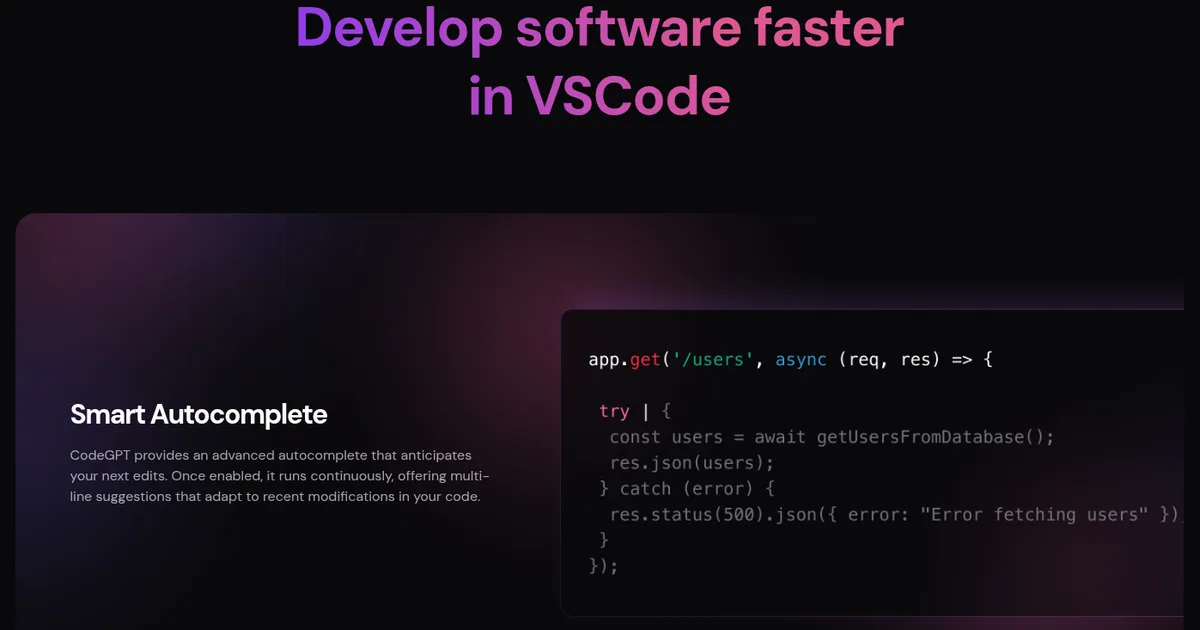
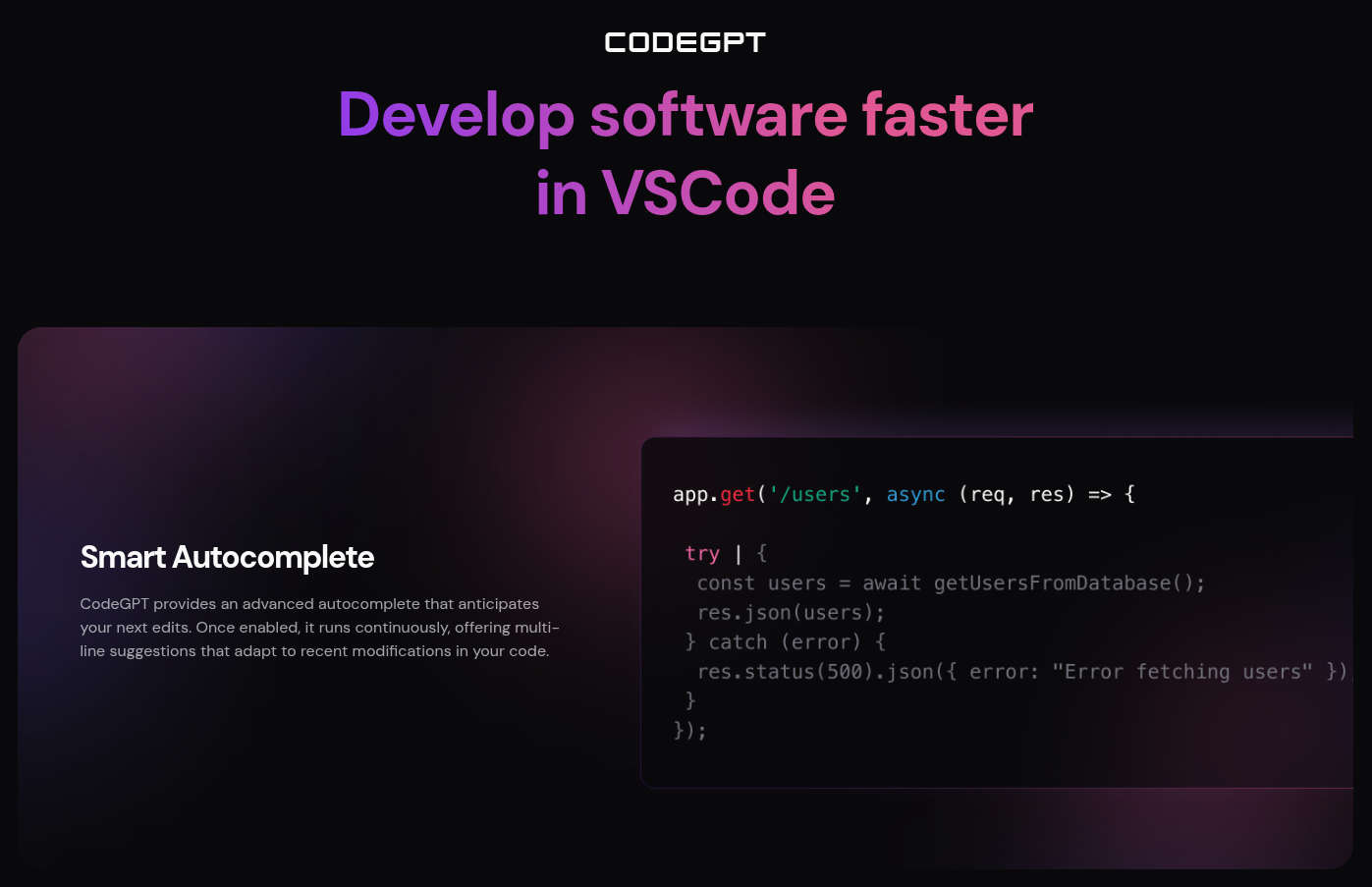
Multi-Model Code Completion. CodeGPT's autocomplete suggests code as you type, pulling from whichever model you've selected. In our testing with TypeScript and Python projects, suggestions appeared in 400-800ms depending on the model. Mistral-based completions were fastest. GPT-4o suggestions were slower but more accurate for complex logic. You can configure which model handles autocomplete separately from chat.
Integrated Chat with Codebase Context. The sidebar chat lets you ask questions about your code, request explanations, or generate new functions. CodeGPT uses RAG (retrieval-augmented generation) to pull relevant files from your project into the context window. When we asked it to explain a Redux middleware chain in a 15,000-line React app, it correctly identified the relevant files about 80% of the time.
Autonomous AI Agents. This is CodeGPT's most ambitious feature. Agents can take a high-level instruction like "add input validation to all API endpoints" and break it into steps: scan the codebase, identify endpoints, generate validation logic, and apply changes. In our testing, agents handled single-file tasks reliably. Multi-file refactoring across 5+ files succeeded about 60% of the time without manual intervention.
Local Model Support via Ollama. Connect CodeGPT to locally running models for offline, private coding assistance. We tested this with Code Llama 13B running on an M2 MacBook Pro. Autocomplete worked at acceptable speeds, though suggestion quality dropped compared to cloud models. This feature is genuinely useful for air-gapped environments or teams with strict data policies.
Code Explanation and Documentation. Highlight code and ask CodeGPT to explain it or generate JSDoc/docstring comments. This worked well for straightforward functions but struggled with deeply nested callback patterns.
How Much Does CodeGPT Cost?
CodeGPT uses a tiered pricing model with a functional free tier. Here's what you get at each level (as of May 2026):
| Plan | Price | Key Limits |
|---|---|---|
| Free | $0/mo | Limited daily interactions, basic models, smaller context window |
| Basic | $9.99/mo | 1,000 interactions/mo, access to GPT-4o and Claude, standard context |
| Pro | $19.99/mo | Unlimited interactions, all models, full codebase indexing, priority agents |
| Enterprise | Custom pricing | SSO, team management, custom model deployment, SLA |
The free tier is usable for hobby projects or light evaluation. We hit the daily cap after about 90 minutes of active coding, which makes it impractical for full-time development work. The Basic plan at $9.99/month undercuts GitHub Copilot's $10/month individual plan while offering more model flexibility.
The Pro plan at $19.99/month competes directly with Cursor's Pro tier ($20/month). You're paying roughly the same but getting a different experience: CodeGPT is an extension inside your existing IDE, while Cursor is a standalone fork of VS Code. Check the official CodeGPT pricing page for current plan details and any promotional offers.
If you're using Ollama with local models, the free tier becomes more viable since local completions don't count against your interaction limits.
Who Should (and Shouldn't) Use CodeGPT?
CodeGPT is best for developers who want AI coding help but refuse to be locked into a single model provider. If you're the type who tests different LLMs for different tasks, or if you need local model support for privacy reasons, CodeGPT gives you flexibility that Copilot and Cursor don't match.
It's also strong for VS Code loyalists who don't want to switch to a new IDE. CodeGPT drops into your existing setup without changing your workflow.
CodeGPT is not ideal for developers who prioritize raw speed and polish over flexibility. Our testing showed CodeGPT's autocomplete lags behind Copilot by 200-400ms on average. That gap adds up across a full coding day. If you just want the fastest, smoothest inline suggestions and don't care about model choice, Copilot or Cursor will feel more refined.
Teams larger than 5-10 developers should also evaluate carefully. CodeGPT's enterprise features exist but aren't as mature as Copilot Business or Cursor's team plans. We haven't tested the enterprise tier, so we can't speak to its team management capabilities firsthand.
Budget-conscious solo developers who mostly write Python or JavaScript will get the best value from the Basic plan. If you primarily work in niche languages like Rust or Elixir, cloud model suggestions are noticeably weaker. Local models trained on those languages can help, but require decent hardware.
How Does CodeGPT Compare to GitHub Copilot?
This is the comparison most developers want. Both tools provide AI code completion inside your IDE, but they take fundamentally different approaches.
Model flexibility: CodeGPT wins decisively. You get 10+ model options including Mistral, GPT-4o, Claude, and local models. Copilot uses a single model (currently based on GPT-4o) with no option to switch. If OpenAI has a bad day, your Copilot degrades. With CodeGPT, you switch to Mistral or a local model and keep working.
Autocomplete quality and speed: Copilot wins. In side-by-side testing on the same TypeScript project, Copilot's suggestions appeared 200-400ms faster and required fewer edits before accepting. Copilot also handles multi-line completions more naturally. CodeGPT's completions are accurate but feel a beat slower.
Autonomous agents: CodeGPT wins on ambition, draws on execution. CodeGPT's agents can plan and execute multi-step tasks. Copilot's newer "Copilot Workspace" feature does something similar but is still in limited preview. Neither is reliable enough to trust without review on production code.
Privacy: CodeGPT wins with local model support. If your code can't leave your machine, CodeGPT plus Ollama is one of the few options that actually works. Copilot sends code to GitHub's servers with no local option.
Price: CodeGPT is slightly cheaper. Basic plan at $9.99/month vs Copilot Individual at $10/month. Pro at $19.99/month adds model variety that Copilot doesn't offer at any price.
For a deeper breakdown including Cursor and Cline, see our best AI coding assistants comparison.
Our Testing Process
We tested CodeGPT over two weeks (April 28 - May 12, 2026) across three real projects: a React/TypeScript dashboard, a Python FastAPI backend, and a Go CLI tool. Testing happened on an M2 MacBook Pro with 16GB RAM running VS Code 1.96.
We measured autocomplete latency using VS Code's built-in performance tools, tracking time from keystroke to suggestion appearance. We tested each available cloud model (Mistral, GPT-4o, Claude 3.5 Sonnet) and one local model (Code Llama 13B via Ollama).
For agent testing, we gave CodeGPT five tasks of increasing complexity: single-file bug fix, add unit tests to an existing module, refactor a component with prop drilling into context, add API validation across multiple endpoints, and restructure a folder hierarchy. We recorded success rate and time to completion for each.
Editorially reviewed by Todd Stearn. Full methodology at how we work.
The Bottom Line
CodeGPT earns a 7/10 as a capable but not category-leading AI coding assistant. Its multi-model flexibility and local AI support are genuine differentiators that no competitor matches. The autonomous agents show real promise for automating multi-step coding tasks. But autocomplete speed trails the market leaders, and agent reliability on complex tasks still needs work. At $9.99/month for the Basic plan, it's a fair deal for developers who value model choice over raw polish. If speed matters most, look at Cursor or Copilot instead.
Try CodeGPT Free →
Frequently Asked Questions
Is CodeGPT free to use?
CodeGPT offers a free tier with limited daily interactions using its default models. The Basic plan costs $9.99/month and the Pro plan costs $19.99/month (as of May 2026). Free users get access to autocomplete and chat but hit usage caps quickly during heavy coding sessions.
How does CodeGPT compare to GitHub Copilot?
CodeGPT offers more model flexibility than GitHub Copilot, letting you choose between Mistral, GPT-4o, Claude, and local models via Ollama. Copilot is more polished with deeper GitHub integration and better inline suggestions. CodeGPT wins on customization and price; Copilot wins on refinement and ecosystem.
Can CodeGPT work with local AI models?
Yes. CodeGPT integrates with Ollama and other local model providers, letting you run AI code suggestions entirely on your machine. This is a standout feature for developers who need offline access or work under strict data privacy requirements. Local model quality depends on your hardware and model choice.
What IDEs does CodeGPT support?
CodeGPT primarily supports Visual Studio Code through its marketplace extension. It also works with JetBrains IDEs including IntelliJ, PyCharm, and WebStorm. VS Code integration is the most mature and feature-complete. JetBrains support is functional but receives updates less frequently than the VS Code version.
Does CodeGPT understand my entire codebase?
CodeGPT's autonomous agents can index and analyze your full codebase for context-aware suggestions and multi-step task execution. The free tier has limited context windows. Pro users get expanded codebase understanding with RAG-based retrieval, which pulled relevant files accurately in our testing about 80% of the time.
Related AI Agents
Looking for alternatives or want to compare? Here are other coding assistants we've reviewed:
- Cursor Automations - AI-native IDE with deep codebase understanding and background agents
- Windsurf - AI coding assistant with strong multi-file editing and Cascade flows
- Kilo Code - Open-source AI coding agent for VS Code
- Playcode AI - Browser-based AI coding environment for quick prototyping
- Best AI Coding Assistants Comparison - Full head-to-head breakdown of the top tools
Get weekly AI agent reviews in your inbox. Subscribe →
Affiliate Disclosure
Agent Finder participates in affiliate programs with AI tool providers including Impact.com and CJ Affiliate. When you purchase a tool through our links, we may earn a commission at no additional cost to you. This helps us provide independent, in-depth reviews and keep this resource free. Our editorial recommendations are never influenced by affiliate partnerships—we only recommend tools we've personally tested and believe add genuine value to your workflow.
Try CodeGPT today
Get started with CodeGPT — free tier available on most plans.
Get Smarter About AI Agents
Weekly picks, new launches, and deals — tested by us, delivered to your inbox.
Join 1 readers. No spam. Unsubscribe anytime.
Related Articles
Kilo Code Review 2026: Open-Source AI Coding Agent
Kilo Code is a free, open-source AI coding agent with 500+ models. We tested its parallel execution and subagent delegation. Read our full review.
Gemini Code Assist Review 2026: Google's AI Coding Tool
Gemini Code Assist review: Google's AI coding assistant offers free code completion, chat, and an agentic CLI. We tested it for 3 weeks. See our full verdict.
Blackbox AI Review 2026: 300+ Models, One Platform
Blackbox AI review: we tested this multi-model coding assistant for 3 weeks. 300+ AI models, voice coding, and agents from $0/mo. Worth it?