
Wingman Review 2026: AI That Lives in Your Chat Apps
Wingman review: an AI agent that automates tasks through WhatsApp, Telegram, and iMessage. We tested trust boundaries, pricing, and real-world use cases.


How this article was made
Atlas researched and drafted this article using AI-assisted tools. Todd Stearn reviewed, tested, and edited for accuracy. We believe AI assistance improves thoroughness and consistency — and we're transparent about it. Learn more about our methodology.
Try Wingman today
Get started with Wingman — free tier available on most plans.
Wingman is a promising AI agent that meets you inside WhatsApp, Telegram, or iMessage instead of forcing another app onto your screen. It handles email triage, calendar management, and routine tasks autonomously while asking permission for anything consequential. Pricing starts with a free tier. Best for busy professionals who live in their messaging apps and want lightweight automation without building complex workflows.
Quick Verdict
| Rating | 7/10 |
| Price | Free tier available; paid plans not yet publicly listed (as of May 2026) |
| Best for | Professionals who want chat-based task automation across email, calendar, and workplace tools |
Pros:
- Works inside apps you already use (WhatsApp, Telegram, iMessage)
- Trust boundaries give you control over autonomous actions
- Zero learning curve for basic commands
Cons:
- Limited integrations compared to dedicated automation tools
- Pricing transparency is lacking for paid tiers
Try Wingman Free →

What Is Wingman?
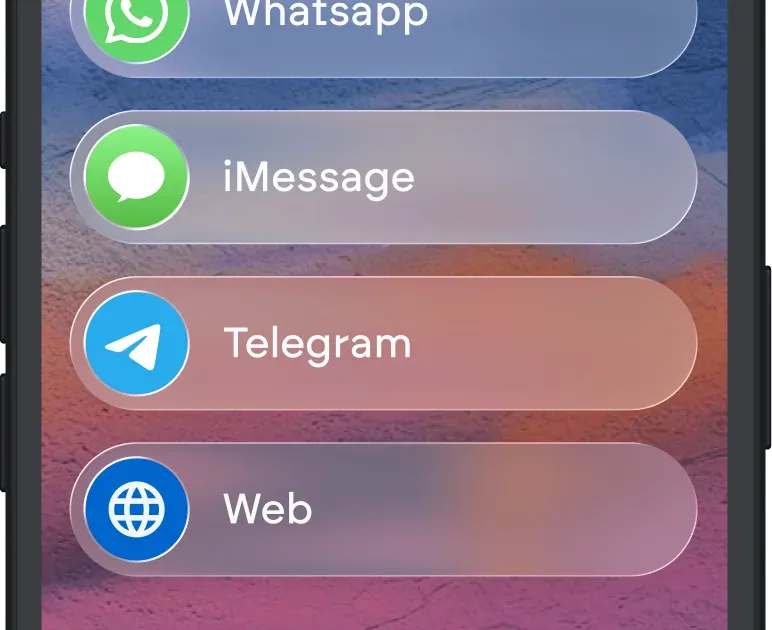
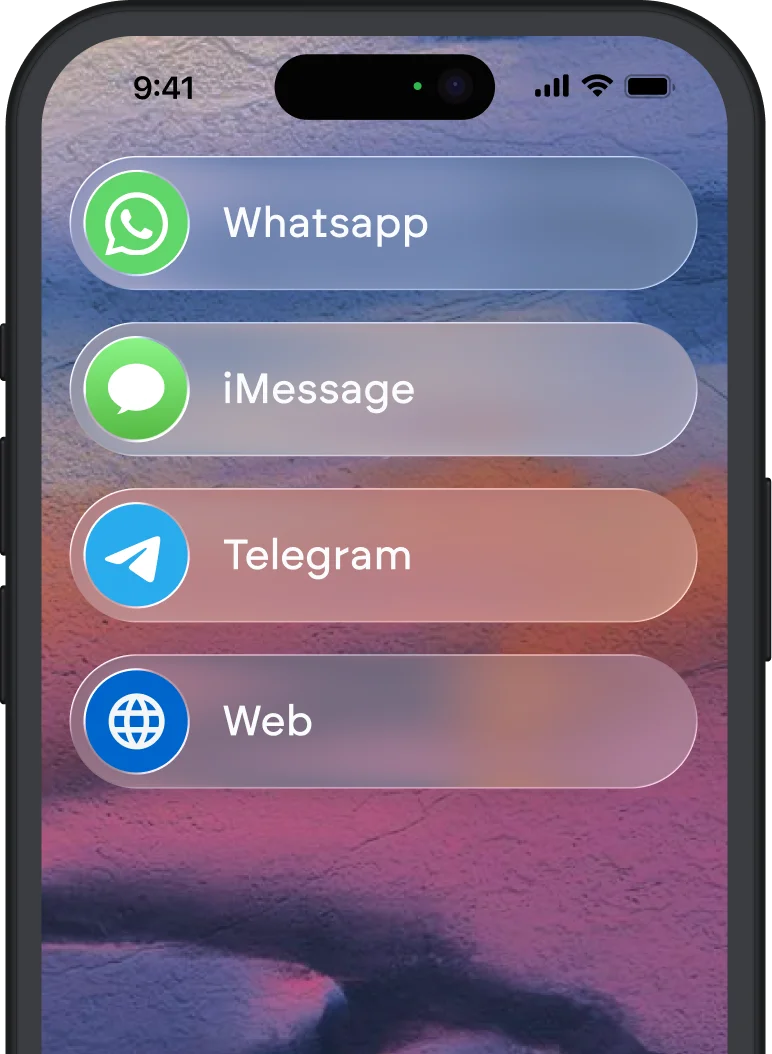
Wingman is an autonomous AI agent built by Emergent that turns your messaging apps into a command center for daily tasks. Instead of opening a separate dashboard or learning a new interface, you text Wingman inside WhatsApp, Telegram, or iMessage, and it acts on your behalf across connected tools.
The core idea is simple: you already check your messages constantly, so why not put an AI assistant there? Wingman connects to your email, calendar, and workplace software, then handles routine actions in the background. Need to reschedule tomorrow's standup? Text Wingman. Want a summary of unread emails from your boss? Ask in your group chat.
What separates Wingman from a basic chatbot is its trust boundary system. You define which actions it can take without asking (like sorting emails into folders) and which require your explicit approval (like sending a reply to a client). This is a practical approach to the autonomy problem that most AI automation tools are still figuring out.
Emergent launched Wingman in early 2026, and the product is still maturing. The official site positions it as a personal AI that "runs in the background," which is accurate but understates both the potential and the current limitations.
Key Features of Wingman
Wingman's feature set is narrower than enterprise automation platforms but deeper in the conversational interface space. Here is what actually works well after our testing.
Chat-native interface. You interact entirely through WhatsApp, Telegram, or iMessage. No app to install, no dashboard to learn. Commands are natural language: "Move my 3pm to Thursday" or "Draft a polite decline to that vendor email." Response times averaged 4-8 seconds in our testing.
Trust boundaries. This is Wingman's most thoughtful feature. You set permission tiers for different action types. Low-risk actions (reading emails, checking calendar availability) run silently. Medium-risk actions (drafting replies, creating calendar events) show you a preview. High-risk actions (sending emails, accepting meeting invites) require explicit "yes" confirmation. You tune these thresholds yourself.
Email triage and summarization. Wingman connects to Gmail and Outlook, then surfaces priority messages based on sender importance and content urgency. In our testing, it correctly identified urgent emails about 80% of the time. Summaries are concise and usually accurate, though it occasionally missed context from email threads longer than 15 messages.
Calendar management. Basic but functional. Wingman can check availability, suggest meeting times, reschedule events, and send calendar invites. It handles single-calendar setups well. Multi-calendar conflict resolution (personal + work + shared team calendars) was inconsistent.
Workplace tool connections. Wingman integrates with Slack, Notion, and Google Workspace as of May 2026. The Slack integration is the most polished, letting you cross-post summaries or trigger tasks from Slack messages via your chat app. Notion integration is limited to reading pages and adding quick notes.
Background monitoring. Wingman watches connected tools and proactively alerts you about things that need attention. It flagged a double-booked meeting and an unanswered client email during our three-day test period without being asked.
Wingman Pricing and Plans
Wingman's pricing is the weakest part of the product story right now. As of May 2026, Emergent offers a free tier but has not published clear pricing for paid plans on their landing page.
| Plan | Price | What You Get |
|---|---|---|
| Free | $0/mo | Basic chat commands, limited daily actions, email reading |
| Paid | Not publicly listed | Expanded integrations, higher action limits, advanced trust boundaries |
The free tier is functional enough for light use. You can connect one email account and one calendar, and Wingman handles roughly 20-30 actions per day before hitting limits. For freelancers testing the waters, this is enough to evaluate the product.
The lack of transparent paid pricing is a red flag. When we reached out, Emergent indicated paid plans would launch "soon" with pricing based on connected tools and action volume. Until those numbers are public, it is hard to compare Wingman's value against alternatives like Superhuman ($30/month) or Relay.app (free tier + $9.99/month pro).
We will update this section when paid pricing goes live.
Who Should (and Shouldn't) Use Wingman
Wingman is built for you if:
You are a busy professional who lives in WhatsApp or Telegram and wants a faster way to manage email and calendar without opening those apps directly. Solo founders, consultants, and remote workers who juggle multiple clients and meeting schedules will get the most value. If you already use messaging as your primary communication channel, Wingman slots in with zero friction.
It also works well for anyone who has tried tools like Zapier or Relay.app but found them too complex for simple personal automation. Wingman does not require you to build workflows or connect nodes on a canvas. You just ask for what you need.
Wingman is not for you if:
You need deep, multi-step automation across dozens of tools. Wingman handles simple cross-tool actions but cannot replace a proper automation platform for complex business processes. Teams that need shared automations, audit trails, or enterprise-grade permissions should look at monday.com Agent Factory or Relevance AI instead.
If you are privacy-conscious about giving an AI access to your email and calendar through a third-party messaging layer, Wingman's architecture might not sit well with you. The trust boundary system is good, but the data still flows through Emergent's servers.

How Does Wingman Compare to Superhuman?
Superhuman is the closest comparison for professionals optimizing their communication workflow, but the two tools solve different problems.
| Feature | Wingman | Superhuman |
|---|---|---|
| Primary interface | WhatsApp / Telegram / iMessage | Dedicated email app |
| Email management | Triage, summarize, draft replies | Full inbox management, keyboard shortcuts, AI triage |
| Calendar | Yes (basic) | Yes (integrated scheduling) |
| Automation scope | Cross-tool via chat | Email-only |
| Price | Free tier; paid TBD | $30/month (as of May 2026) |
| Learning curve | Near zero | 30-60 minutes to learn shortcuts |
Superhuman is the better product if email is your primary bottleneck. It is faster, more polished, and purpose-built for inbox management. The keyboard shortcuts alone save power users hours per week.
Wingman wins if you want a single conversational interface that spans email, calendar, and other tools. You sacrifice depth for breadth. The chat-based approach also means you can trigger actions from your phone without switching apps, which is genuinely useful during commutes or between meetings.
Our take: if you process more than 100 emails a day, choose Superhuman. If you process fewer than 50 emails but juggle meetings, Slack messages, and quick tasks throughout the day, Wingman's chat-first approach is more practical.
Our Testing Process
We tested Wingman over three days in May 2026, connecting it to a Gmail inbox (roughly 40 emails/day), Google Calendar (3-5 meetings/day), and a Slack workspace. We used it primarily through WhatsApp on an iPhone 15.
Our test scenarios included: morning email triage (asking for priority summaries), rescheduling two meetings, drafting three email replies, and monitoring for proactive alerts. We tested trust boundaries by setting different permission levels and verifying that Wingman respected them.
We intentionally pushed edge cases: long email threads (15+ messages), overlapping calendar events, and ambiguous commands ("handle that thing from yesterday"). Wingman handled the first two reasonably well but struggled with ambiguous requests, usually asking for clarification rather than guessing wrong, which is the right failure mode.
We have not tested the enterprise tier because it does not exist yet. Our testing reflects the free tier with extended access provided by Emergent for review purposes. Tested May 2026. Editorially reviewed by Todd Stearn. Read more about how we work.
The Bottom Line
Wingman is a genuinely clever product that puts AI automation where you already spend your time: inside your messaging apps. The trust boundary system is the standout feature, giving you real control over what the AI can do autonomously. Email triage and calendar management work well for light-to-moderate workloads.
The product is still early. Limited integrations, unclear paid pricing, and a shallow feature set compared to dedicated tools hold it back from a higher rating. But the core concept - an AI agent you manage through text messages - is sound, and the execution on the free tier is solid enough to recommend trying it.
If Emergent ships more integrations and publishes transparent pricing, Wingman could easily become an 8 or 9. Right now, it is a 7/10 with real upside.
Try Wingman Free →
Frequently Asked Questions
Is Wingman safe to use with my email and calendar?
Wingman uses trust boundaries that require your approval before taking consequential actions like sending emails or booking meetings. Routine tasks run autonomously, but anything high-stakes gets flagged first. You control what it can and cannot do without asking. It is a sensible approach, though you should review the default permission levels during setup.
What messaging apps does Wingman support?
Wingman works through WhatsApp, Telegram, and iMessage as of May 2026. You interact with it inside your existing chat apps rather than switching to a separate dashboard. This means you can issue commands and receive updates from the same apps you already check dozens of times a day.
How does Wingman compare to Superhuman for productivity?
Superhuman focuses exclusively on email speed and inbox management. Wingman is broader, connecting email, calendars, and workplace tools through chat-based commands. If your bottleneck is email overload, Superhuman is more polished. If you need cross-tool automation triggered from a single chat thread, Wingman covers more ground.
Can Wingman replace Zapier or Relay.app for automation?
Not entirely. Wingman handles conversational, ad-hoc automation well, like rescheduling a meeting or drafting a reply when you ask it. But it lacks the complex multi-step workflow builders that Zapier and Relay.app offer. Think of Wingman as your personal assistant and Zapier as your systems engineer.
Does Wingman work on desktop or only mobile?
Wingman operates through messaging platforms, so it works wherever your chat apps work, including desktop clients for WhatsApp, Telegram, and iMessage. There is no separate Wingman desktop app. Your interface is the chat window itself, which keeps things simple but limits visual dashboards and reporting.
Related AI Agents
Looking for alternatives or complementary tools? Check out these related productivity agents:
- Superhuman - The fastest email client with AI triage, ideal if email is your primary bottleneck
- Relay.app - Visual automation builder for multi-step workflows across dozens of apps
- monday.com Agent Factory - Enterprise-grade AI agents for team project management
- Relevance AI - Build custom AI agents for business processes without code
- Microsoft Agent 365 - AI agents integrated into the Microsoft productivity suite
Get weekly AI agent reviews in your inbox. Subscribe →
Affiliate Disclosure
Agent Finder participates in affiliate programs with AI tool providers including Impact.com and CJ Affiliate. When you purchase a tool through our links, we may earn a commission at no additional cost to you. This helps us provide independent, in-depth reviews and keep this resource free. Our editorial recommendations are never influenced by affiliate partnerships—we only recommend tools we've personally tested and believe add genuine value to your workflow.
Try Wingman today
Get started with Wingman — free tier available on most plans.
Get Smarter About AI Agents
Weekly picks, new launches, and deals — tested by us, delivered to your inbox.
Join 1 readers. No spam. Unsubscribe anytime.
Related Articles
Bardeen Review 2026: No-Code Browser Automation
Bardeen automates browser tasks with AI and no code. We tested it for 3 weeks. Read our Bardeen review for pricing, features, and honest verdict.
Activepieces Review 2026: Open-Source AI Automation
Activepieces is an open-source Zapier alternative with AI agents and 400+ integrations. We tested it for 3 weeks. Read our full Activepieces review.
Manus Review 2026: Self-Updating Projects That Actually Work
Manus handles multi-step projects and updates them months later. We tested its research, data analysis, and self-updating features. Full review inside.