
Blackbox AI Review 2026: 300+ Models, One Platform
Blackbox AI review: we tested this multi-model coding assistant for 3 weeks. 300+ AI models, voice coding, and agents from $0/mo. Worth it?


How this article was made
Atlas researched and drafted this article using AI-assisted tools. Todd Stearn reviewed, tested, and edited for accuracy. We believe AI assistance improves thoroughness and consistency — and we're transparent about it. Learn more about our methodology.
Try Blackbox AI today
Get started with Blackbox AI — free tier available on most plans.
Blackbox AI is a solid multi-model coding platform that trades depth for breadth. It gives you access to 300+ AI models through one interface, with autonomous agents, voice coding, and image-to-code conversion starting at $0/month. Best for developers who want model flexibility without managing multiple subscriptions.
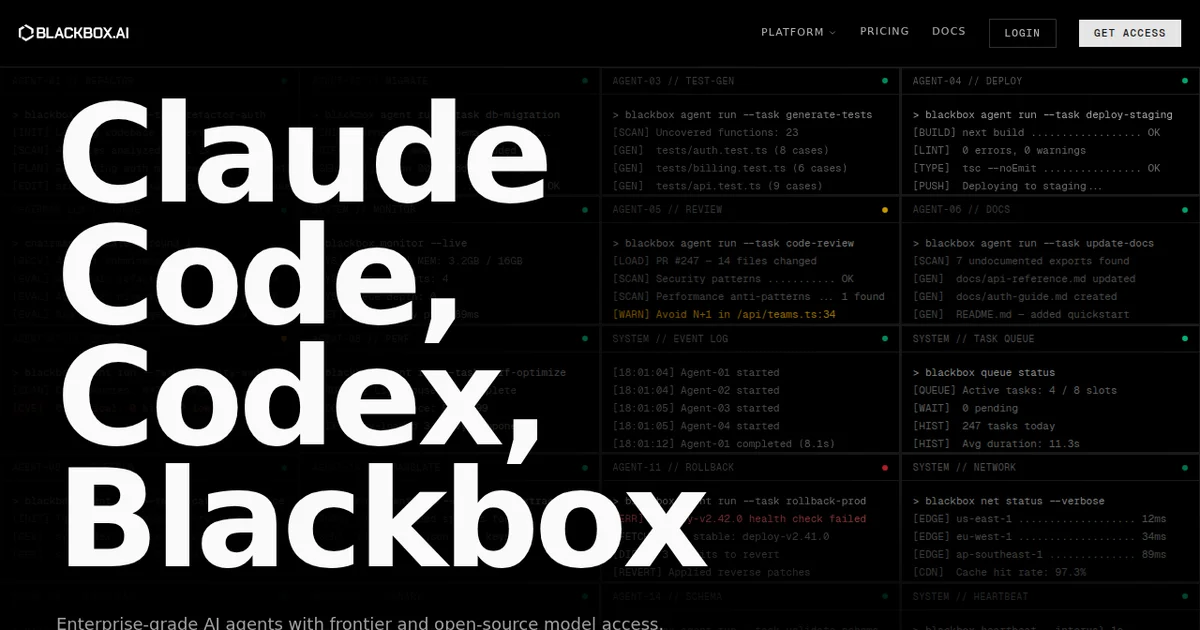
Rating: 7/10 Price: Free tier available; Pro at $19.99/month (as of March 2026) Best For: Developers who want access to multiple AI models from a single platform
Pros:
- 300+ AI models (GPT-4, Claude, Gemini, Llama, Mistral) in one place
- Genuinely useful free tier for learning and small projects
- Available everywhere: web, desktop, mobile, IDE extensions, CLI, API
Cons:
- Individual model integrations feel shallower than dedicated tools like Cursor
- Multi-agent orchestration is still rough around the edges
Try Blackbox AI Free →
What Is Blackbox AI?
Blackbox AI is a unified coding assistant that aggregates 300+ AI models into a single platform with autonomous agent capabilities. Instead of choosing between ChatGPT, Claude, or Gemini, you get all of them in one place.
Founded as a code-focused AI tool, Blackbox has expanded into a multi-surface platform available on web, desktop apps, mobile, IDE extensions (VS Code, JetBrains), CLI, and API. The pitch is simple: stop juggling AI subscriptions and use one platform that lets you switch models depending on the task.
If you are evaluating AI coding tools right now, you have a lot of options. We covered the decision framework in our guide to choosing an AI coding agent in 2026, and Blackbox occupies an interesting middle ground. It is not as deeply integrated as Cursor, and it is not a full app builder like Lovable. It sits between them as a flexible, model-agnostic assistant.
The core product includes code generation, debugging assistance, code explanation, and optimization suggestions. On top of that, Blackbox layers autonomous agents that can handle multi-step tasks, voice-to-code input, and an image-to-code converter that turns screenshots or mockups into working code.
In our three weeks of testing (February-March 2026), we found the model variety genuinely useful but the execution uneven. Some features feel polished. Others feel like they shipped the demo.
Key Features of Blackbox AI
Blackbox AI's feature list is ambitious. The standout capability is model access - over 300 AI models available through a single interface. Here is what actually matters in practice.
Multi-Model Access You can switch between GPT-4, Claude 3.5 Sonnet, Gemini Pro, Llama 3, Mistral Large, and hundreds of other models mid-conversation. This is legitimately useful. We tested a complex Python refactoring task across five models and got meaningfully different suggestions from each. Claude caught an edge case GPT-4 missed. Gemini suggested a cleaner architecture. Having them all in one place saved us from copy-pasting between browser tabs.
Autonomous Agents Blackbox offers multi-agent orchestration where specialized agents collaborate on tasks. In theory, one agent plans the architecture while another writes the code and a third reviews it. In practice, the orchestration works for straightforward scaffolding but gets confused on complex multi-file projects. We saw agents contradict each other on a React/Node full-stack task. The single-agent mode is more reliable.
Voice Coding You speak your intent and Blackbox generates code. We tested this for quick utility functions and it worked surprisingly well for simple requests like "create a Python function that validates email addresses with regex." It struggles with complex logic, but for rapid prototyping, it is a genuine time-saver.
Image-to-Code Conversion Upload a screenshot or mockup and get HTML/CSS output. We fed it a Figma export of a dashboard layout and got roughly 70% accurate markup. The structure was right but spacing, fonts, and responsive behavior needed manual cleanup. Useful as a starting point, not a finished product.
IDE Extensions and CLI The VS Code extension works well enough for inline suggestions and chat. The CLI tool lets you pipe code through Blackbox from the terminal, which is handy for scripting workflows. JetBrains support exists but felt less polished in our testing. The API is straightforward for building custom integrations.
Code Search Blackbox indexes open-source repositories and lets you search for code patterns. This is useful for finding implementation examples, though the results sometimes surface outdated code from archived repos.
Pricing and Plans
Blackbox AI uses a tiered model that starts free and scales to enterprise. All prices verified on Blackbox AI's pricing page as of March 2026.
| Plan | Price | Models | Daily Queries | Key Features |
|---|---|---|---|---|
| Free | $0/mo | ~30 basic models | Limited (varies) | Code generation, basic chat, web access |
| Pro | $19.99/mo | 300+ models | Higher limits | All agents, voice coding, image-to-code, priority |
| Teams | $39.99/user/mo | 300+ models | Team-level limits | Shared workspaces, admin controls, usage analytics |
| Enterprise | Custom | All models + custom | Unlimited | SSO, dedicated support, SLA, custom deployments |
The free tier is genuinely functional. You get access to enough models to evaluate the platform and handle light coding tasks. The daily query limit is the main constraint - we hit it within 2-3 hours of active use.
Pro at $19.99/month is the sweet spot for individual developers. That is less than a ChatGPT Plus subscription ($20/month) and gives you access to far more models. The value proposition is strong if you regularly use multiple AI models.
For context, Cursor charges $20/month for its Pro plan with deep IDE integration but only a few model options. Windsurf takes a similar focused approach. Blackbox trades depth for breadth at a comparable price point.
Who Should (and Shouldn't) Use Blackbox AI
Blackbox AI is built for you if:
You are a developer who regularly switches between AI models and is tired of managing separate subscriptions to OpenAI, Anthropic, and Google. If your workflow involves comparing model outputs or you need different models for different languages and tasks, Blackbox consolidates that cleanly.
It also works well for students and self-taught developers. The free tier is generous enough for learning, and the model variety means you can experiment with different AI approaches without spending anything.
Polyglot developers who work across multiple languages benefit from the breadth. Some models handle Python better; others are stronger with TypeScript or Rust. Blackbox lets you route each task to the best-fit model.
Blackbox AI is not for you if:
You want deep, codebase-aware pair programming inside your editor. Cursor does this better. Blackbox's IDE extension is functional but does not match the tight integration of a purpose-built AI editor.
You need a full-stack app builder that deploys production code. Tools like Replit Agent or Lovable are better for going from idea to deployed app. If you are building AI agent workflows more broadly, our guide to building your first AI agent workflow covers the landscape.
You work at an enterprise with strict security requirements and need full control over where your code goes. Blackbox routes through third-party APIs, which is a non-starter for some compliance environments without the Enterprise plan.
How Blackbox AI Compares to Cursor
This is the comparison most developers want, so here is the direct breakdown.
Cursor is a VSCode fork with AI built into every interaction. It reads your entire codebase, understands file relationships, and makes contextual suggestions that account for your project structure. It uses a small number of premium models (primarily Claude and GPT-4) and focuses on making those integrations exceptional.
Blackbox AI is a platform play. It gives you 300+ models across every surface - web, mobile, CLI, API, IDE. It does not understand your codebase as deeply, but it lets you access any model for any task without switching tools.
| Factor | Blackbox AI | Cursor |
|---|---|---|
| Model variety | 300+ models | 3-4 premium models |
| IDE integration | Extension (good) | Native fork (excellent) |
| Codebase awareness | Limited | Deep, project-wide |
| Price | $19.99/mo | $20/mo |
| Platforms | Web, desktop, mobile, CLI, API | Desktop only |
| Voice coding | Yes | No |
| Image-to-code | Yes | No |
The verdict: If you spend 80% of your time in VS Code writing and refactoring code within a single project, Cursor wins. If you work across multiple platforms, need model flexibility, or want features like voice coding, Blackbox offers more surface area. Read our full Cursor review for the detailed comparison.
Our Testing Process
We used Blackbox AI as a primary coding assistant for three weeks in February and March 2026. Our testing covered:
- Code generation across Python, TypeScript, Rust, and Go using 8 different models
- Debugging real bugs in a production Next.js application
- Multi-agent orchestration for a full-stack task (React frontend + Express API)
- Voice coding for 20+ utility functions of varying complexity
- Image-to-code with 5 Figma mockup exports
- IDE extension usage in VS Code for daily development
- CLI tool integration into a CI/CD scripting workflow
Tested by Todd Stearn on macOS Sonoma with the Pro plan ($19.99/month). We have not tested the Enterprise tier or Teams plan. All performance observations reflect the Pro tier experience.
We compared outputs against identical prompts in Cursor, ChatGPT, and Claude directly. Blackbox's model-switching capability made A/B testing easy, which is both a feature and a testament to where this tool shines.
The Bottom Line
Blackbox AI is the Swiss Army knife of AI coding assistants. It does a lot of things competently, but few things exceptionally. The 300+ model access through a single platform is genuinely valuable and well-executed. The voice coding and image-to-code features are useful additions you will not find in most competitors.
Where it falls short is depth. Codebase awareness, agent orchestration, and IDE integration all trail purpose-built tools. At $19.99/month, you are paying less than a single ChatGPT or Claude subscription and getting access to both plus hundreds more. That math works for a lot of developers.
If you value flexibility and breadth over deep integration, Blackbox AI earns its place in your workflow. If you want the best possible pair-programming experience inside an editor, look at Cursor or Windsurf instead.
Try Blackbox AI Free →
Frequently Asked Questions
Is Blackbox AI free to use?
Yes. Blackbox AI offers a free tier with access to basic models and limited daily queries. You can generate, debug, and explain code without paying. The free plan is genuinely usable for learning and small projects, but serious developers will hit rate limits quickly and want the Pro plan at $19.99/month.
How does Blackbox AI compare to Cursor?
Cursor is a dedicated VSCode fork with deep editor integration and tight codebase awareness. Blackbox AI is a broader platform offering 300+ models, voice coding, and image-to-code. Cursor wins for focused pair programming inside an IDE. Blackbox wins for model variety and multi-surface access across web, mobile, and CLI.
What AI models does Blackbox AI support?
Blackbox AI provides access to over 300 models including GPT-4, Claude 3.5, Gemini Pro, Llama 3, Mistral, and many open-source options. You can switch models mid-conversation. This is its biggest advantage - you are never locked into one provider's strengths or weaknesses.
Can Blackbox AI generate full applications?
Blackbox AI's autonomous agents can scaffold multi-file projects and generate boilerplate code. For simple apps, it works reasonably well. For complex production applications, you will need significant manual editing. It is better at component-level generation than full-stack app creation compared to tools like Lovable or Replit Agent.
Is Blackbox AI safe for proprietary code?
Blackbox AI routes queries through third-party model providers, which means your code snippets pass through external APIs. The company states it does not store code permanently, but enterprise users handling sensitive IP should review the privacy policy carefully. Consider the Enterprise plan with dedicated security features for proprietary work.
Related AI Coding Agents
- Cursor - VSCode fork with best-in-class codebase awareness and AI pair programming. $20/month.
- Windsurf - Another strong AI coding editor with agentic capabilities and deep project understanding.
- Replit Agent - Full-stack app builder that goes from prompt to deployed application in minutes.
- Devin - Autonomous AI software engineer that handles multi-step development tasks independently.
- Lovable - AI-powered app builder focused on turning ideas into working web applications fast.
Get weekly AI agent reviews in your inbox. Subscribe to our newsletter →
Affiliate Disclosure
Agent Finder participates in affiliate programs with AI tool providers including Impact.com and CJ Affiliate. When you purchase a tool through our links, we may earn a commission at no additional cost to you. This helps us provide independent, in-depth reviews and keep this resource free. Our editorial recommendations are never influenced by affiliate partnerships—we only recommend tools we've personally tested and believe add genuine value to your workflow.
Try Blackbox AI today
Get started with Blackbox AI — free tier available on most plans.
See how Blackbox AI compares:
Get Smarter About AI Agents
Weekly picks, new launches, and deals — tested by us, delivered to your inbox.
Join 1 readers. No spam. Unsubscribe anytime.
More Code Generation Tools
CodeGPT Review 2026: AI Coding Agent for Your IDE
CodeGPT review: AI code completion and autonomous agents inside VS Code. Free tier, multi-model support, $9.99/mo Pro. We tested it for 2 weeks.
Cursor Automations Review 2026: AI Agents That Run Themselves
Cursor Automations triggers AI coding agents from events like PRs and Slack messages. We tested it for code review, security audits, and bug triage. Full review.
Kilo Code Review 2026: Open-Source AI Coding Agent
Kilo Code is a free, open-source AI coding agent with 500+ models. We tested its parallel execution and subagent delegation. Read our full review.
Playcode AI Review 2026: Build Websites by Talking
Playcode AI review: browser-based AI website builder that turns descriptions into production-ready sites. Free plan available. See our honest verdict.
Related Articles
Claude Code Review 2026: Terminal-Native AI Coding Agent
Claude Code review: Anthropic's terminal-first coding agent handles full codebases, git, and multi-file edits. We tested it for 3 weeks. Here's our verdict.
Cody by Sourcegraph Review 2026: AI That Knows Your Whole Codebase
Cody by Sourcegraph review: AI coding assistant with full codebase context. Free tier available, Pro at $9/mo. We tested it for 3 weeks.
Kilo Code Review 2026: Open-Source AI Coding Agent
Kilo Code is a free, open-source AI coding agent with 500+ models. We tested its parallel execution and subagent delegation. Read our full review.