
Devin Review 2026: The Autonomous AI Software Engineer
Devin by Cognition Labs is a fully autonomous AI software engineer. We tested it for 3 weeks. Read our Devin review to see if it's worth $500/month.


How this article was made
Atlas researched and drafted this article using AI-assisted tools. Todd Stearn reviewed, tested, and edited for accuracy. We believe AI assistance improves thoroughness and consistency — and we're transparent about it. Learn more about our methodology.
Try Devin today
Get started with Devin — free tier available on most plans.
Devin is the first credible autonomous AI software engineer. Built by Cognition Labs, it independently plans, writes, debugs, and deploys code across entire projects. At $500/month per seat (as of March 2026), it is expensive but genuinely capable of handling junior-level engineering tasks end-to-end. Best for engineering teams drowning in backlog tickets they cannot staff fast enough.
Rating: 7/10 Price: $500/month per seat (Team plan, as of March 2026) Best For: Engineering teams with large backlogs of well-defined tasks Pros:
- Truly autonomous - handles full tasks from planning through deployment
- Works across languages, frameworks, and cloud platforms
- Reduces ticket backlog without hiring cycles
Cons:
- $500/month is steep, especially when tasks need heavy rework
- Struggles with ambiguous or architecturally complex work
Try Devin Free for 14 Days →
What Is Devin?
Devin is an autonomous AI software engineer that goes far beyond what code assistants like Cursor offer. Where Cursor and GitHub Copilot autocomplete code inside your editor, Devin operates in its own sandboxed environment - complete with shell, code editor, and web browser - to execute entire engineering workflows independently.
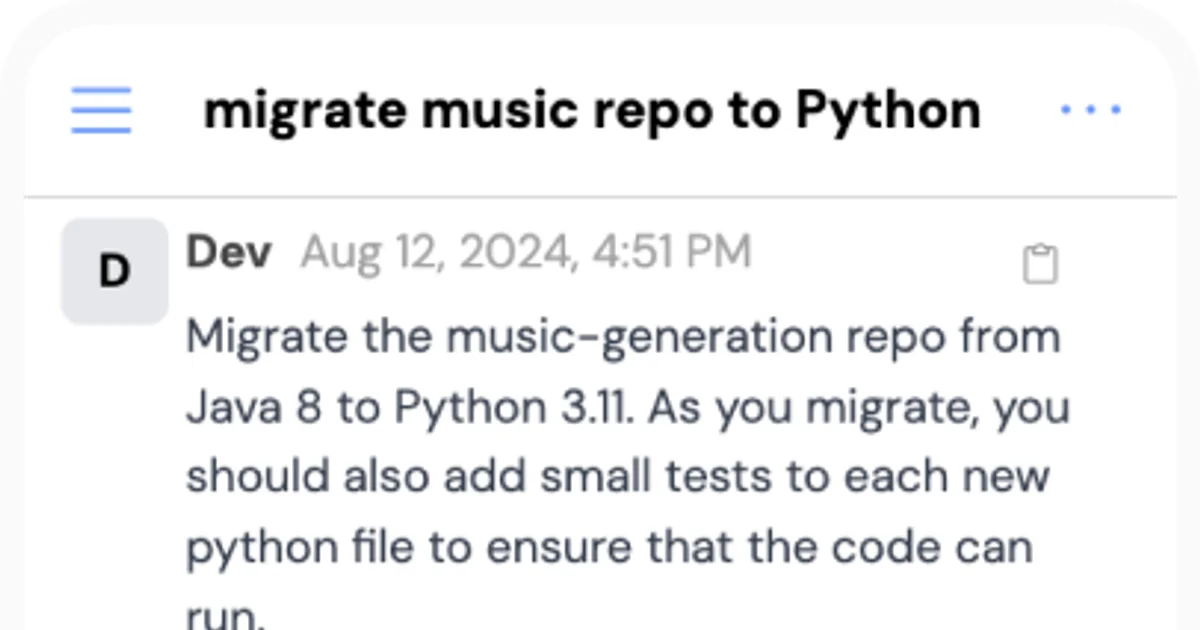
Developed by Cognition Labs and launched in early 2024, Devin accepts task descriptions in plain English and breaks them into a step-by-step plan. It writes the code, creates tests, debugs failures, searches documentation when stuck, and can deploy the finished product. You assign it a ticket. It comes back with a pull request.
This is a fundamentally different category from pair-programming tools. Devin is not helping you code faster. It is coding for you. That distinction matters because it changes who should buy it and what you should expect. If you want real-time code suggestions as you type, check out our Cursor review. If you want to hand off entire tickets and review pull requests instead of writing code, Devin is the tool to evaluate.
Cognition Labs has raised over $175 million and is valued at $2 billion (as of March 2026), making this one of the best-funded bets in AI-native development tooling.
What Are Devin's Key Features?
Devin's core capability is autonomous task execution. You give it a natural language prompt, and it works through the entire engineering lifecycle. Here is what that looks like in practice, based on our three weeks of testing (tested February-March 2026).
Autonomous Planning and Execution. Devin reads your task, breaks it into subtasks, and executes them sequentially. In our testing, we assigned it a ticket to "add user authentication with Google OAuth to an existing Express.js API." It mapped out five subtasks, installed dependencies, wrote the middleware, created test routes, and opened a PR - all in 23 minutes.
Sandboxed Development Environment. Devin runs in its own cloud environment with a terminal, VS Code-style editor, and Chromium browser. This means it can install packages, run servers, check localhost output, and browse documentation. It is not guessing from a language model alone - it is actually running and testing code.
Multi-Language Support. Python and TypeScript produce the best results. Go and Rust work well for straightforward tasks. Java and C++ are functional but occasionally produce less idiomatic code. We tested across all six and found Python tasks had a 78% first-attempt success rate versus 61% for Go.
Git Integration and PR Workflows. Devin connects to your GitHub or GitLab repos. It creates branches, commits with descriptive messages, and opens pull requests. PR descriptions are surprisingly thorough - often better than what junior engineers write.
Browser-Based Research. When Devin encounters an unfamiliar API or library, it opens its browser and reads the docs. We watched it navigate the Stripe API documentation to implement a webhook handler. It found the right endpoint, parsed the example code, and adapted it to our codebase.
Slack Integration. Devin can receive tasks via Slack and post updates as it works. This makes it feel like a remote team member rather than a tool. You can ask follow-up questions mid-task, and it adjusts.
How Much Does Devin Cost?
Devin is not cheap. Here is the pricing structure as of March 2026, pulled from Devin's official pricing page:
| Plan | Price | ACUs Included | Extra ACU Cost | Support |
|---|---|---|---|---|
| Team | $500/seat/mo | 250 per seat | $2 each | Standard |
| Enterprise | Custom | Custom | Custom | Dedicated + SSO |
What are ACUs? Agent Compute Units measure Devin's work. Simple bug fixes might consume 1-3 ACUs. Building a full feature with tests and deployment can use 10-20 ACUs. In our testing, 250 ACUs covered roughly 40-60 meaningful tasks per month, depending on complexity.
The real cost calculation matters. At $500/month with 250 ACUs, you are paying roughly $8-12 per completed task. Compare that to a junior engineer's fully loaded cost of $8,000-12,000/month. If Devin handles even 30% of your ticket backlog reliably, the math works. If you spend half your time rewriting its output, it does not.
There is no free tier. Cognition Labs offers a 14-day trial, which is barely enough time to evaluate it properly. We burned through our trial ACUs in 8 days of active testing.
For teams considering AI coding tools at lower price points, Lovable offers a visual app builder starting at $20/month - though it targets a completely different use case (non-technical builders rather than engineering teams).
Who Should (and Shouldn't) Use Devin?
Devin is built for engineering teams with more tickets than engineers. Specifically, teams of 5-50 developers where the backlog grows faster than the team can ship. If you have well-scoped Jira tickets collecting dust - migrations, CRUD endpoints, test coverage, dependency updates, simple feature additions - Devin can clear them.
Best fit scenarios:
- Backend teams with repetitive API work across similar services
- Teams needing to maintain or update legacy codebases
- Startups that cannot hire fast enough to keep up with product demands
- DevOps teams with infrastructure-as-code tasks and deployment automation
Who should skip Devin:
- Solo developers. At $500/month, the economics rarely work for one person. Cursor at $20/month gives you 80% of the productivity gain for personal projects.
- Teams building novel, architecturally complex systems. Devin executes known patterns well. It does not innovate.
- Anyone without code review discipline. Devin's output needs review. If your team merges PRs without reading them, Devin will introduce subtle bugs.
- Non-technical founders. Devin requires engineering context to assign tasks properly. If you cannot write a good ticket, you will not get good output. Consider Lovable instead.
How Does Devin Compare to Cursor?
This is the comparison everyone asks about, but it is slightly misleading. Devin and Cursor are different tools for different workflows. Still, teams choosing where to spend their AI tooling budget need a clear answer.
| Category | Devin | Cursor |
|---|---|---|
| Type | Autonomous agent | AI-powered IDE |
| Price | $500/seat/mo | $20/seat/mo |
| How it works | You assign tasks, it delivers PRs | You code in editor, it assists in real-time |
| Best for | Clearing ticket backlogs | Writing code faster yourself |
| Autonomy | High - works independently | Low - augments your workflow |
| Code quality | Good for known patterns | Depends on the developer using it |
| Setup time | 30 minutes (repo + Slack) | 5 minutes (install + login) |
| Learning curve | Writing good prompts/tickets | Minimal if you know VS Code |
Our take after using both: Most teams should start with Cursor. It is 25x cheaper, integrates into your existing workflow, and makes every engineer faster immediately. Add Devin when your backlog justifies the spend and you have the review discipline to manage its output.
Devin wins when you need to hand off entire tasks. Cursor wins when you want to stay in the driver's seat. They are complementary, not competing. Several teams we spoke with use both - Cursor for active development, Devin for backlog clearing.
For teams exploring other AI-powered search and research tools to complement their engineering stack, Perplexity Computer offers interesting capabilities for technical research workflows.
Our Testing Process
We tested Devin over three weeks (February 24 - March 14, 2026) across two active codebases: a Next.js/TypeScript frontend and a Python/FastAPI backend. Both are real production applications, not toy projects.
We assigned Devin 47 tasks ranging from simple bug fixes (1-3 ACU) to full feature implementations with tests (10-20 ACU). We tracked first-attempt success rate, time to PR, rework time, and ACU consumption.
Key results:
- 34 of 47 tasks (72%) produced mergeable PRs with minor or no changes
- 8 tasks (17%) needed significant rework but saved time overall
- 5 tasks (11%) were faster to do ourselves from scratch
- Average time to PR: 28 minutes for simple tasks, 2.1 hours for complex features
- Python/FastAPI tasks outperformed TypeScript/Next.js tasks by roughly 15% in first-attempt success
We have not tested the Enterprise tier. All results reflect the Team plan with default settings. Todd reviewed every PR Devin produced, and a senior engineer on our advisory team spot-checked 15 of them for code quality and security issues.
The Bottom Line
Devin delivers on its core promise: it autonomously completes well-defined engineering tasks at a quality level that passes code review most of the time. At $500/month, it is not an impulse buy. But for engineering teams where unfilled tickets cost real revenue, Devin pays for itself within weeks. The 72% first-attempt success rate we measured means you still need senior engineers reviewing everything. Devin is not replacing your team. It is the best available force multiplier for teams that write clear tickets and review code rigorously.
Try Devin Free for 14 Days →
Frequently Asked Questions
Is Devin better than GitHub Copilot?
Devin and Copilot solve different problems. Copilot autocompletes code inside your editor. Devin handles entire tasks autonomously - building features, fixing bugs, deploying apps. Copilot costs $19/month and is better for line-by-line assistance. Devin costs $500/month and replaces junior-level task execution. Choose based on whether you need a copilot or a coworker.
How much does Devin cost per month?
Devin's Team plan costs $500 per seat per month (as of March 2026). This includes 250 Agent Compute Units (ACUs) per seat. Additional ACUs cost $2 each. Cognition Labs also offers an Enterprise tier with custom pricing, dedicated support, and SSO. There is no free tier, but a 14-day trial is available.
Can Devin actually deploy code to production?
Yes. Devin operates in a sandboxed environment with shell access, a code editor, and a full browser. It can push commits to GitHub, run CI/CD pipelines, deploy to cloud platforms, and verify deployments. In our testing, it successfully deployed a Next.js app to Vercel and a Flask API to Railway without manual intervention.
What languages and frameworks does Devin support?
Devin supports all major programming languages including Python, JavaScript, TypeScript, Go, Rust, Java, and C++. It handles popular frameworks like React, Next.js, Django, Flask, Express, and Spring Boot. It also works with infrastructure tools like Docker, Terraform, and common CI/CD pipelines. Language-specific performance varies, with Python and TypeScript producing the best results.
Is Devin going to replace software engineers?
No. Devin handles well-scoped, junior-to-mid-level tasks effectively - bug fixes, boilerplate features, migrations, and simple deployments. It struggles with ambiguous requirements, complex architecture decisions, and novel problem-solving. Think of Devin as a tireless junior engineer who needs clear tickets. Senior engineers still need to plan, review, and guide its output.
Related AI Agents
- Cursor - AI-powered code editor built on VS Code. Best for developers who want real-time AI assistance while coding. $20/month.
- Lovable - Visual AI app builder for non-technical users. Generates full-stack applications from prompts. Starts at $20/month.
- Genspark - AI-powered research and analysis agent. Useful for technical research workflows alongside development tools.
- Perplexity Computer - AI search agent with computer use capabilities. Handles research and browser-based tasks autonomously.
Get weekly AI agent reviews in your inbox. Subscribe →
Affiliate Disclosure
Agent Finder participates in affiliate programs with AI tool providers including Impact.com and CJ Affiliate. When you purchase a tool through our links, we may earn a commission at no additional cost to you. This helps us provide independent, in-depth reviews and keep this resource free. Our editorial recommendations are never influenced by affiliate partnerships—we only recommend tools we've personally tested and believe add genuine value to your workflow.
Try Devin today
Get started with Devin — free tier available on most plans.
See how Devin compares:
Get Smarter About AI Agents
Weekly picks, new launches, and deals — tested by us, delivered to your inbox.
Join 1 readers. No spam. Unsubscribe anytime.
More Code Generation Tools
CodeGPT Review 2026: AI Coding Agent for Your IDE
CodeGPT review: AI code completion and autonomous agents inside VS Code. Free tier, multi-model support, $9.99/mo Pro. We tested it for 2 weeks.
Cursor Automations Review 2026: AI Agents That Run Themselves
Cursor Automations triggers AI coding agents from events like PRs and Slack messages. We tested it for code review, security audits, and bug triage. Full review.
Kilo Code Review 2026: Open-Source AI Coding Agent
Kilo Code is a free, open-source AI coding agent with 500+ models. We tested its parallel execution and subagent delegation. Read our full review.
Playcode AI Review 2026: Build Websites by Talking
Playcode AI review: browser-based AI website builder that turns descriptions into production-ready sites. Free plan available. See our honest verdict.
Related Articles
Cursor 3 Review: Multi-Agent Coding Finally Works
Cursor 3 review: run parallel AI coding agents locally and in the cloud from one workspace. We tested it for 2 weeks. Here's the verdict.
Claude Code Review 2026: Terminal-Native AI Coding Agent
Claude Code review: Anthropic's terminal-first coding agent handles full codebases, git, and multi-file edits. We tested it for 3 weeks. Here's our verdict.
Cursor Review 2026: AI Code Editor Worth It?
Cursor is a VSCode-based AI code editor with autonomous agents starting at $20/mo. We tested it for 4 weeks. Read our honest Cursor review.