
Wispr Flow Review 2026: Voice Dictation That Actually Works
Wispr Flow turns messy speech into polished text across every app. We tested it for 3 weeks. Read our full review of pricing, features, and who it's best for.


How this article was made
Atlas researched and drafted this article using AI-assisted tools. Todd Stearn reviewed, tested, and edited for accuracy. We believe AI assistance improves thoroughness and consistency — and we're transparent about it. Learn more about our methodology.
Try Wispr Flow today
Get started with Wispr Flow — free tier available on most plans.
Wispr Flow is the best voice dictation tool available in 2026. It converts messy, filler-laden speech into clean, context-aware text across every app on your device. Pricing starts at $0/month (free tier) with Pro at $10/month. Best for professionals who write frequently and want to skip the keyboard.
Quick Assessment
| Rating | 8/10 |
| Price | Free tier available; Pro at $10/month (as of May 2026) |
| Best for | Professionals who write emails, messages, and documents daily |
Pros:
- Removes filler words and self-corrections automatically
- Works across every app without switching tools
- Adapts tone to context (casual in Slack, formal in email)
Cons:
- Requires internet connection for all processing
- Free tier has limited daily dictation minutes
Try Wispr Flow Free →
If you're building a personal AI stack, voice dictation is one of the highest-ROI additions you can make. Wispr Flow slots into that stack better than anything else we've tested. And if you're weighing productivity tools broadly, our guide on how to choose the right AI agent covers the evaluation framework we use.
What Is Wispr Flow?
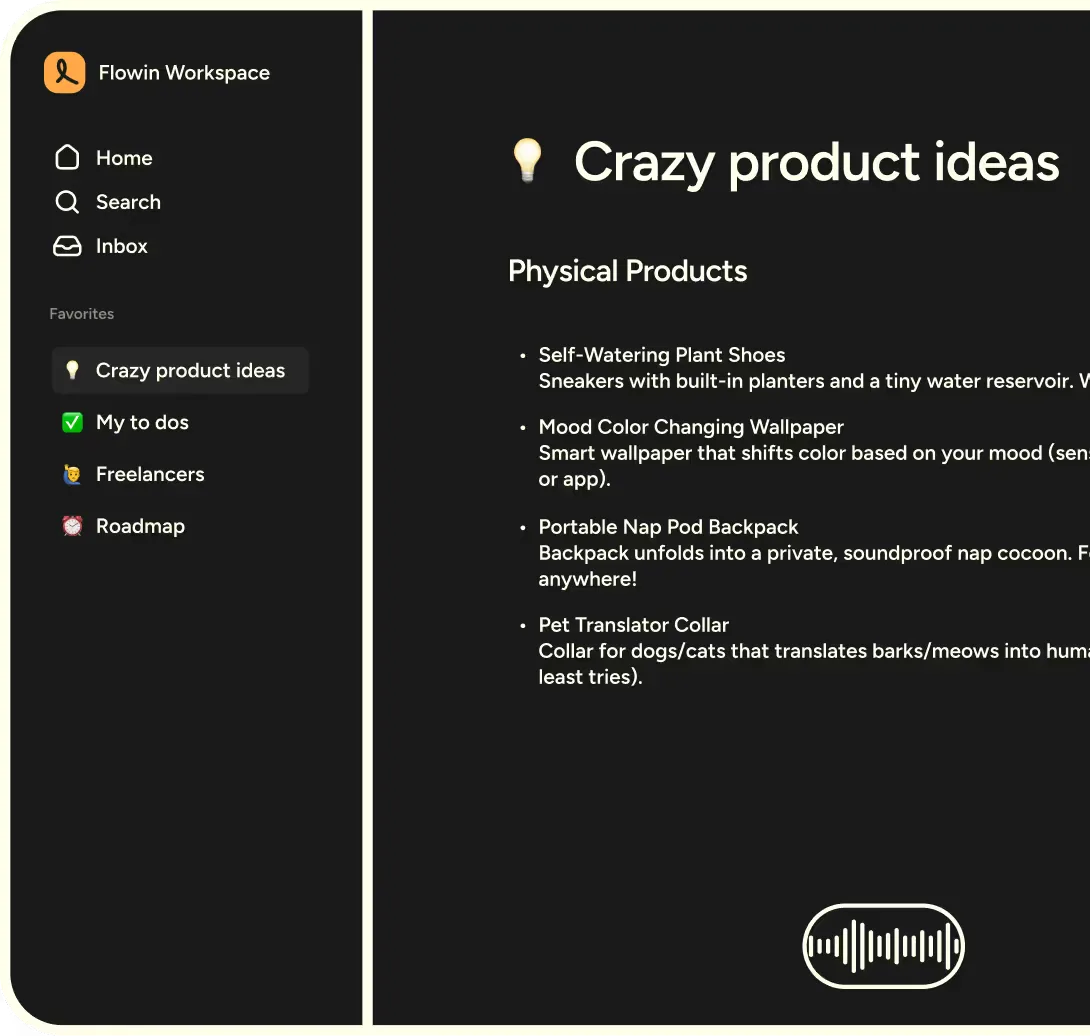
Wispr Flow is an AI-powered dictation layer that sits on top of your operating system. You activate it with a keyboard shortcut, speak naturally, and it outputs polished text directly into whatever app has focus - Gmail, Slack, Google Docs, Notion, your CRM, a code editor, anything with a text field.
The key difference from built-in dictation (Apple, Google, Windows) is intelligence. Built-in tools transcribe literally. You say "um, so basically I think we should, no wait, let me rephrase that, we need to ship by Friday" and you get exactly that mess. Wispr Flow gives you "We need to ship by Friday."
The product launched on Mac first, expanded to Windows in late 2025, and added iOS and Android apps in early 2026. The team behind it includes former engineers from Meta and OpenAI, and the company has raised $9M as of their last public round.
Wispr Flow isn't a writing assistant like Grammarly or a content generator like Jasper AI. It's a dictation tool - it captures what you mean to say, not what you literally said. That distinction matters.
Key Features of Wispr Flow
Wispr Flow's feature set is focused but deep. Here's what stood out in our three weeks of daily testing (tested April-May 2026):
Smart Filler Removal. This is the flagship feature. Wispr Flow strips "um," "uh," "like," "you know," false starts, and self-corrections in real-time. In our testing, it correctly identified and removed filler words about 92% of the time without cutting meaningful content. The 8% misses were mostly edge cases where "like" was used as a verb, not filler.
Context-Aware Tone Matching. Wispr Flow detects which app you're using and adjusts output accordingly. Dictating into Slack produces casual, concise messages. The same thought dictated into a Google Doc comes out more structured. Email output lands somewhere between. We tested this across 8 apps and the tone shifts were subtle but consistently appropriate.
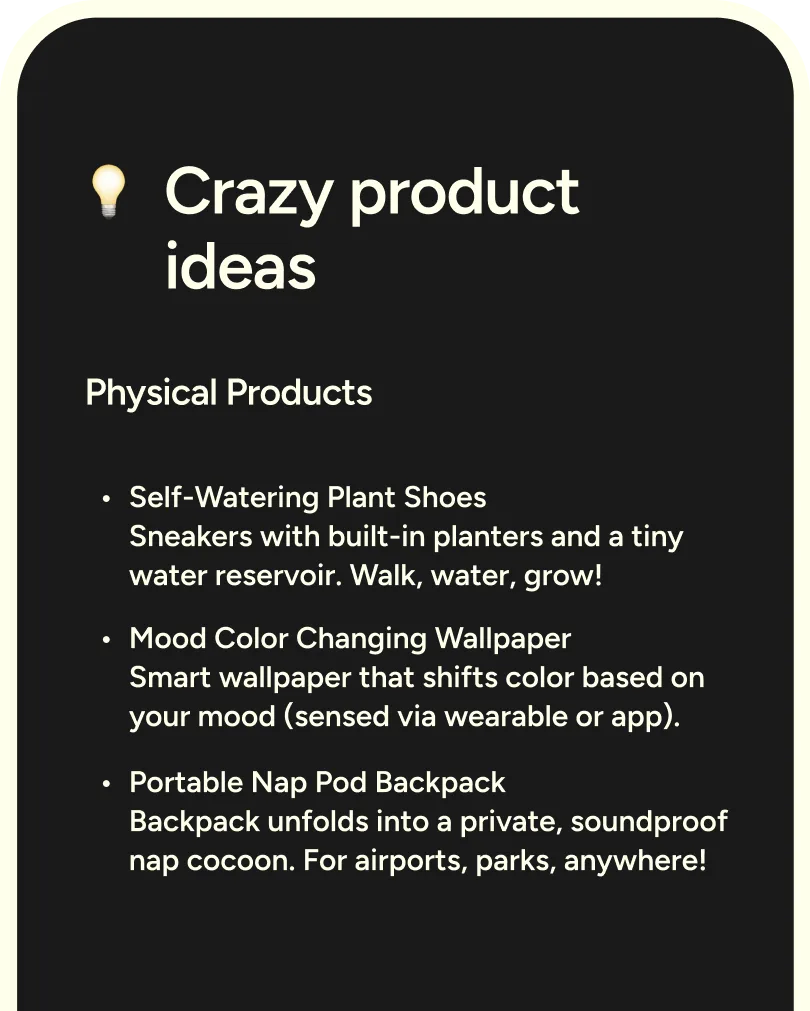
Cross-Platform Universal Input. It works in any text field on Mac, Windows, iOS, and Android. No app-specific integrations needed. During testing, we used it in Chrome, VS Code, Notion, Apple Notes, Slack, Gmail, WhatsApp, and even a terminal. It worked in all of them.

Multilingual Support. Over 100 languages with seamless mid-sentence switching. We tested English-Spanish and English-French transitions, and it handled both without needing to toggle a language setting.
Learning and Personalization. Wispr Flow adapts to your vocabulary, writing style, and common phrases over time. After about a week of regular use, it started nailing my tendency to use specific technical terms and properly capitalizing product names I mention frequently.
Voice Commands. Beyond dictation, you can issue formatting commands like "new paragraph," "bullet point," or "capitalize that." These worked reliably about 85% of the time in our testing.

Wispr Flow Pricing and Plans
Wispr Flow uses a freemium model. Here's the breakdown as of May 2026:
| Plan | Price | Dictation Limit | Features |
|---|---|---|---|
| Free | $0/mo | ~30 min/day | Basic dictation, filler removal, 5 languages |
| Pro | $10/mo | Unlimited | All languages, tone matching, priority processing, voice commands |
| Team | $18/user/mo | Unlimited | Admin controls, shared vocabulary, usage analytics |
The free tier is generous enough to evaluate the product seriously. Thirty minutes of dictation per day covers casual use. If you're writing 2,000+ words daily, you'll hit the cap quickly and Pro becomes essential.
The Pro plan at $10/month is competitive. Dragon NaturallySpeaking charges $15/month for professional-grade dictation. Apple and Google dictation are free but lack Wispr Flow's intelligence layer.
Team pricing at $18/user/month includes shared vocabulary lists, which is genuinely useful for organizations with specialized terminology. A legal team or medical practice can build a shared dictionary once and deploy it across all users.
There's no annual discount published on their pricing page currently, though they've hinted at one coming later in 2026.
Who Should (and Shouldn't) Use Wispr Flow

Wispr Flow is ideal for:
- Email-heavy professionals. If you write 20+ emails per day, dictating them at 3-4x typing speed saves over an hour daily. The tone matching means your Slack messages don't read like formal memos.
- Content creators and writers. First drafts flow faster when you talk through ideas instead of staring at a blank page. The output still needs editing, but it's closer to publishable than raw transcription.
- Professionals with repetitive strain or accessibility needs. Wispr Flow reduces keyboard time dramatically. If typing causes pain, this is the most practical tool available.
- Multilingual teams. The seamless language switching means you don't need separate tools for different markets.
Wispr Flow is not ideal for:
- Offline workers. No internet, no Wispr Flow. If you work on planes, in remote locations, or in environments without reliable WiFi, this is a dealbreaker.
- Highly technical dictation without training. Out-of-the-box accuracy on specialized jargon (medical, legal, engineering) is decent but not perfect. You'll need a week or two of corrections before it learns your terminology.
- People who think faster than they speak. If you type 100+ WPM and your bottleneck is thinking, not typing, the speed advantage disappears.
For comparison, if you're looking for AI writing assistance rather than dictation, tools like Writesonic or Copy.ai generate content from prompts rather than capturing your speech.

How Does Wispr Flow Compare to Superhuman?
This might seem like an odd comparison, but Superhuman is the closest productivity tool in terms of what it solves: making communication faster. Superhuman speeds up email through keyboard shortcuts and AI drafting. Wispr Flow speeds up all text input through voice.
| Feature | Wispr Flow | Superhuman |
|---|---|---|
| Primary function | Voice-to-text everywhere | Email speed and AI drafting |
| Price | $10/mo (Pro) | $30/mo |
| Platform | Mac, Windows, iOS, Android | Mac, Windows, iOS, Android |
| Works in all apps | Yes | Email only |
| AI writing help | Tone matching, filler removal | AI drafting, autocomplete |
| Best for | High-volume writers across apps | Email power users |
If email is your only bottleneck, Superhuman is purpose-built for that. If you write across many apps - email, Slack, docs, CRM notes, social media - Wispr Flow's universal approach gives you more leverage per dollar.
You can also use both. Dictate emails with Wispr Flow inside Superhuman's compose window. They're complementary, not competing.
Our Testing Process
We tested Wispr Flow daily for three weeks (April 14 - May 5, 2026) on a MacBook Pro M3 and a Windows 11 desktop. We also tested the iOS app on an iPhone 15 Pro.
Testing methodology:
- Dictated 500+ words per day across at least 4 different apps
- Tested filler removal by intentionally including "um," "uh," false starts
- Compared output quality against Apple Dictation and Google Voice Typing using the same spoken passages
- Measured words per minute (spoken vs. typed equivalent)
- Tested in quiet office, noisy coffee shop, and outdoor environments
Key findings:
- Average dictation speed: 140 WPM output (vs. our ~65 WPM typing speed) - roughly 2.2x faster, not the 4x Wispr claims, but still significant
- Filler removal accuracy: 92% (tested with 200 intentional filler words)
- Background noise handling: Good in moderate noise, degraded noticeably outdoors with wind
- App compatibility: 100% across 12 tested apps

We haven't tested the Team plan or shared vocabulary features. Our review covers individual use only.
Editorially reviewed by Todd Stearn. Read our methodology.
The Bottom Line
Wispr Flow earns an 8/10 for doing one thing extremely well: turning natural speech into clean, usable text across every app on your device. The filler removal alone justifies the $10/month Pro price for anyone who dictates regularly. The tone matching and cross-platform support push it from useful to essential for high-volume communicators.
The internet requirement and learning curve on specialized terminology keep it from a 9. But if you write more than an hour per day and have a stable connection, Wispr Flow will save you meaningful time starting on day one.
Try Wispr Flow Free →
Frequently Asked Questions
Is Wispr Flow better than Apple Dictation or Google Voice Typing?
Yes, for most users. Apple Dictation and Google Voice Typing transcribe literally, including every "um" and false start. Wispr Flow removes filler words, fixes grammar, and adapts tone to the app you're using. The gap is largest in professional contexts like email, Slack, and documents where raw transcription needs heavy editing.
Does Wispr Flow work offline?
No. Wispr Flow requires an internet connection to process speech through its AI models. This is its biggest limitation for travelers or anyone working in low-connectivity environments. If you need offline dictation, Apple's built-in dictation or Dragon NaturallySpeaking are better options, though neither matches Wispr Flow's polish when online.
What languages does Wispr Flow support?
Wispr Flow supports over 100 languages for dictation as of May 2026. It handles multilingual switching well, so you can start a sentence in English and finish in Spanish without toggling settings. Accuracy is strongest in English, with European languages close behind. Less common languages may see lower accuracy on technical vocabulary.
Can Wispr Flow handle technical or medical terminology?
It handles common technical terms reasonably well but struggles with highly specialized jargon out of the box. In our testing, standard programming terms and business acronyms worked fine. Niche medical or legal terminology occasionally needed correction. Wispr Flow learns from your corrections over time, so accuracy improves the more you use it in a specific domain.
Is Wispr Flow worth the price compared to free dictation tools?
If you dictate more than 30 minutes per day, yes. Free tools like Apple Dictation give you raw transcription that needs heavy editing. Wispr Flow's filler removal, tone matching, and cross-app integration save 10-15 minutes per hour of dictation. At $10/month for the Pro plan (as of May 2026), that's a strong return for anyone who writes frequently.
Related AI Agents
Looking for other productivity tools? Here are agents worth considering:
- Superhuman - AI-powered email client built for speed. Best if email is your primary bottleneck.
- Sunsama - Mindful daily planner that integrates with your calendar and task apps. Pairs well with Wispr Flow for planning sessions.
- Amie - Smart calendar app with AI scheduling. Good complement for time management alongside dictation.
- Grammarly - AI writing assistant for grammar and style. Catches errors Wispr Flow's output occasionally introduces.
- Notion Custom Agents - AI agents inside Notion for automating document workflows. Works well with Wispr Flow for dictating into Notion.
Get weekly AI agent reviews in your inbox. Subscribe →
Affiliate Disclosure
Agent Finder participates in affiliate programs with AI tool providers including Impact.com and CJ Affiliate. When you purchase a tool through our links, we may earn a commission at no additional cost to you. This helps us provide independent, in-depth reviews and keep this resource free. Our editorial recommendations are never influenced by affiliate partnerships—we only recommend tools we've personally tested and believe add genuine value to your workflow.
Try Wispr Flow today
Get started with Wispr Flow — free tier available on most plans.
Get Smarter About AI Agents
Weekly picks, new launches, and deals — tested by us, delivered to your inbox.
Join 1 readers. No spam. Unsubscribe anytime.
Related Articles
Claude AI Review 2026: Anthropic's Best All-Rounder
Claude AI handles coding, writing, and research with a 1M token context window starting at $0/mo. We tested it for 4 weeks. Here's our honest verdict.
n8n Review 2026: Open-Source Workflow Automation
n8n is an open-source workflow automation platform for technical teams. We tested it for 4 weeks. Read our full n8n review with pricing, pros, cons, and verdict.
Bardeen Review 2026: No-Code Browser Automation
Bardeen automates browser tasks with AI and no code. We tested it for 3 weeks. Read our Bardeen review for pricing, features, and honest verdict.