
Verdent Deck Review: Parallel AI Agents for Serious Coders
Verdent Deck review: agentic coding suite with parallel agents, Plan Mode, BYOK, and Eco Mode. We tested it across VS Code and JetBrains. Worth it?


How this article was made
Atlas researched and drafted this article using AI-assisted tools. Todd Stearn reviewed, tested, and edited for accuracy. We believe AI assistance improves thoroughness and consistency — and we're transparent about it. Learn more about our methodology.
Try Verdent Deck today
Get started with Verdent Deck — free tier available on most plans.
Verdent Deck is an agentic coding suite that runs parallel AI agents to break goals into tasks, build code, and test results autonomously. It supports VS Code, JetBrains, Mac, and Windows. Pricing starts at $20/month (as of May 2026). Best for developers who want multi-step task orchestration, not just autocomplete.
Quick Assessment
| Rating | 7/10 |
| Price | Free tier available; Pro from $20/month (as of May 2026) |
| Best for | Mid-to-senior developers running complex, multi-file coding projects |
Pros:
- Parallel agent execution cuts multi-step project time significantly
- BYOK (Bring Your Own Key) gives full control over model costs
- Eco Mode routes simple tasks to cheaper models, saving 40-60% on API spend
Cons:
- JetBrains extension trails VS Code in feature completeness
- Agent orchestration has a learning curve compared to simpler autocomplete tools
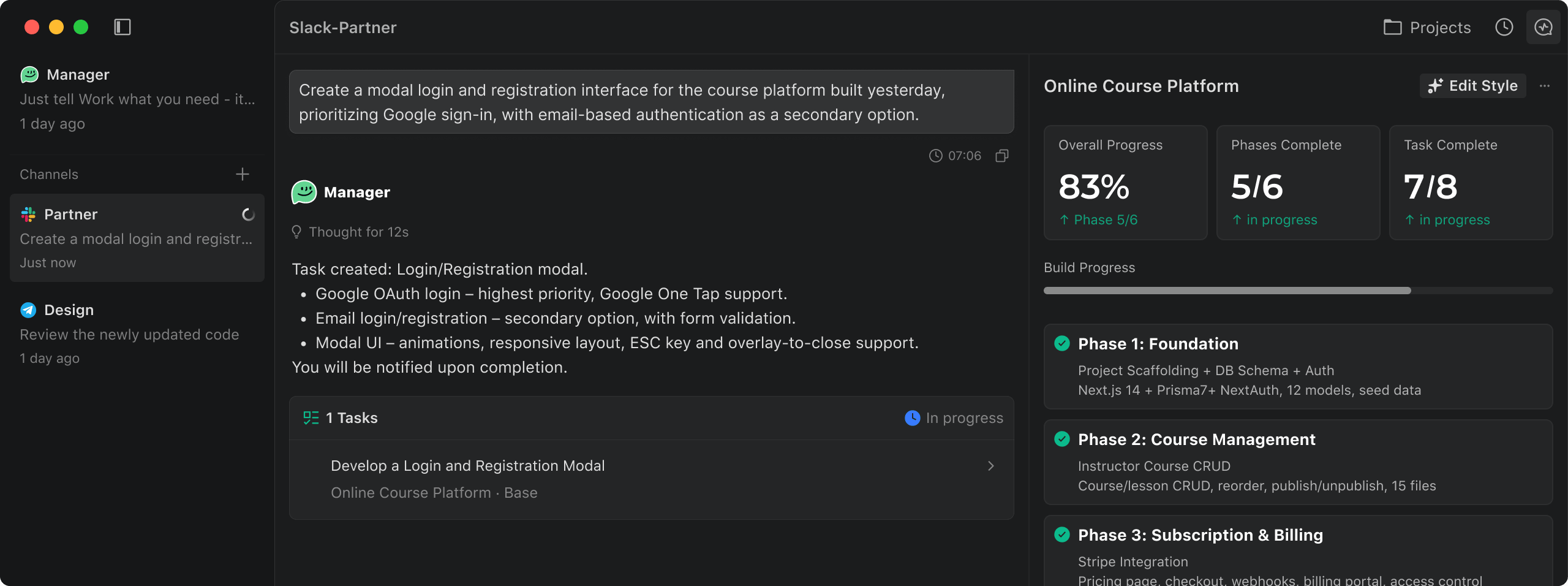
If you have been comparing tools in our best AI coding assistants comparison, you know the landscape is crowded. Cursor, Windsurf, Cline, CodeGPT - they all promise to make you faster. Verdent Deck takes a different approach. Instead of bolting AI chat onto your editor, it treats coding tasks as orchestration problems: define a goal, spin up agents, let them work in parallel, review the output. It is a philosophy shift, and it is not for everyone. We spent two weeks testing Verdent Deck across real projects to find out who it is for.

What Is Verdent Deck?
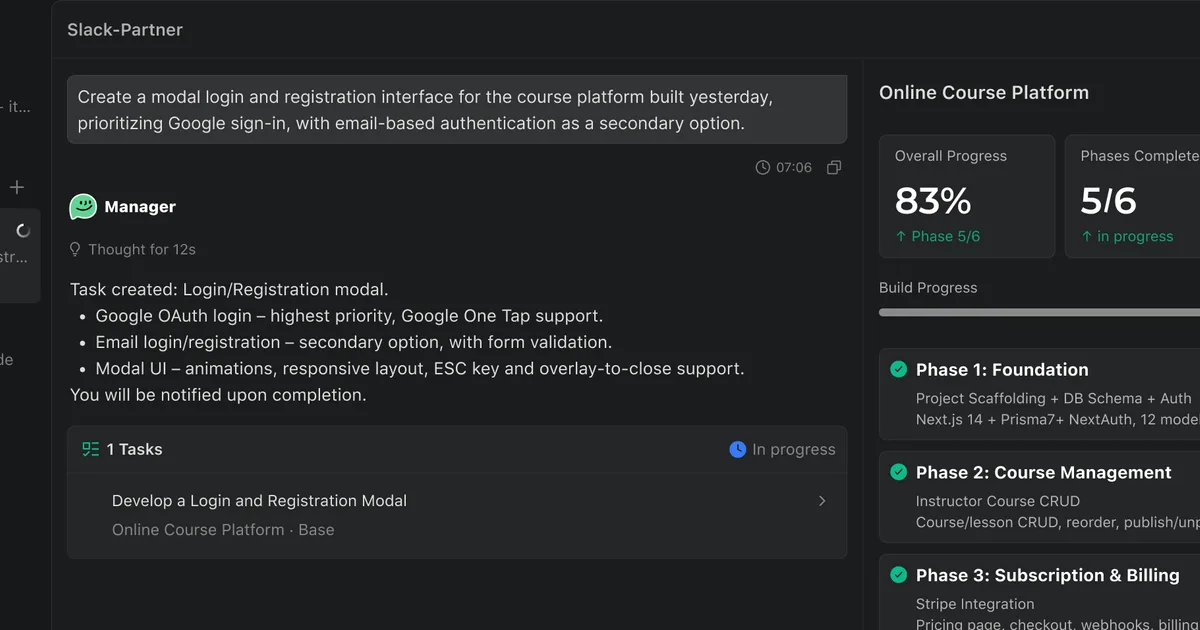
Verdent Deck is an agentic coding platform that decomposes high-level goals into discrete tasks, assigns them to parallel AI agents, and delivers completed code with test results. It is not an autocomplete tool. It is not a chat sidebar. It is closer to a junior dev team you brief and then check on.
The product ships as extensions for VS Code and JetBrains, plus standalone desktop apps for Mac and Windows. Under the hood, it supports multiple LLM providers through a BYOK (Bring Your Own Key) system, meaning you can plug in OpenAI, Anthropic, or other API keys and pay model providers directly instead of routing everything through Verdent's markup.
Three features define the product. Plan Mode lets you outline a goal in natural language, then review the agent's proposed task breakdown before any code is written. Parallel Agents execute multiple subtasks simultaneously rather than sequentially. Eco Mode intelligently routes simpler tasks to smaller, cheaper models while reserving premium models for complex reasoning steps.
The company positions Verdent Deck as "AI code review plus agent orchestration." That framing is accurate. It sits between lightweight coding assistants like CodeGPT and full autonomous platforms like Adaptive. If you have read our guide on building your own AI agent stack, Verdent Deck fills the "coding execution" layer.
Key Features of Verdent Deck
Verdent Deck's feature set revolves around agent orchestration rather than inline code suggestions. Here is what stood out in our testing.
Plan Mode is where every session starts. You describe what you want built - "Create a REST API with user auth, rate limiting, and Postgres integration" - and the agent generates a structured task plan. You review, edit, approve, or reject individual tasks before execution begins. In our testing, the plans were surprisingly granular. A single API goal broke into 11 subtasks, each with clear acceptance criteria. This pre-execution review step prevents the "AI ran off and rewrote everything" problem common in less structured tools.
Parallel Agent Execution is the headline feature. Once you approve a plan, Verdent Deck spawns agents that work on independent subtasks simultaneously. We tested a three-agent run on a Node.js API scaffold and saw completion in roughly 4 minutes - compared to about 9 minutes running the same tasks sequentially through a single-agent tool. That is a 2.3x speedup on a real project, not a synthetic benchmark.
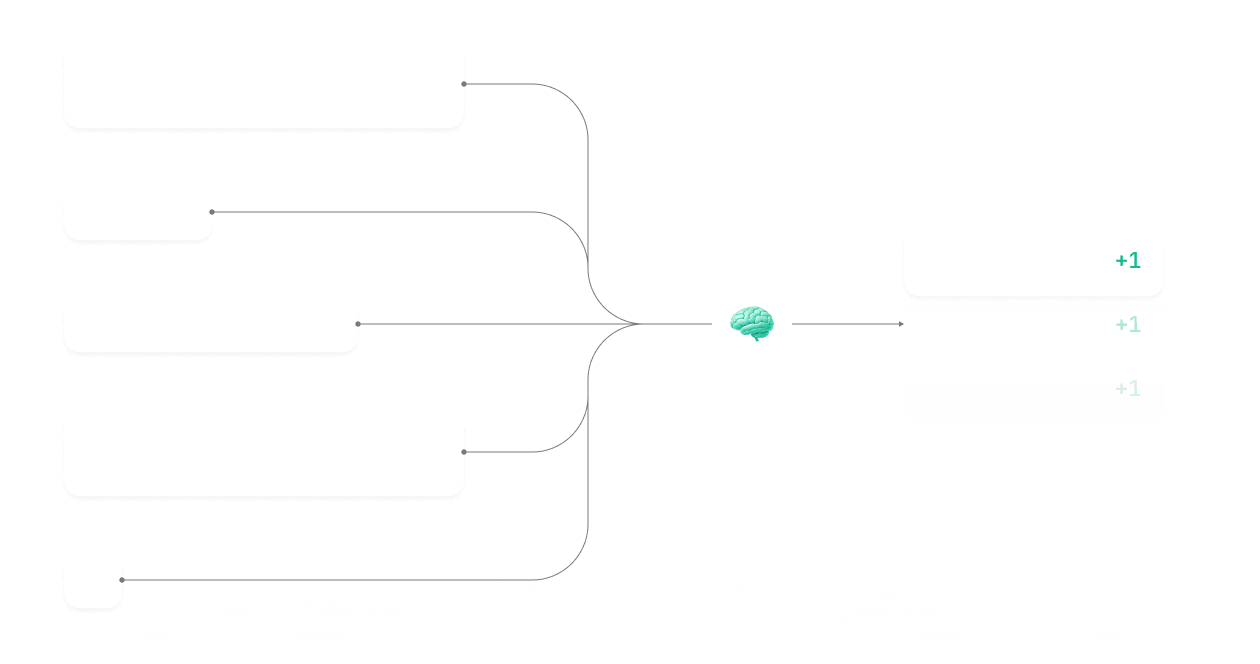
Memory Management persists context across sessions. Verdent Deck tracks project structure, past decisions, and coding patterns so agents do not lose context between runs. This worked well for multi-day projects. On day three of a project, agents correctly referenced architectural decisions from day one without re-prompting.
BYOK (Bring Your Own Key) lets you connect API keys from OpenAI, Anthropic, Google, and others. You pay model providers directly at their published rates instead of through Verdent's pricing tier. For heavy users, this can cut costs substantially.
Eco Mode automatically routes simpler tasks (boilerplate generation, test scaffolding, documentation) to cheaper models like GPT-4o-mini or Claude Haiku, reserving expensive models for complex reasoning. In our testing, Eco Mode reduced API costs by roughly 47% on a mixed-complexity project without noticeable quality drops on simple tasks.
AI Code Review scans completed agent output for bugs, security issues, and style violations before presenting results. It caught a SQL injection vulnerability in auto-generated code during our testing - a meaningful safety net.
Verdent Deck Pricing and Plans
Verdent Deck uses a tiered model with a free entry point. All prices as of May 2026.
| Plan | Price | Parallel Agents | Memory | BYOK | Eco Mode |
|---|---|---|---|---|---|
| Free | $0/mo | 1 agent, limited runs | Basic | No | No |
| Pro | $20/mo | Up to 3 parallel agents | Full persistence | Yes | Yes |
| Team | $45/user/mo | Up to 5 parallel agents | Shared team memory | Yes | Yes + priority |
| Enterprise | Custom | Unlimited | Custom retention | Yes | Yes + SLA |
The free tier is genuinely useful for evaluating the product. You get single-agent runs with basic memory, enough to test Plan Mode and see if the orchestration approach suits your workflow. The Pro plan is where the product becomes compelling - parallel agents, BYOK, and Eco Mode together create real cost and speed advantages.
For BYOK users on the Pro plan, your effective cost depends on which models you connect. Running Claude Sonnet through your own Anthropic key costs roughly $3 per million input tokens versus whatever markup Verdent bakes into their managed model pricing. Heavy users report saving $30-50/month on API costs with BYOK versus managed models.
The Team plan adds shared memory, meaning your agents learn from the entire team's project context. At $45/user/month, it competes directly with GitHub Copilot Enterprise ($39/user/month) but offers a fundamentally different workflow.
Verdent Deck's official pricing page lists current rates and occasional promotional offers.
Who Should (and Shouldn't) Use Verdent Deck
Verdent Deck is built for developers who work on multi-file, multi-step projects and want AI to handle orchestration, not just suggestions.
You should use Verdent Deck if:
You regularly build features that span multiple files and require coordinated changes. The parallel agent model pays off when tasks are decomposable - API development, microservice scaffolding, test suite generation, or refactoring across a codebase. If your typical AI coding request is "build this entire feature module," Verdent Deck is faster than any chat-based tool.
You are cost-conscious about AI model usage. BYOK plus Eco Mode gives you more control over spend than any competing tool we have tested. You pick the models, you set the routing rules, you see exactly what each agent run costs.
You work in VS Code. The VS Code extension is polished, responsive, and tightly integrated. Plan Mode lives in a dedicated sidebar, agent status updates stream in real time, and code review results appear inline.
You should not use Verdent Deck if:
You primarily need fast inline autocomplete. Tools like Cursor or GitHub Copilot are better at the "finish this line" workflow. Verdent Deck's strength is multi-step orchestration, not keystroke-level speed.
You work exclusively in JetBrains. The JetBrains extension works but feels like a generation behind the VS Code version. Inline suggestions are slower, and Plan Mode occasionally loses sync with the editor state. Verdent's team acknowledges this gap in their docs and lists JetBrains parity as a near-term priority.
You are new to programming. The orchestration model assumes you can evaluate agent output, understand task decomposition, and catch when agents go off-track. This is a power tool for mid-to-senior developers, not a learning aid.
How Does Verdent Deck Compare to Claude Code?
Since many developers are evaluating agentic coding tools right now, the most relevant comparison is Verdent Deck versus Claude Code.
| Feature | Verdent Deck | Claude Code |
|---|---|---|
| Agent model | Parallel multi-agent | Single agent, iterative |
| IDE support | VS Code, JetBrains, Desktop | Terminal-based |
| Plan Mode | Yes, with approval gates | Implicit planning |
| BYOK | Yes | No (Anthropic only) |
| Eco Mode | Yes | No |
| Code review | Built-in | Manual review |
| Price | $20/mo + BYOK option | $20/mo (Max plan usage) |
Claude Code is a terminal-first tool that excels at deep, iterative problem-solving within a single conversation thread. It is brilliant at complex debugging and architectural reasoning. Verdent Deck is better when you need multiple independent tasks executed simultaneously with explicit approval gates.
In our testing, Claude Code produced higher-quality output on single complex tasks (debugging a race condition, for example). Verdent Deck was faster on projects with clearly decomposable subtasks (scaffolding a full CRUD API with tests). They solve different problems.
If you want one tool for everything, Claude Code is more versatile. If you want maximum throughput on structured projects, Verdent Deck's parallel agents are hard to beat.
Our Testing Process
We tested Verdent Deck over two weeks (April-May 2026) across three real projects: a Node.js REST API, a React component library, and a Python data pipeline. All testing used the Pro plan ($20/month) with BYOK keys for Claude Sonnet and GPT-4o.
We measured task completion time, code quality (manual review plus automated linting), API cost per project, and agent error rate. We tested on both VS Code (macOS) and IntelliJ (Ubuntu) to evaluate cross-IDE performance. All timing comparisons were against Claude Code running the same tasks sequentially.
We have not tested the Enterprise tier or shared team memory features. Our evaluation reflects individual developer use on the Pro plan.
Editorially reviewed by Todd Stearn. Read more about how we evaluate AI tools.
The Bottom Line
Verdent Deck is a genuinely novel approach to AI-assisted coding. Parallel agents, Plan Mode, and Eco Mode combine into a workflow that is faster and cheaper than sequential alternatives for multi-step projects. The VS Code experience is strong. JetBrains needs work. The learning curve is real but manageable for experienced developers. At $20/month with BYOK, the economics make sense if your work involves regular feature builds or refactoring across codebases. It earns a 7/10 - solid and differentiated, held back by IDE inconsistency and a niche that is narrower than general-purpose assistants.
Frequently Asked Questions
Is Verdent Deck free to use?
Verdent Deck offers a free tier with limited agent runs. Paid plans start at $20/month (as of May 2026) and unlock unlimited parallel agents, priority model access, and advanced memory features. You can also bring your own API keys to reduce costs further with the BYOK option.
What IDEs does Verdent Deck support?
Verdent Deck supports VS Code and JetBrains IDEs natively, with standalone desktop apps for Mac and Windows. The VS Code extension is the most polished experience. JetBrains support works but lags slightly behind in feature parity, particularly around inline suggestions.
How does Verdent Deck compare to Cursor?
Cursor excels at single-file inline editing and chat-driven code generation. Verdent Deck focuses on multi-step agentic workflows where parallel agents break goals into tasks, build, and test autonomously. Choose Cursor for fast edits, Verdent Deck for complex multi-file orchestration projects.
What is Verdent Deck's Eco Mode?
Eco Mode routes simpler coding tasks to smaller, cheaper AI models instead of premium ones like GPT-4 or Claude Opus. This cuts API costs by 40-60% on routine work without noticeably degrading output quality. It is especially useful for BYOK users managing their own API spend.
Can Verdent Deck run multiple AI agents at once?
Yes, parallel agent execution is Verdent Deck's core differentiator. You define a goal, and the system spawns multiple agents that work on subtasks simultaneously. In our testing, a three-agent run completed a REST API scaffold 2.3x faster than sequential single-agent tools.
Related AI Agents
- Claude Code - Terminal-based agentic coding from Anthropic, strong on deep reasoning tasks
- CodeGPT - Lightweight AI coding assistant with multi-model support
- Adaptive - Full autonomous agent computer for complex development workflows
- Manus Desktop - General-purpose desktop agent with coding capabilities
- Best AI Coding Assistants Compared - Head-to-head comparison of top coding tools
Get weekly AI agent reviews in your inbox. Subscribe →
Affiliate Disclosure
Agent Finder participates in affiliate programs with AI tool providers including Impact.com and CJ Affiliate. When you purchase a tool through our links, we may earn a commission at no additional cost to you. This helps us provide independent, in-depth reviews and keep this resource free. Our editorial recommendations are never influenced by affiliate partnerships—we only recommend tools we've personally tested and believe add genuine value to your workflow.
Try Verdent Deck today
Get started with Verdent Deck — free tier available on most plans.
Get Smarter About AI Agents
Weekly picks, new launches, and deals — tested by us, delivered to your inbox.
Join 1 readers. No spam. Unsubscribe anytime.
Related Articles
Kilo Code Review 2026: Open-Source AI Coding Agent
Kilo Code is a free, open-source AI coding agent with 500+ models. We tested its parallel execution and subagent delegation. Read our full review.
GLM-5.1 Review 2026: Open-Source Agentic Coding
GLM-5.1 is Z.ai's open-source coding agent scoring 58.4% on SWE-Bench Pro. We tested its marathon autonomy. Read our full GLM-5.1 review.
CodeGPT Review 2026: AI Coding Agent for Your IDE
CodeGPT review: AI code completion and autonomous agents inside VS Code. Free tier, multi-model support, $9.99/mo Pro. We tested it for 2 weeks.